Multi-agent systems have a visibility problem. You write the orchestration code, you kick off the run, and then you watch a wall of JSON scroll past in a terminal. Somewhere in there, five agents are doing five different things. Which one is stuck? Which one already finished and is now idling? Which one just ran a shell command you did not expect? You find out afterward, by reading logs.
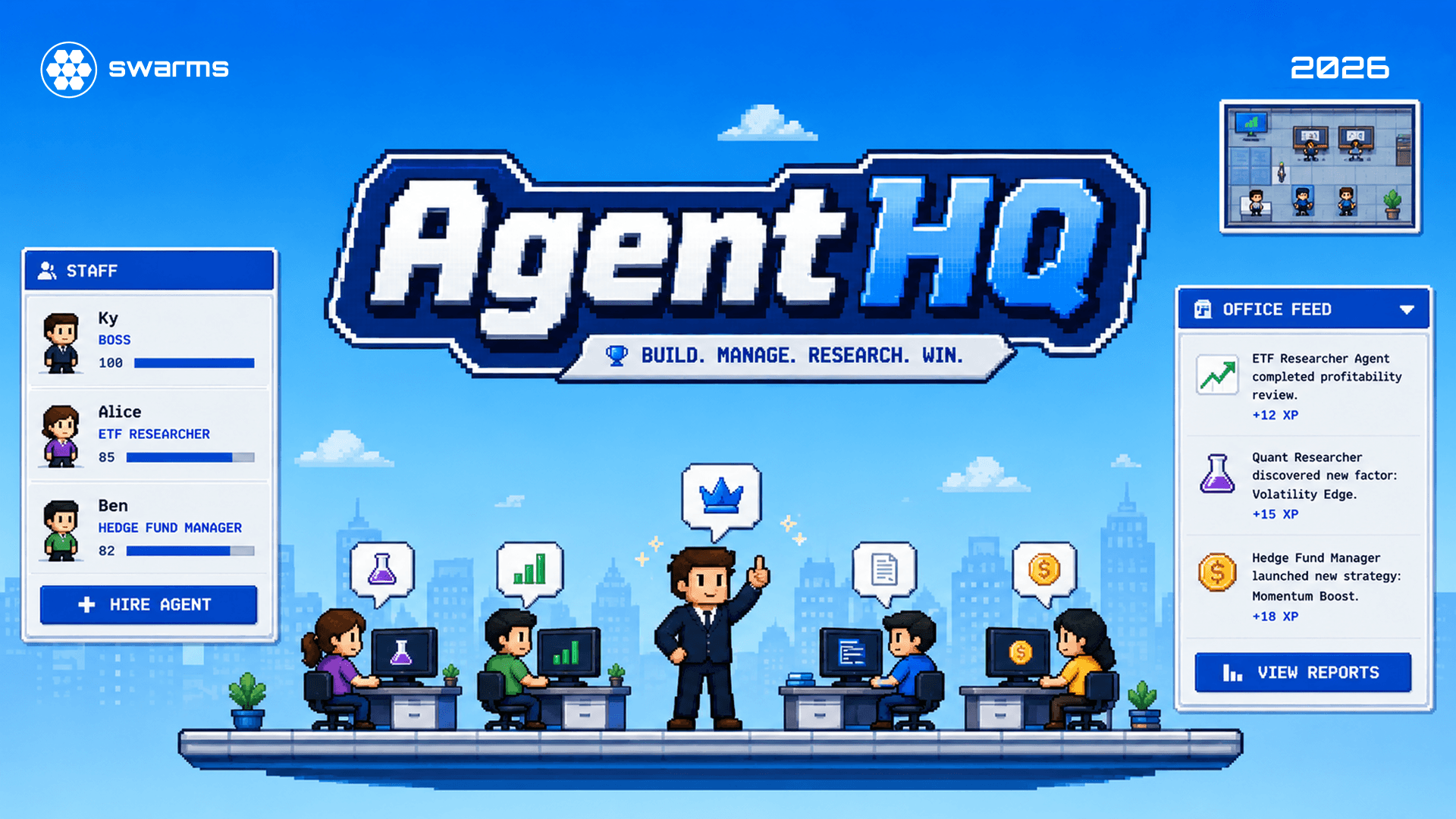
AgentHQ, currently in pre-beta with early access through the waitlist at swarms.ai/agenthq, takes a different approach: it gives your agents a place to be. Each agent is an employee at a desk in a top down pixel art office. You hire it, you name it, you pick its model, you walk up to its desk and hand it a task. It walks to its chair, sits down, and starts working. Speech bubbles and a live office feed stream its actual tool calls and output while it happens.
The office is the interface. Underneath it, every employee is a real coding agent with real file and shell access, running through the Claude Agent SDK or the OpenAI Codex SDK, working inside its own directory on disk.
The Problems This Solves
For the people running agents
Orchestration is invisible. A dashboard tells you an agent is "running". It does not tell you what that feels like. In AgentHQ, status is spatial and immediate: an agent walking to its desk is thinking, an agent typing is working, an agent standing around is free for a task. You read the state of your whole operation by looking at the room.
Agents forget. Most agent harnesses treat every task as a fresh call, so the fourth thing you ask has no memory of the first three. In AgentHQ each agent is one long running conversation that resumes on every task, so it remembers every order you have given it and everything it did in response, including across server restarts.
You cannot see the cost of a mistake until later. When output streams live, a bad instruction is obvious in seconds, and one keystroke stops the run.
For the people building agents
Roster design is the slow part. Deciding how many agents a job needs and who owns what is where most of the time goes. AgentHQ makes the roster a physical thing you can grow one hire at a time, and gives you a manager role that plans a division of labor for you.
Coordination is usually code you have to write. Fan out, fan in, pipelines, handoffs: in most frameworks each of these is plumbing you implement and maintain. AgentHQ ships four coordination patterns as first class actions in the UI, described in detail below.
Blast radius is hard to reason about. Every agent here gets its own workspace directory, its own conversation, and its own provider sandbox settings. Isolation is the default rather than something you remember to add.
Provider lock in. The runner layer is one interface. Claude and Codex agents sit at desks in the same office, work on the same goals, and hand results to each other, so you can put the deep reasoning model and the fast cheap model on the same problem and compare their reports side by side.
The Architecture
AgentHQ runs as a single process in production: one Node server that serves the game client over HTTP and the agent WebSocket on the same port.
┌─────────────────────┐        WebSocket         ┌──────────────────────┐
│  Client (Phaser 3)  │ ◄───── same-origin ────► │  Server (Node + ws)  │
│  office scene, HUD  │         /ws path         │  AgentManager        │
└─────────────────────┘                          │   ├─ Claude runner ──┼──► @anthropic-ai/claude-agent-sdk
                                                 │   └─ Codex runner ───┼──► @openai/codex-sdk
                                                 └──────────┬───────────┘
                                                            │ each agent works in
                                                            ▼
                                                  workspace/<name>-<id>/
The client is a Phaser 3 game. It renders the office, paths agents between desks, draws speech bubbles, and hosts a DOM HUD for hiring, assigning, and reading logs. It holds no authority: it is a view of server state plus a keyboard.
The server owns everything real. The roster, every agent's log, the running SDK sessions, and the settings all live in one AgentManager. Clients connect over a WebSocket, receive a full snapshot on connect, and then receive incremental messages as things change.
The provider layer is one small contract. A runner is an async generator that takes a task plus a run context (working directory, model, system prompt, abort signal, session id) and yields typed events:
export type ProviderRunner = (
  task: string,
  ctx: RunContext,
) => AsyncGenerator<TaskEvent, void, void>;

export interface TaskEvent {
  kind: "text" | "tool" | "result" | "error";
  text: string;
}
Everything the office knows about a running agent arrives through that stream. Adding a third provider means implementing that one function.
What an agent is
Each employee is a record on the server, persisted on every change:
| Field | What it holds |
|---|
name, title | The name you gave it, plus a randomly assigned job title (Code Gremlin, Bug Whisperer, Refactor Goblin, and so on) |
provider, model | Claude or Codex, and which model backs this agent |
role | worker (does tasks) or manager (plans and delegates) |
status | idle, thinking, working, done, or error, mirrored in the game world |
systemPrompt | Optional standing instructions you set at hire time |
sessionId | The provider conversation id that carries this agent's memory |
deskIndex, sprite, accent | Where it sits, which sprite sheet it uses, its color in the UI |
tasksDone | A running count, which the manager reads when deciding who to trust with what |
The job title is not decoration. Each title carries a voice that gets written into the system prompt, so a Docs Bard reports back with flair and a Loop Unroller enumerates its steps. Personality rides along with the work rather than replacing it.
Memory
There is no vector store here and no summary file. An agent's memory is its conversation.
Every task passes resume: sessionId to the Claude SDK, or resumes the equivalent Codex thread. The SDK reports the session id back on the first run, the server stores it on the agent, and every later task continues that same thread. Three properties follow:
- Broadcast orders are remembered. An order sent to the whole office lands inside each agent's private conversation exactly as a personal order would.
- Memory survives restarts. The session id is persisted with the roster, so restarting the server loses nothing.
- Stopping a task is not amnesia. An aborted run still happened inside the conversation, and the next task picks up from there.
Memory is also private. Agents do not read each other's conversations, which keeps context small, costs predictable, and behavior reproducible. Everything shared between agents moves through one of the explicit channels below.
How Agents Communicate
This is the part most multi-agent systems make you build yourself. AgentHQ ships four patterns, and you choose one at the moment you assign work.
1. Direct assignment
Walk up to a desk, type a task, done. One boss, one agent, one conversation. This is the baseline, and for most work it is the right answer. The agent's memory means the fifth task can refer back to the first without you restating anything.
2. Broadcast
One task, every agent who is free right now. The office pulls into a huddle animation, and then each agent walks back to its desk and starts the same job independently, in its own workspace, with its own model.
Broadcast is the cheapest way to get diversity of approach. Give the same research question to a Claude Opus agent and a Codex agent and read the two reports side by side. Nothing is shared between them during the run, so the outputs are genuinely independent rather than an echo of whichever agent spoke first.
3. Manager delegation
Hire an agent with the manager role and it stops doing tasks itself. When you give a manager a goal, it receives a planning brief instead: the goal, a roster of every worker who is free at that moment (with their title, provider, model, and how many tasks they have completed), and an instruction to break the goal into one self contained subtask per worker it wants to involve. It replies with a plan:
[
  { "name": "Pixel", "task": "Benchmark the three candidate parsers on the sample corpus and report throughput." },
  { "name": "Byte",  "task": "Draft the migration guide for the parser we are most likely to pick." }
]
The server parses that plan, matches each name against the roster, and assigns each subtask to that worker, tagged with the manager who sent it and the boss goal it serves. Workers that were left out stay idle. If nobody is free, the manager returns an empty plan and says so.
Two design choices are worth naming. The manager is told explicitly not to use tools and not to do the work itself, which keeps planning cheap and fast. And subtasks must stand alone, because each one runs in a different workspace with no view of the others.
4. Handoff
When you assign a task you can also pick who receives the result. The moment the first agent finishes, the server composes a follow up task for the second agent containing what the first was asked to do, its final report, and the path to its workspace, with permission to read those files but instructions to do its own work in its own directory.
This is how you build a pipeline without writing one: research, then draft, then review. Each stage is a different agent, possibly a different provider, and each stage keeps its own memory of its own role across every run of the pipeline. If the receiving agent is busy when the handoff fires, the sender says so in its log instead of silently dropping the result.
Choosing between them
| Pattern | Topology | What crosses between agents | Best for |
|---|
| Direct | One to one | Nothing | Most work, and anything iterative |
| Broadcast | One to many, parallel | Nothing | Comparing models or approaches on one question |
| Manager | Planner to many | A subtask written for each worker | Goals that split cleanly into independent pieces |
| Handoff | Chained | The previous agent's report plus its workspace path | Pipelines where each stage builds on the last |
There is a fifth channel that is deliberately quieter: you. Walk up to any agent and talk to it. That conversation runs in the same session as its work, so it remembers the chat, but it is explicitly told not to use tools or touch files. It is a hallway conversation, not an order, and it is often the fastest way to find out why an agent did what it did.
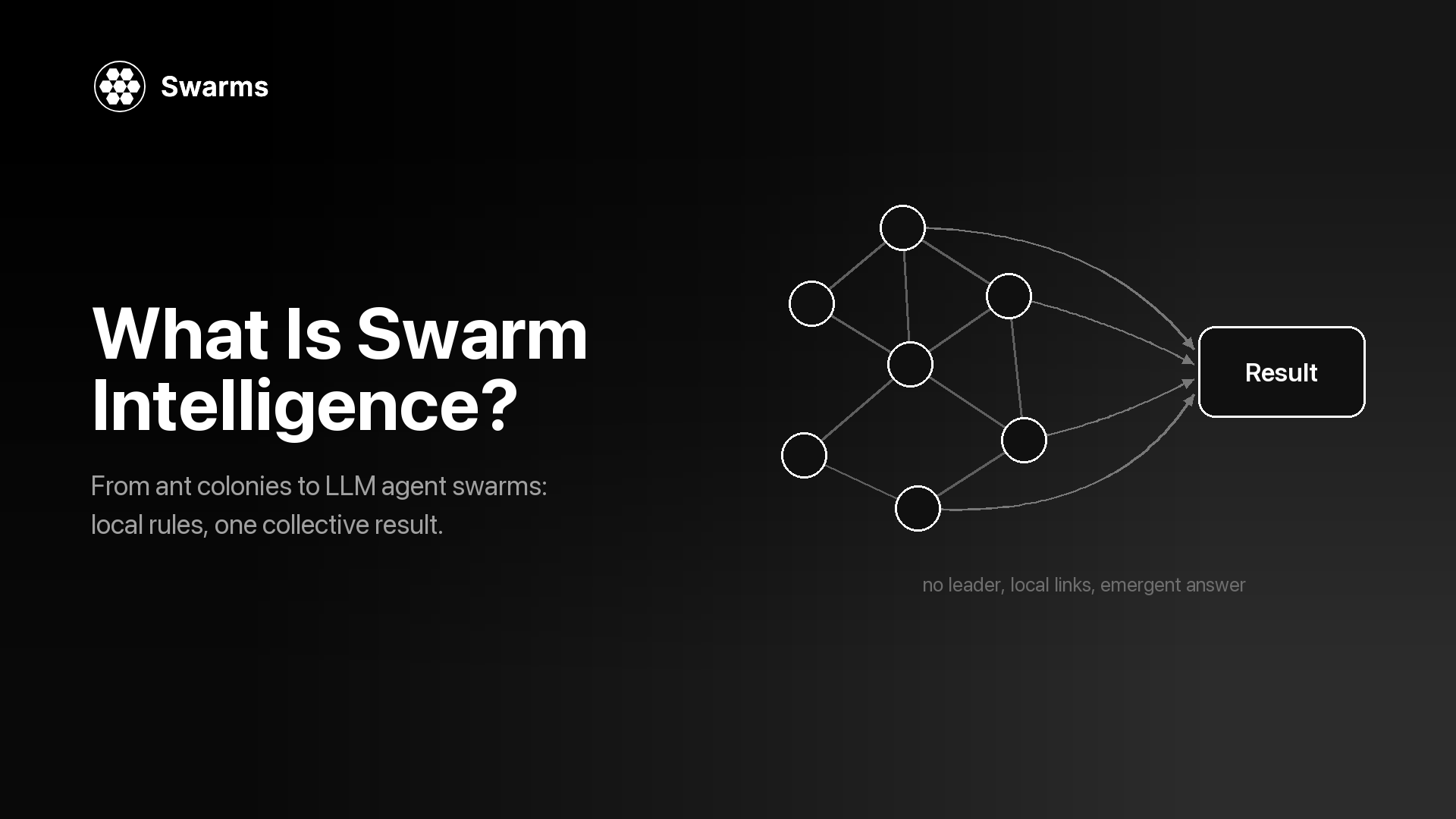
The unifying principle: agents share results, never context. Nothing an agent says to you leaks into another agent's conversation unless you route it there. That keeps every agent's context window small, makes the cost of a run predictable, and means a misbehaving agent cannot poison the rest of the office.
Themes
The office ships in three looks, switchable at any time from settings. The layout logic stays identical; the tileset, palette, and mood change.
| Theme | The room |
|---|
| Classic | Wood floors, warm lighting, a cozy startup office |
| Lumon | Green carpet, white walls, a shared desk block, fluorescent calm |
| Arasaka | A black and red corporate tower with Night City out the windows |
Themes matter more than they sound like they should. You watch this screen for hours, and the room you are watching sets the tone of the work.
What Else Is In The Building
- The staff roster lists everyone with their accent color, title, and live status, and doubles as a jump menu to any desk.
- The org chart draws the reporting structure: you at the top, managers in the middle, workers below.
- The office feed is the combined stream of every agent's text, tool calls, results, and errors, with per agent log panels when you want to read just one.
- The minimap keeps the whole floor visible while the camera follows you.
- Idle wander lets agents get up and move around between tasks, which sounds cosmetic and turns out to be the fastest way to see at a glance who is free.
- Stop and fire. Abort a running task without losing the agent's memory, or remove an employee entirely and free their desk.
- Bring your own keys. Paste an Anthropic or OpenAI key in settings and it takes priority over the server environment. Stored keys stay server side and are never sent back to the browser.
- Permission modes. Claude agents can run unattended or in a mode that permits file edits while refusing unapproved shell commands. Codex agents run under the Codex CLI sandbox, with read only, workspace write, and full access options.
A Word On Safety
These are real programs with real tool access, so the honest framing is worth stating plainly. In its default mode a Claude agent executes shell commands unattended inside its workspace folder, and that folder is a convention enforced by prompt rather than an operating system boundary. Codex agents run inside the Codex CLI's own enforced sandbox. Treat agent workspaces as untrusted output, do not point agents at secrets, and tighten the permission mode when you want a shorter leash. Everything is visible while it happens, which is the point, but visibility is not the same as containment.
Getting Early Access
AgentHQ is in pre-beta and opening in stages. To get in early:
- Sign up for the waitlist at swarms.ai/agenthq. That is the only way in during pre-beta.
- Subscribe to the Swarms newsletter at swarms.ai/newsletter. Newsletter subscribers get early access invitations first, along with the release notes as new offices, themes, and coordination patterns ship.
Conclusion
The reason agent orchestration is hard to reason about is that it has no shape. Processes and queues and logs are real, but you cannot look at them. AgentHQ's argument is that giving a multi-agent system a body, desks, rooms, walking, and a feed you can watch, changes what you notice and how fast you notice it.
Underneath the pixel art, the engineering positions are conventional and deliberate. One server owns all state. Each agent is one long conversation, resumed forever, private to itself. Each agent works in its own directory. Providers sit behind a single small interface, so a Claude agent and a Codex agent are peers. Coordination is four explicit patterns rather than an emergent property, and every one of them shares results while keeping context isolated.
What that buys you is an operation you can grow. Start with one agent and one task. Add a second provider when you want a second opinion. Add a manager when the goals stop fitting in one head. Chain a handoff when the work has stages. The office fills up, and at every step you can see exactly who is doing what.
AgentHQ is in pre-beta. Sign up for the waitlist at swarms.ai/agenthq to get early access and hire your first employee.
Links and Resources
Have questions or feedback? Join our Discord community or check out the documentation.