This picks up where the last changelog left off: just under ten weeks, 106 commits and 82 merged pull requests on cloud.swarms.world.
The previous window was about reach, putting the API's endpoints in front of you as pages. This one has two threads. The first is that the console now handles your account itself. You can buy credits, start a trial, upgrade, see the exact charge before paying, pay a failed invoice, update your card, redeem a code, and read every charge and top-up in one place. Before this window, most of that meant leaving for another site. The second thread is new surfaces for the newest parts of the API: decision models, reasoning agents, regional endpoints, and a template for every endpoint the API serves.
As before, this lists what is live today. Work that shipped and was rolled back inside the window is left out, and where something has its own post, the entry here is short and links out.
Highlights
The six that matter most from this window. The full day by day log follows.
- Billing in the console. Buy credits in any amount, turn on auto-recharge, start a 7-day Pro trial, switch plans with the exact charge shown first, redeem credit codes, and read a full billing history. Annual plans are 15% cheaper than paying monthly.
- Regions. Every API URL, the global one and four regional ones, with live health from each region, a globe, and the URLs that keep your inference inside the United States, Europe or Asia Pacific.
- Decision Models and reasoning agents. A playground for typed questions that return calibrated probabilities instead of prose, and catalog pages plus a playground mode for Self-Consistency, Reflexion and Agent Judge.
- Audit log. Completions, API keys and balance top-ups on one timeline, with search, filters and export.
- Per-model prices. Every model now shows its own input and output price per million tokens, the calculator prices at the model you pick, and every provider has its logo.
- A clearer Agents page. A summary strip, total runs per agent, sortable columns, and one row menu that can open a chat with that agent.
Week of September 14
September 20
- Every client library on /sdks shows its language's own logo on its card instead of a two-letter abbreviation.
- The first-run tour closes on Escape, like every other dialog. It announced itself as a dialog to keyboard and screen reader users, but the only way out was to tab to the skip button.
- The dashboard cards and the SDKs, Settings, Skills and Terms pages moved their labels to sentence case. This was the start of a sweep that ran through October and finished on November 12.
Week of September 21
September 25
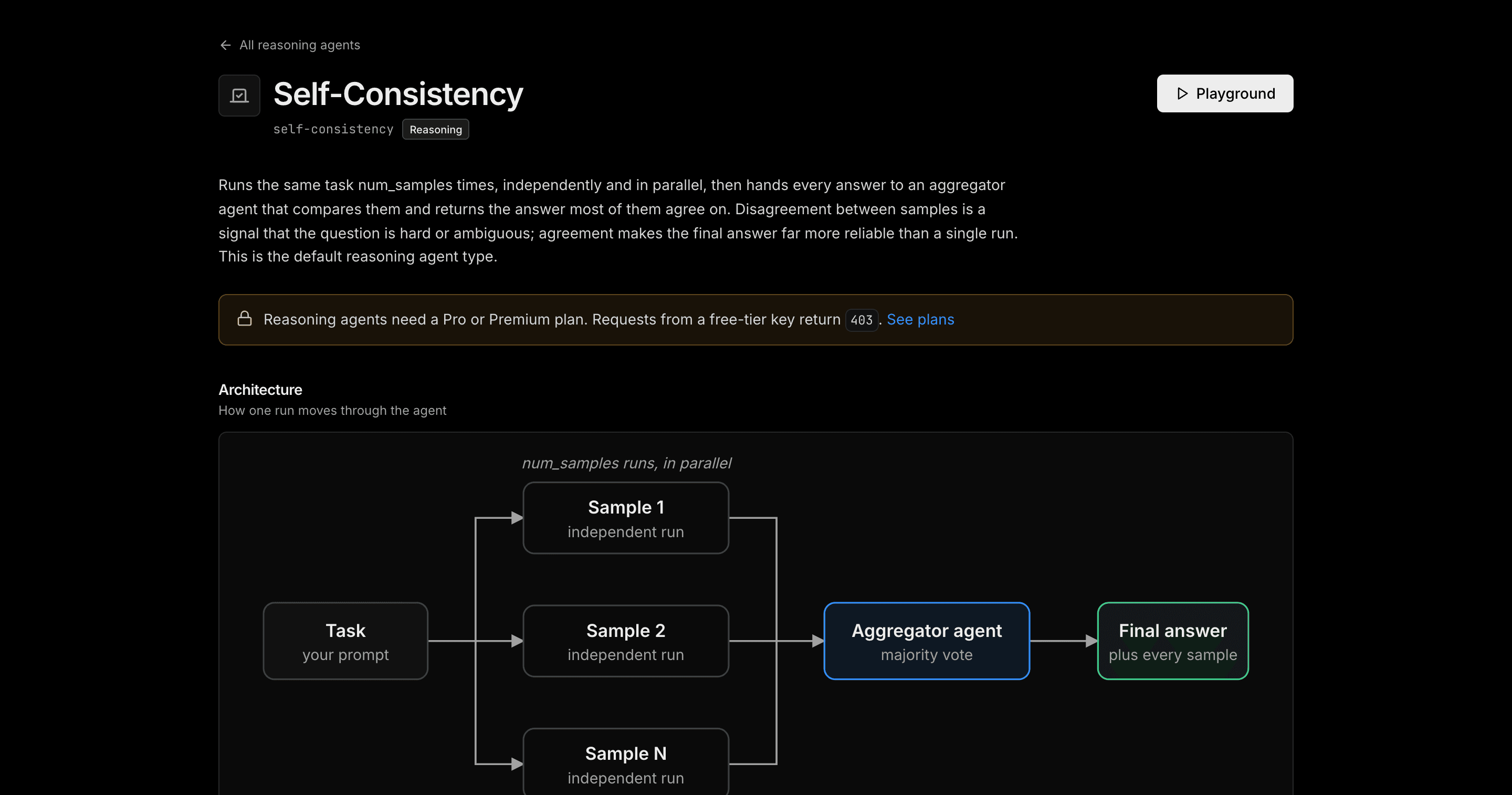
- Reasoning agents shipped. Each reasoning agent on
/v1/reasoning-agent/completions has its own page: an architecture diagram, how it works, use cases, the parameters and a quick start. The playground gained a Swarm / Reasoning agent switch, so a reasoning agent can be run from the same editor as a swarm.
- /sdks lists the hosted MCP server next to the
swarms-ts-mcp package, and a new APIs section shows the S2A API base URL.
September 26
- The reasoning agent pages got proper search metadata: a title that leads with what the agent is, curated keywords per agent, article metadata, and a citation for the agents based on a paper. The index cards show each agent's one-line tagline instead of a paragraph.
- /sdks gained two cards: the Swarms API itself at
api.swarms.world, with links to the OpenAPI spec and docs, and the Swarms Marketplace MCP server.
September 27
- A deployment's timeline moved to its own tab, next to Logs, and the deployment page gained a Details panel with the last request and the GitHub source it was built from.
- A Config tab on every S2A deployment. It shows the deployment's spec as YAML, as a Python script and as a cURL command that recreate it. Environment values never appear in it: each one is a reference to a variable of the same name.
Week of September 28
September 28
- SkillScanner is an S2A template. It audits agent skills and prompts for prompt injection, malicious links, data exfiltration and hidden instructions, then has a Swarms agent give a verdict. One click deploys its service.
- The Deployment tab shows the four latest build steps under the deployment URL, updating on their own during a rollout, with a link to the full timeline.
September 30
- The active navbar tab is marked in the foreground colour instead of accent blue, so the selected page no longer reads as the one blue thing on a monochrome bar.
October 1
The densest day in the window, and almost all of it billing.
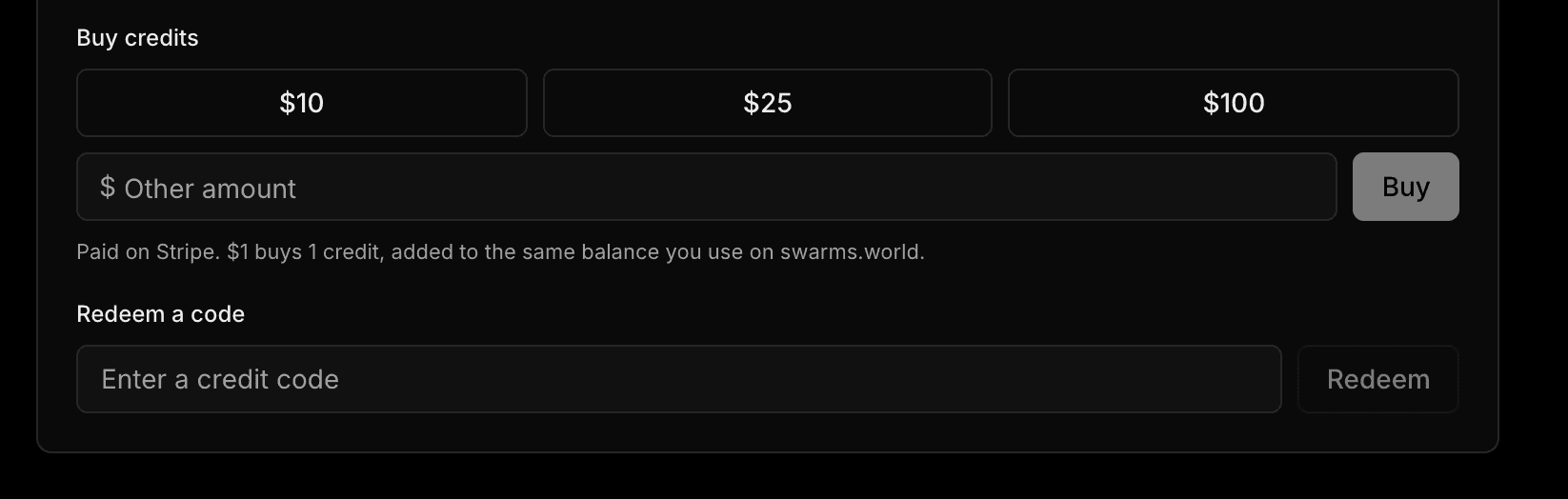
- Buy credits in the app. Settings sells credits as $10, $25 and $100 packs or any whole amount from $5 to $10,000. They go to the same balance you use on swarms.world.
- Auto-recharge. Choose a threshold of $5, $10 or $25, and when your balance drops below it the card from your first purchase is charged for the amount you set. It runs for people who only use the API, not only when someone has the console open.
- A 7-day free trial of Pro for anyone who has never subscribed. A card is required, nothing is charged for seven days, and access starts immediately.
- The exact charge before an upgrade. Upgrading used to charge the prorated difference the moment you clicked. Now a dialog shows what is due today, the renewal date and the new monthly price, and nothing changes until you confirm. The charge matches the preview to the cent.
- Plan buttons on /pricing go straight to checkout for that plan. Signed out, the plan is remembered through sign-up, so you land on checkout once your account exists, however you signed in.
- A Payment confirmed dialog after every successful payment, saying what was bought: a new plan, a top-up, an upgrade, a paid invoice, or the date a trial will charge.
- A failed payment is no longer invisible. When a subscription's payment fails, a prompt on every page offers to pay the invoice or move to Free. Paying in another tab is picked up when you come back, and the prompt closes once the plan is active again.
- Pro and Premium pages share one gate. Every page backed by a subscriber-only endpoint opens the same dialog for free accounts, with Upgrade now and Go back. S2A and Skills joined it the same day.
- Swarms Cloud sends email. Receipts for plans and credit purchases, a reminder before a trial's first charge, an auto-recharge confirmation, a notice when an API key is created, a warning when the balance runs low or you approach your daily rate limit, and a summary of last month's runs, tokens and spend on the 1st.
- Swarm architecture pages stream a loading frame at once instead of showing a blank page while the API answers.
- The S2A deployments globe loads only when needed (287 kB to 213 kB on first load) and stops redrawing when nothing on it is moving.
October 2
- The focus ring is drawn in the foreground colour instead of the browser's default blue.
Week of October 5
October 5
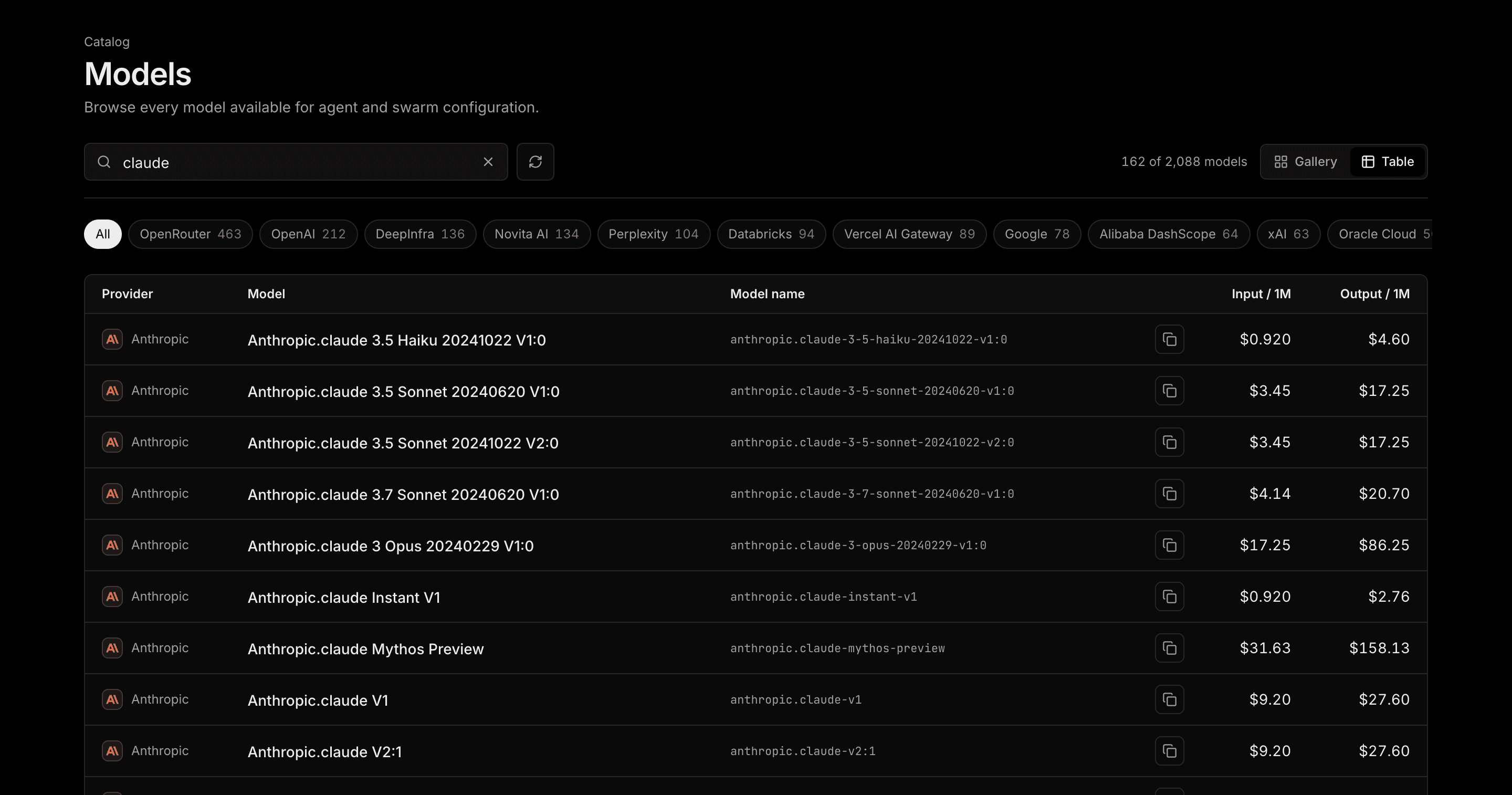
- Models has a table view, one click from the gallery, with the columns ordered Provider, Model, Model name. It paginates with the gallery's controls from October 6.
- Apps that need Pro or Premium are marked on /apps and in the command palette, so you find out before opening the page.
- Subscribers can update their card through the Stripe Customer Portal from Settings.
October 7
- A low-balance warning before runs start failing. One user found out their balance was gone from a failed run. A banner on the dashboard, Playground, Chat, Batch and Grid now shows what is left once the balance drops below $5, turns red below $1, and links to adding credits and turning on auto-recharge. Accounts with auto-recharge on never see it.
October 8
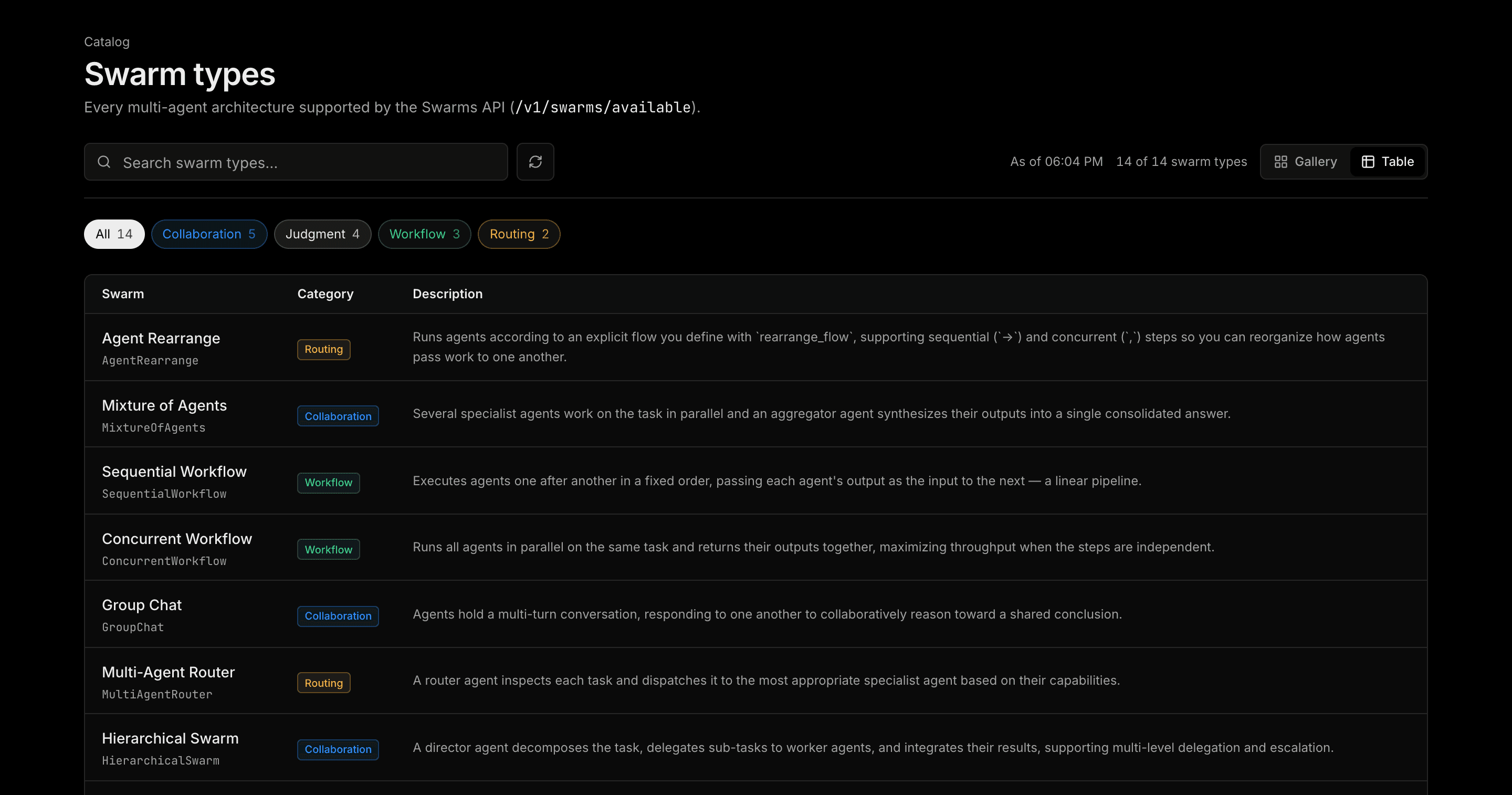
- Swarm types has a table view too, listing all 14 architectures with their category and description. Search and the category filter apply to both views.
- Provider logos instead of letter monograms in the provider badge, which the models table, the model pages, the agents table and the agent pages all use.
Week of October 12
October 12
- Grid, graph workflow and Auto Agent Builder runs read their cost from
usage.total_cost, after the API removed the field they had been reading. Their cost had started showing as zero.
October 13
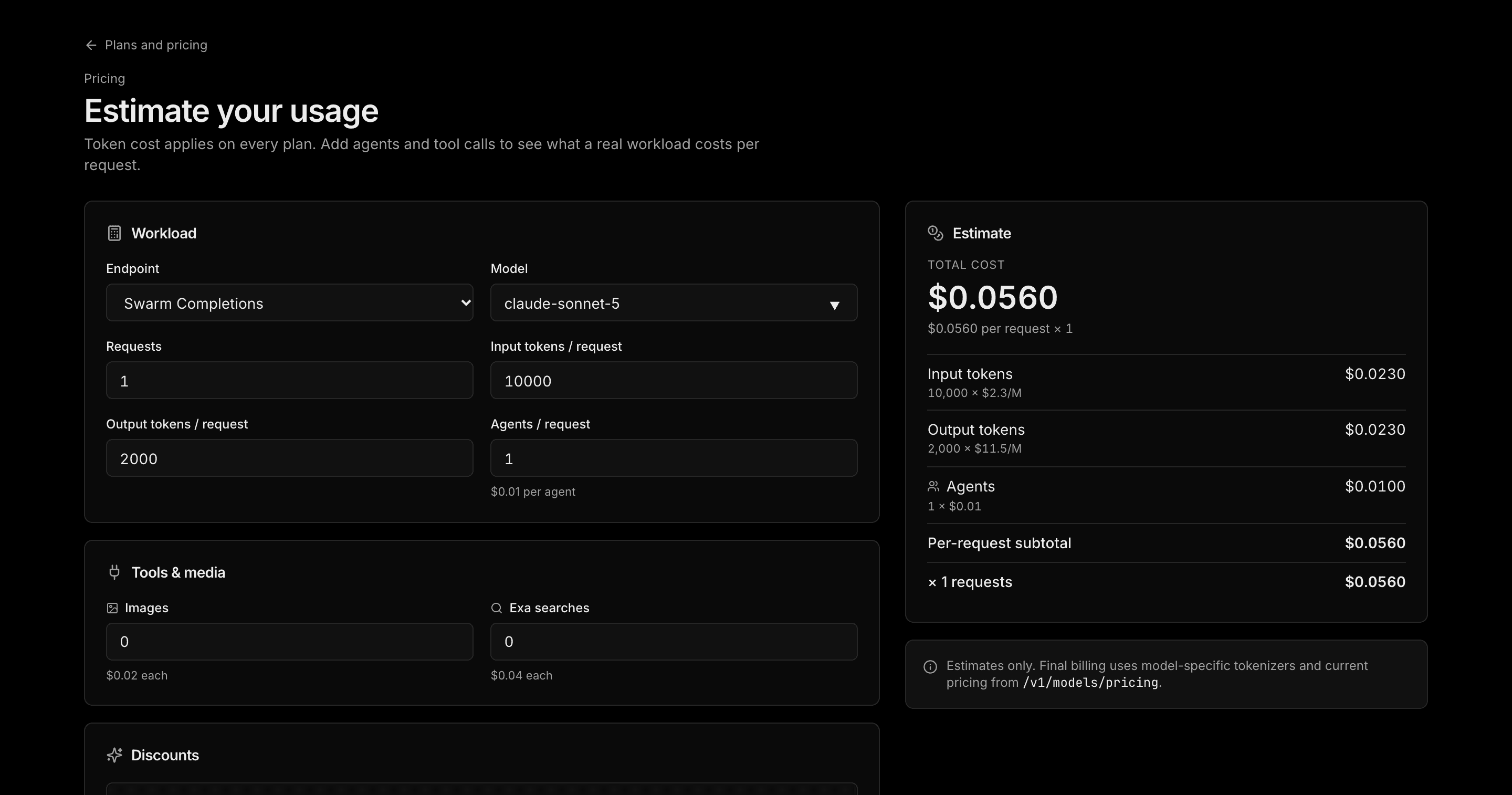
- Every model at its own price. The API now bills each model at its own rate and no longer charges for MCP servers or web scraping. /pricing and /learn-more stopped quoting one flat rate for every model and the two removed fees.
- /models and every model page show input and output price per million tokens.
October 15
- The pricing calculator prices tokens at the model you select, not at one flat rate, and its MCP and web scrape inputs are gone.
October 17 to 19
- The onboarding tour loads on demand instead of shipping in every page's first load.
- The sentence case sweep reached the History table, agent cards, swarm output, the S2A deployments table, the agents and saved configurations tables, the agent page, API keys, Apps and the Auto Agent Builder.
Week of October 19
October 21
Three S2A features in one day.
- Custom domains. Attach your own hostname to a deployment. The console shows the DNS records to create, verifies them, and lets you remove the domain later.
- Deploy private repositories. Connect GitHub from the New deployment dialog through the Swarms Cloud GitHub App, choose which repositories it may read, and pick one from a list. Swarms Cloud stores no GitHub token.
- Edit environment variables as a
.env file. The env section on New deployment and on a deployment's Settings tab switches between rows and a single .env text area. Comments, export and quoting are kept, you can load a .env file, and pasting a .env snippet into a name field splits it into rows.
Week of October 26
October 26
- Logos for every provider. Each provider in the live catalog now has its own mark, and gallery cards show it too. Provider detection covers far more model ids, including image models led by a size or quality tier and Bedrock-style ids, so models with no provider dropped from 132 to 8.
- A faster platform. Sessions are checked locally on each page view instead of with a network round trip. /models is a static page with the first 50 cards in the first HTML, and model pages show prices on first paint. Balance, rate limit and MCP status polling pauses in background tabs. The Workflow Builder's canvas loads on demand, taking its first load from 278 kB to 160 kB, and the libraries behind sign-in load only when a page needs them.
Week of November 2
November 4
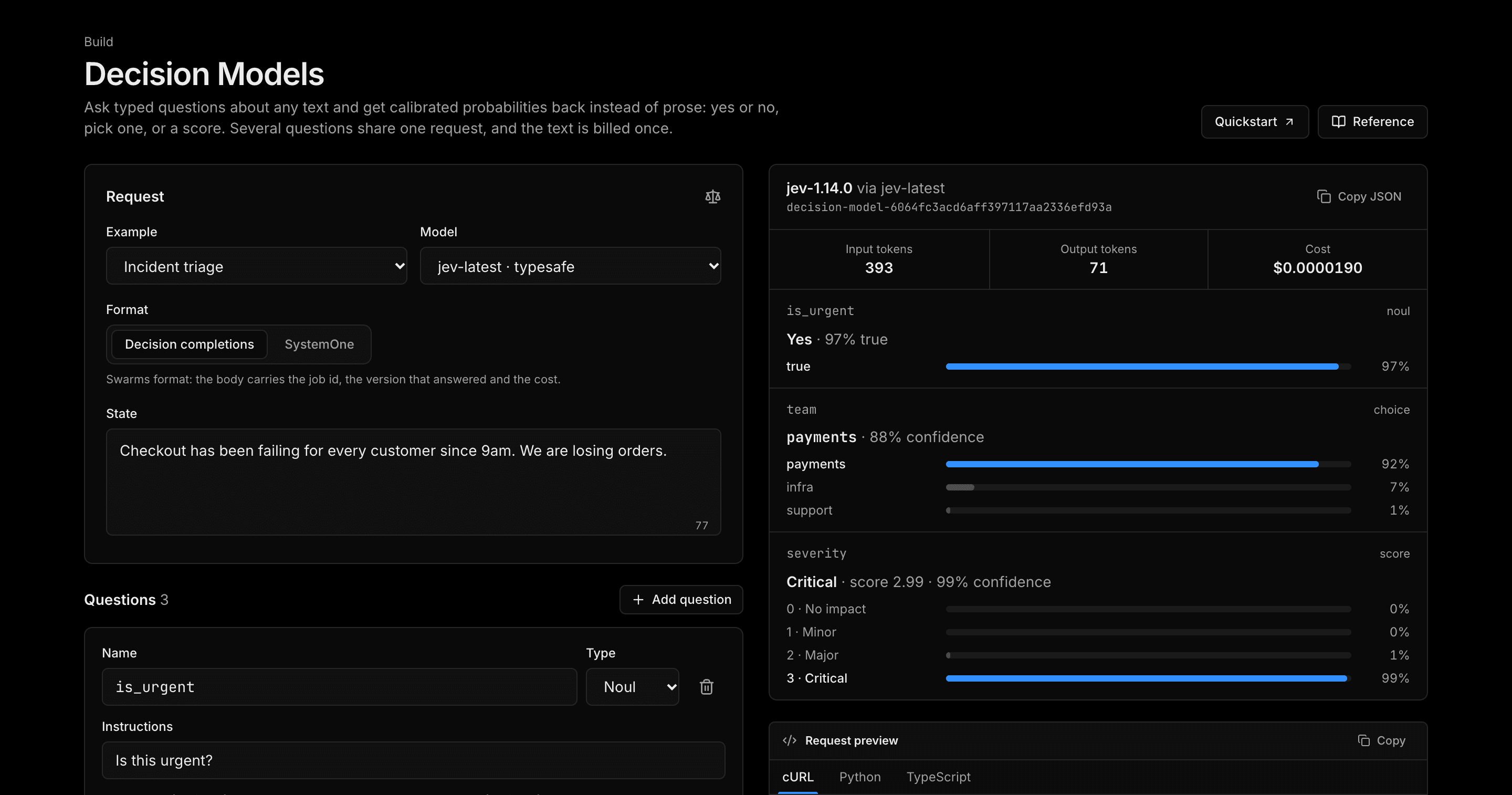
- Decision Models shipped, for
/v1/decision/completions and /v1/systemone. Ask typed questions about any text, yes or no, pick one, or a score, and get calibrated probabilities back instead of prose. The playground builds questions, shows each answer as probability bars with its cost, and generates the request in cURL, Python and TypeScript. The page also lists the live models and prices, question types, endpoints and guides. If decision models are new to you, start with what a decision model is.
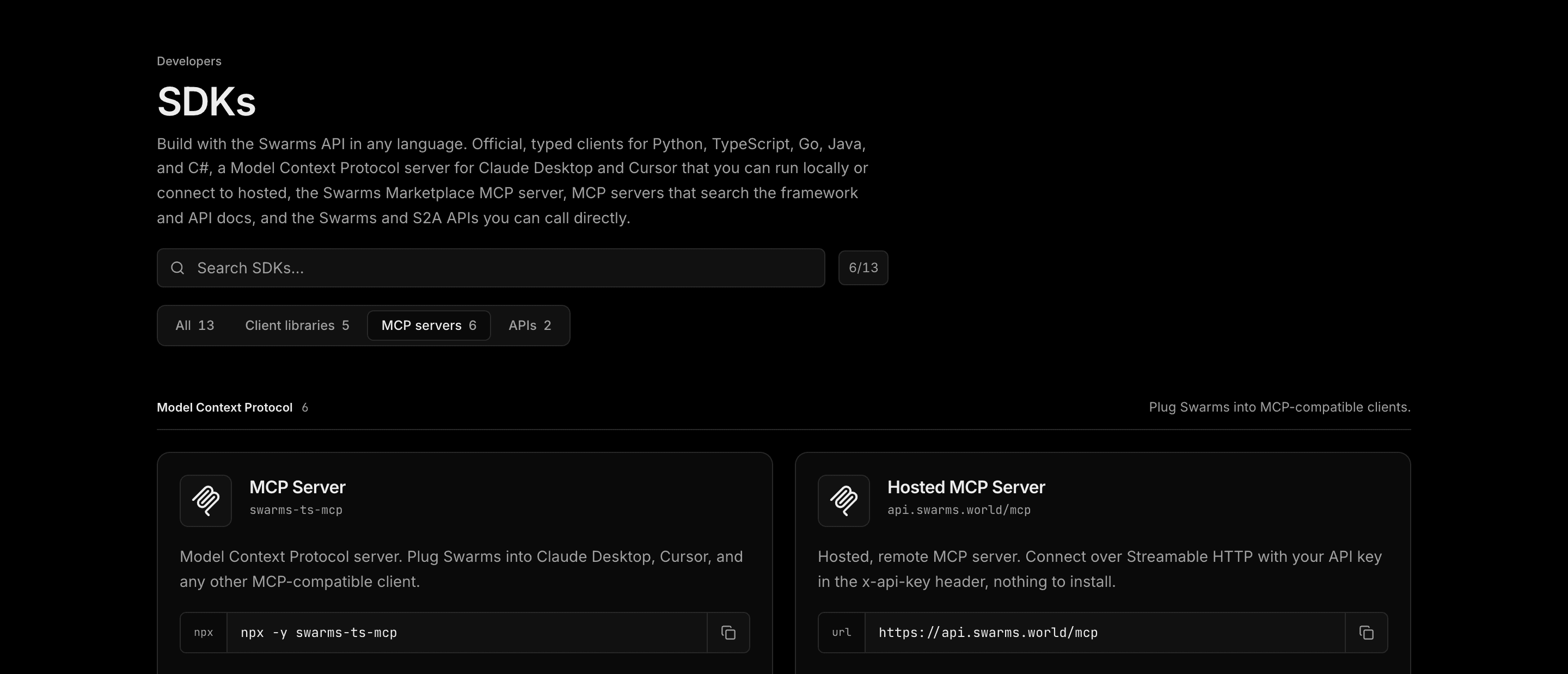
- /sdks lists three more MCP servers: the Swarms framework docs, the Swarms API docs, and Byte, the Swarms Marketplace companion. A row of filters (Client libraries, MCP servers, APIs) narrows the page, and the choice is kept in the URL.
- Every page in the apps catalog previews as itself when shared: its icon, its category and its name on the social card, in the platform's greys.
November 5
- Redeem credit codes. The Credits card in Settings has a Redeem a code field. A valid code adds free credits and shows your new balance, and a bad one says why.
November 6
- Your full balance, everywhere. The navbar, home page, Settings and the low-balance banner were counting paid credits only, so the sign-up grant, redeemed codes and referral credits were missing. They now show the total, and hovering the balance in the navbar splits it into Paid, Free and Referral. Redeeming a code updates the navbar at once.
November 7
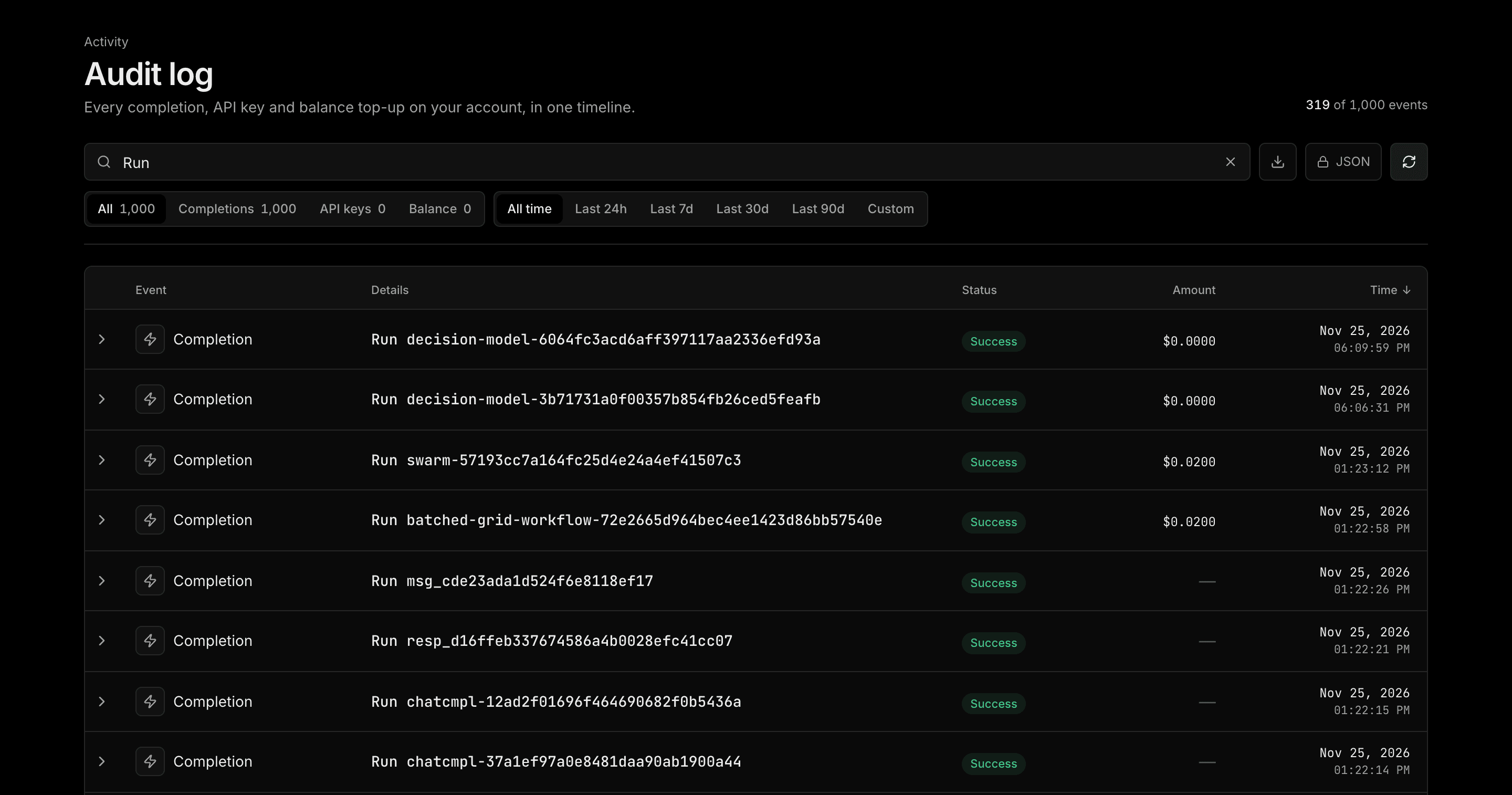
- The audit log shipped. Completions, API keys created (marked when since deleted) and balance top-ups (credit purchases, auto-recharges and redeemed codes) in one timeline, newest first. It has the same search, type and date filters, export, refresh and pagination as History, and every row links to the run, your API keys or Settings.
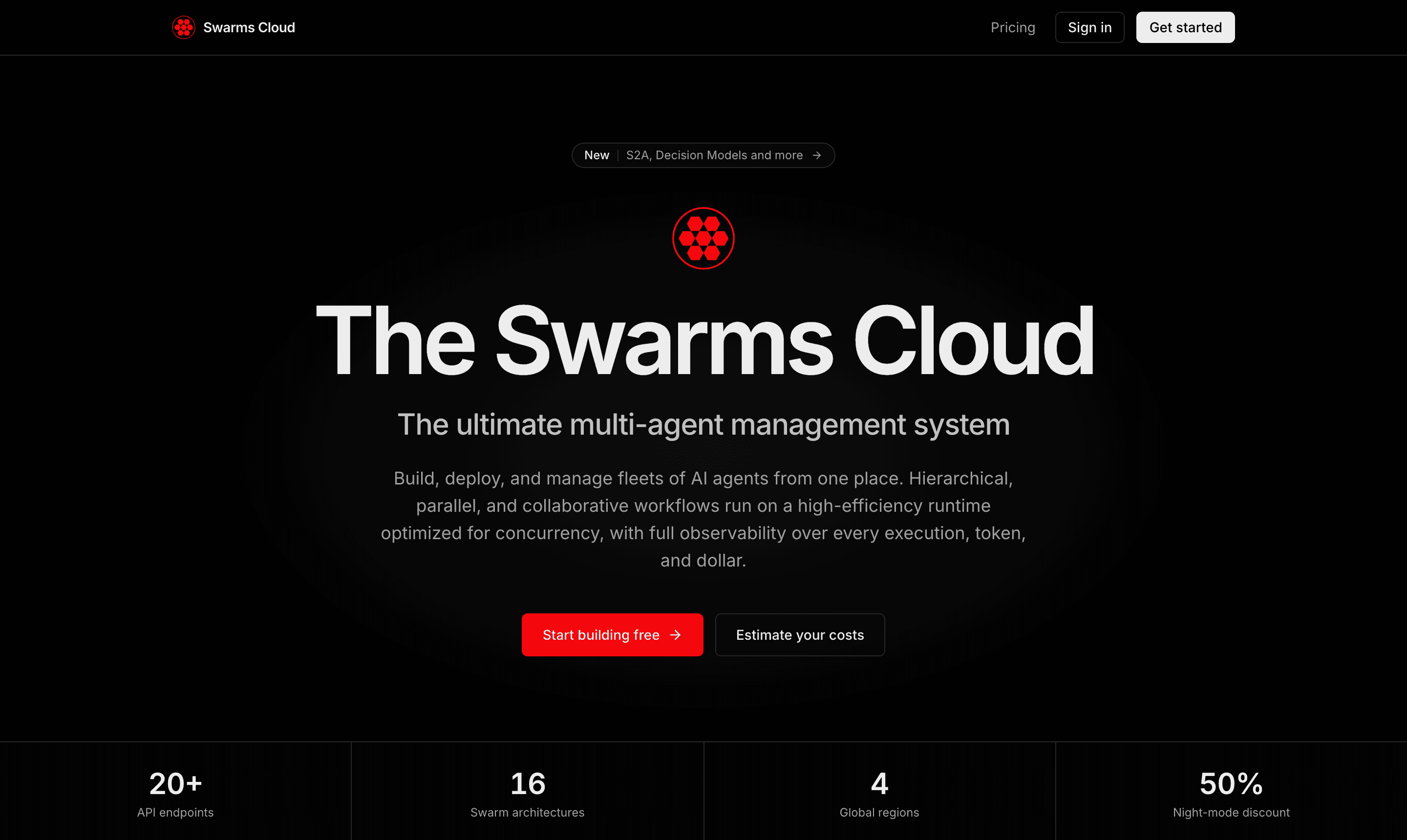
- /learn-more was redesigned with a full-screen hero, a stats strip and a What's new section covering S2A, Decision Models, reasoning agents, the Workflow Builder, the hosted MCP server and credits in the console. It is now readable without signing in.
- The hosted MCP server's URL is
api.swarms.world/mcp everywhere in the console.
- Outlook, Hotmail, Live and MSN addresses can sign up again, and can redeem credit codes.
Week of November 9
November 10
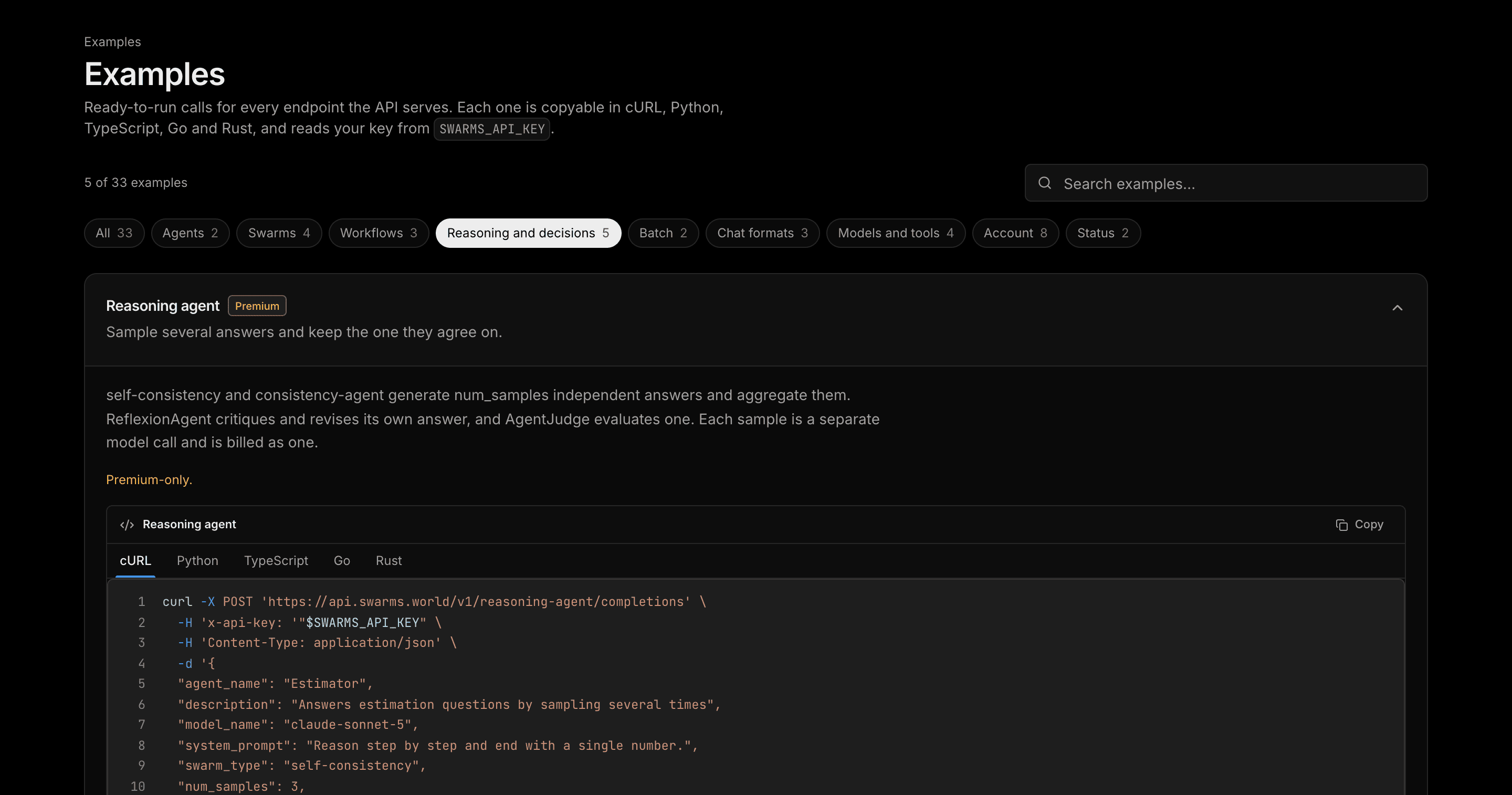
- Examples covers every endpoint in the API. It had templates for 5 of the 30 endpoints in the OpenAPI spec. It now has one for each, across new Workflows, Reasoning and decisions, Chat formats, Models and tools, and Status categories. A test fails the build if an endpoint is ever added without a template.
- A longer onboarding tour. After setting up an API key and a first run in the Playground, the tour now walks new accounts through History, Audit Log, Usage, Models and Settings, one click per stop, with Back and a progress bar. Restart tour also works again for accounts that already have a key.
- Batch, Grid, Examples and Skills have their own titles and social cards, instead of inheriting the site default.
November 11
- Upgraded to Next.js 16.4.6 and React 19.3.
November 12
- The sentence case sweep finished on the Workbench, Learn More and the date range filter, and /sdks lost the leftover letter spacing on its headings so they match /apps.
November 15
- Billing history. One table of everything you have been billed or credited: subscription invoices, credit purchases, auto-recharges and redeemed codes, with totals, the plans you have had, receipt links, search, a type filter and export. It is linked from the account menu and Settings.
- Your avatar in the account button. It shows your Google or GitHub photo, or your initials, in place of a generic icon, and opens the account menu on hover. The Docs button, which duplicated the Docs item in that menu, is gone.
- llms.txt describes the Swarms API MCP server, and a new /agents.md gives an AI agent using Swarms on someone's behalf everything it needs: how to get a key, connect over MCP, call the REST API, every endpoint by category, and the rules on credits and premium endpoints. Its endpoint list is generated from the Examples catalog, so it cannot drift. The MCP server guide covers the client side.
- The flat image fee reads $0.02 per image, matching the API, instead of $0.25.
Week of November 16
November 16
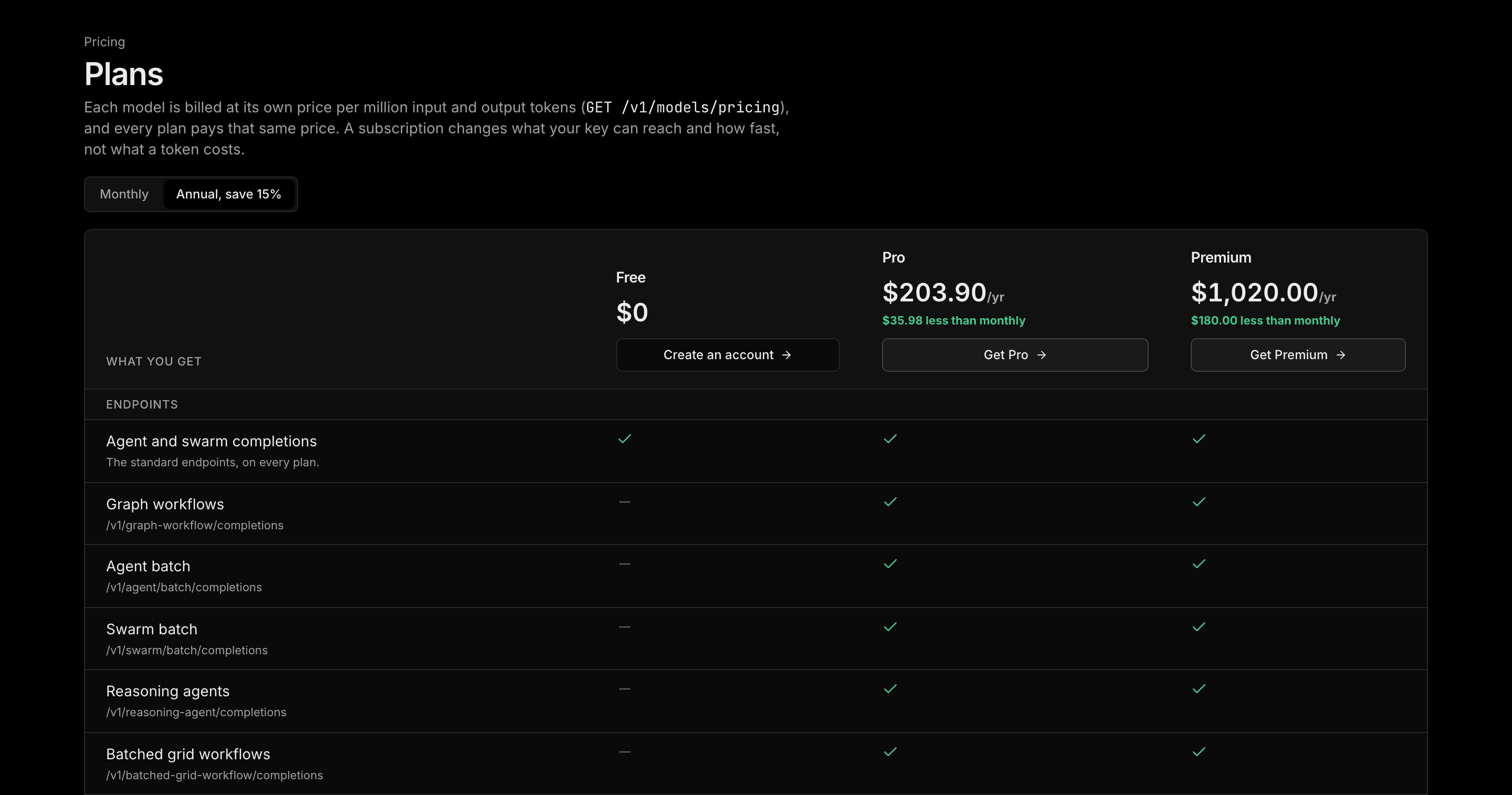
- Annual plans. A Monthly / Annual switch on /pricing and in Settings. Annual is 15% off twelve monthly payments: Pro is $203.90 a year and Premium $1,020 a year.
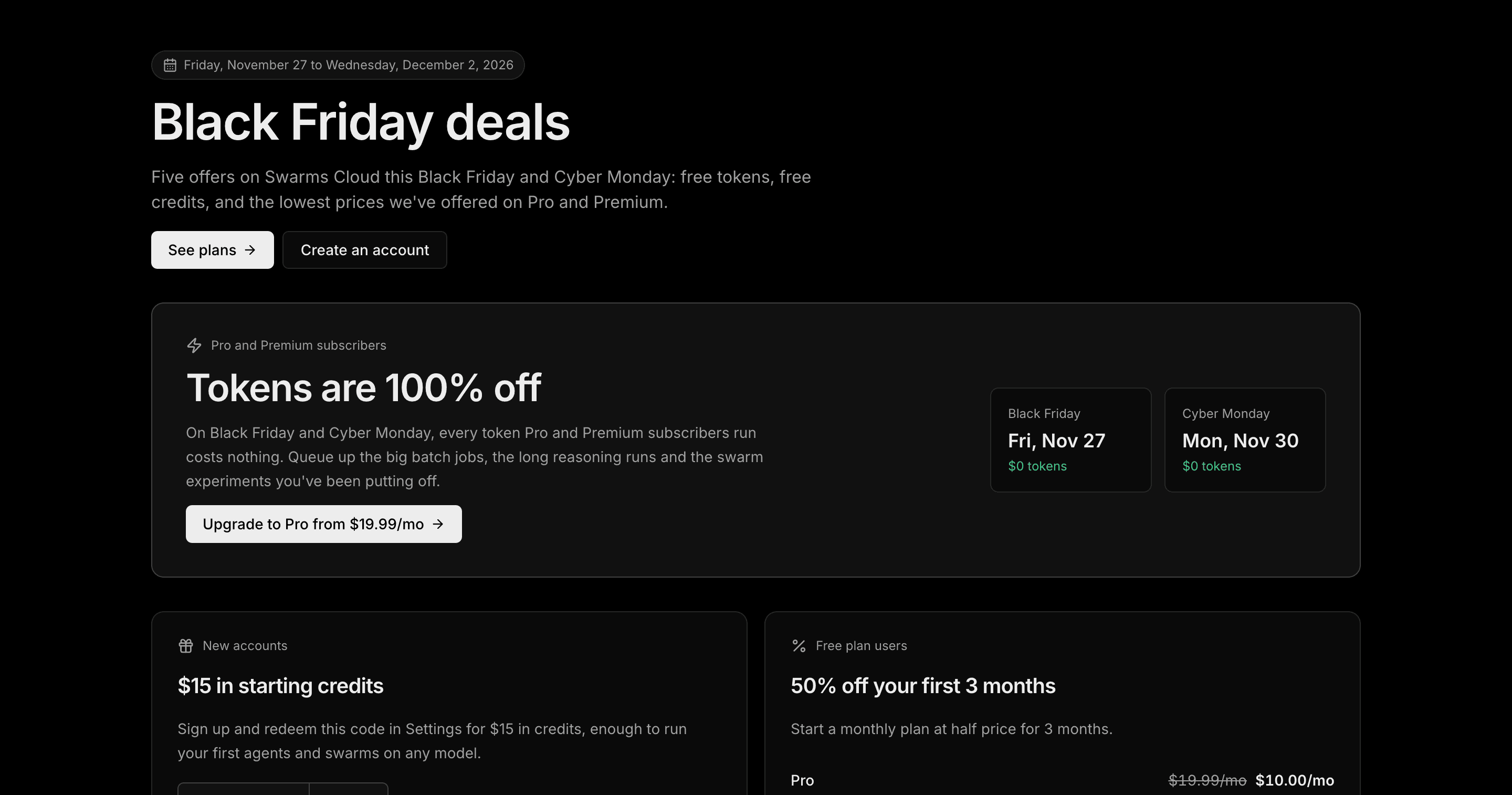
- Black Friday deals, live now through Wednesday, December 2. For anyone without a subscription, 50% off the first 3 months of a monthly plan. An extra 10% off the first year of an annual plan, for 24% off monthly in all. A 20% bonus in free credits on every credit purchase and auto-recharge during the sale. A code for $15 in starting credits for new accounts. And on Black Friday and Cyber Monday, tokens are free for Pro and Premium subscribers. The deals page lists all of them with checkout buttons, and a banner on the dashboard links to it until the sale ends. The Black Friday post has the details.
- The audit log exports JSON on Premium, with an upgrade link on other plans.
- Premium shows $100.00, the amount actually charged, rather than $99.99.
- An upgrade from an account whose saved subscription no longer existed in Stripe failed with an error. It now goes on to a normal checkout.
November 17
- How far back your history goes, stated up front. /pricing has an Execution history row: the 50 newest runs from the last 7 days on Free, the 5,000 newest from the last 90 days on Pro, and the full history on Premium. On History, the date ranges your plan cannot reach are shown locked with an upgrade link, the page opens on the widest range your plan can read, and a custom range cannot start before your plan's window. The shared date filter gained a Last 90d preset.

November 18
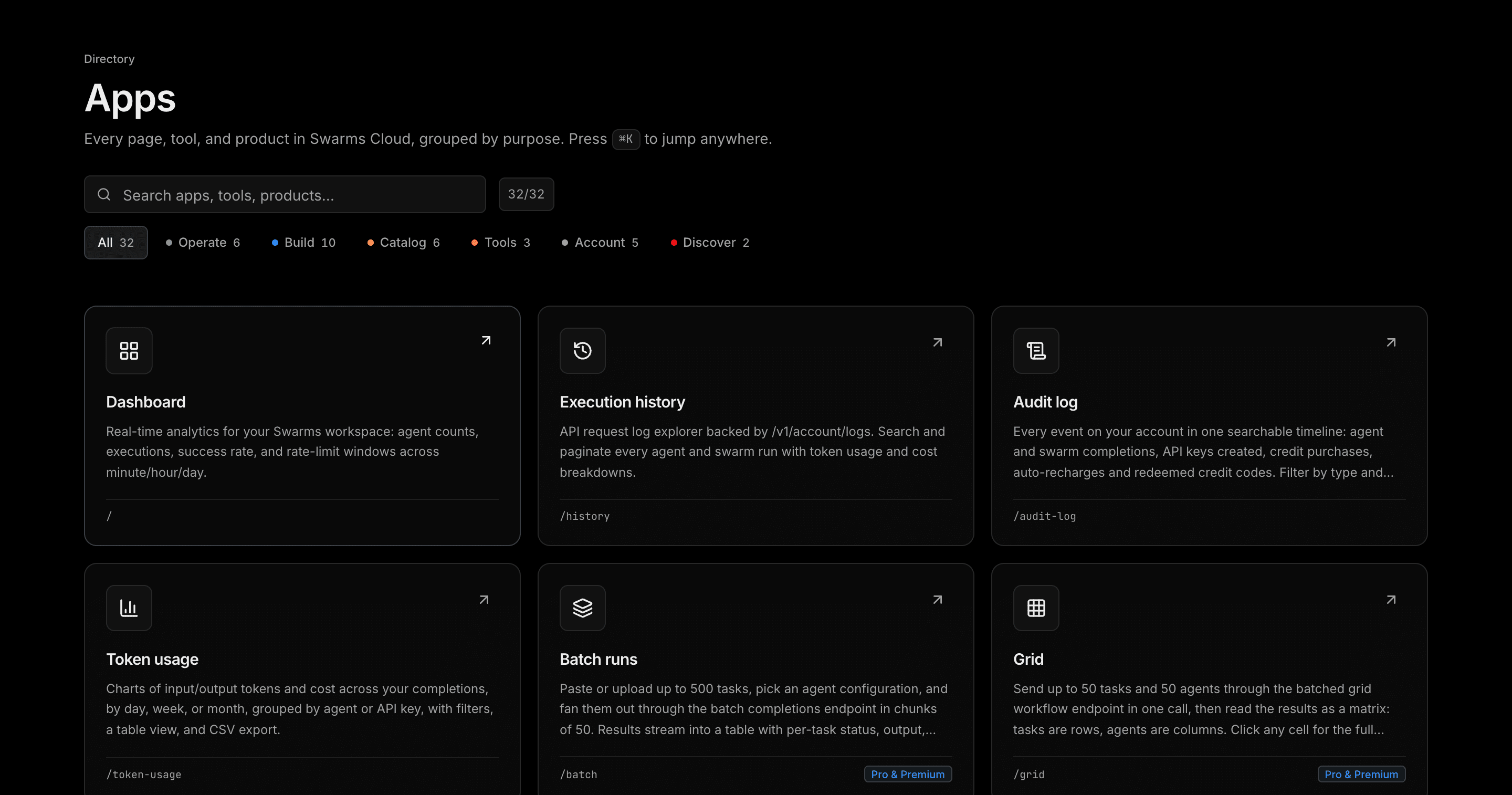
- Apps was reorganised. Search sits on the left under the title, with a row of category tabs carrying live counts. All shows one grid, and picking a category shows only its apps. Each category has its own coloured dot, and the app icons are white on a grey tile.
- The navbar search dropdown spans the full width of the search bar instead of a fixed panel pinned to the right.
November 19
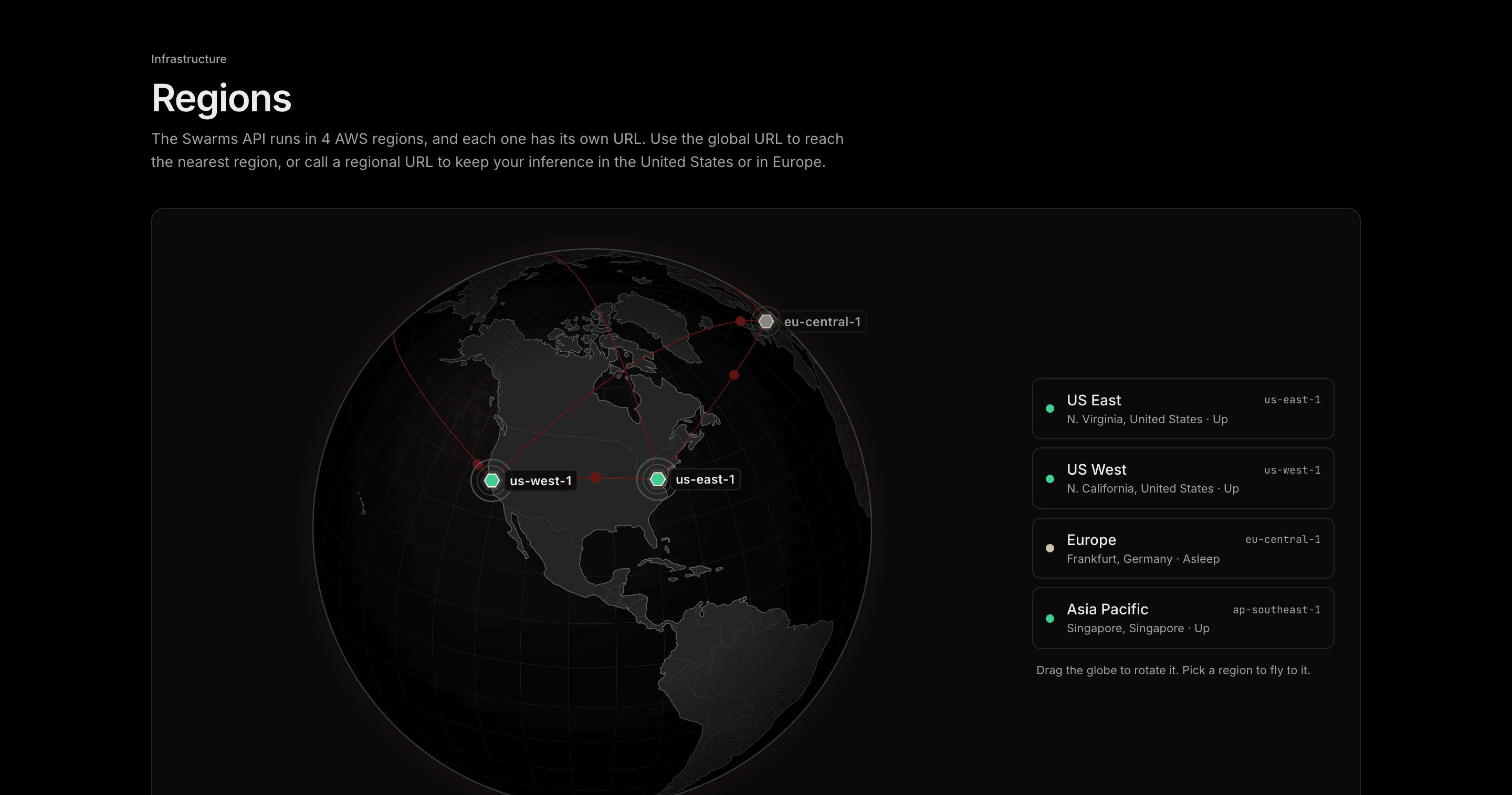
- Regions shipped. The global URL and the four regional URLs (
us-east-1, us-west-1, eu-central-1 and ap-southeast-1) with copy buttons and live health from each region's /health. A globe marks each region by its health and flies to one when you pick it. A section on keeping inference in one place explains that the global URL can serve a European request from the US when Frankfurt is asleep, and lists the URLs that keep requests in the United States, Europe or Asia Pacific. Code examples show an agent completion per region in Python, TypeScript and cURL, choosing the region from SWARMS_REGION. The footer's Regions menu reads the same list, and it no longer lists a region that does not exist.
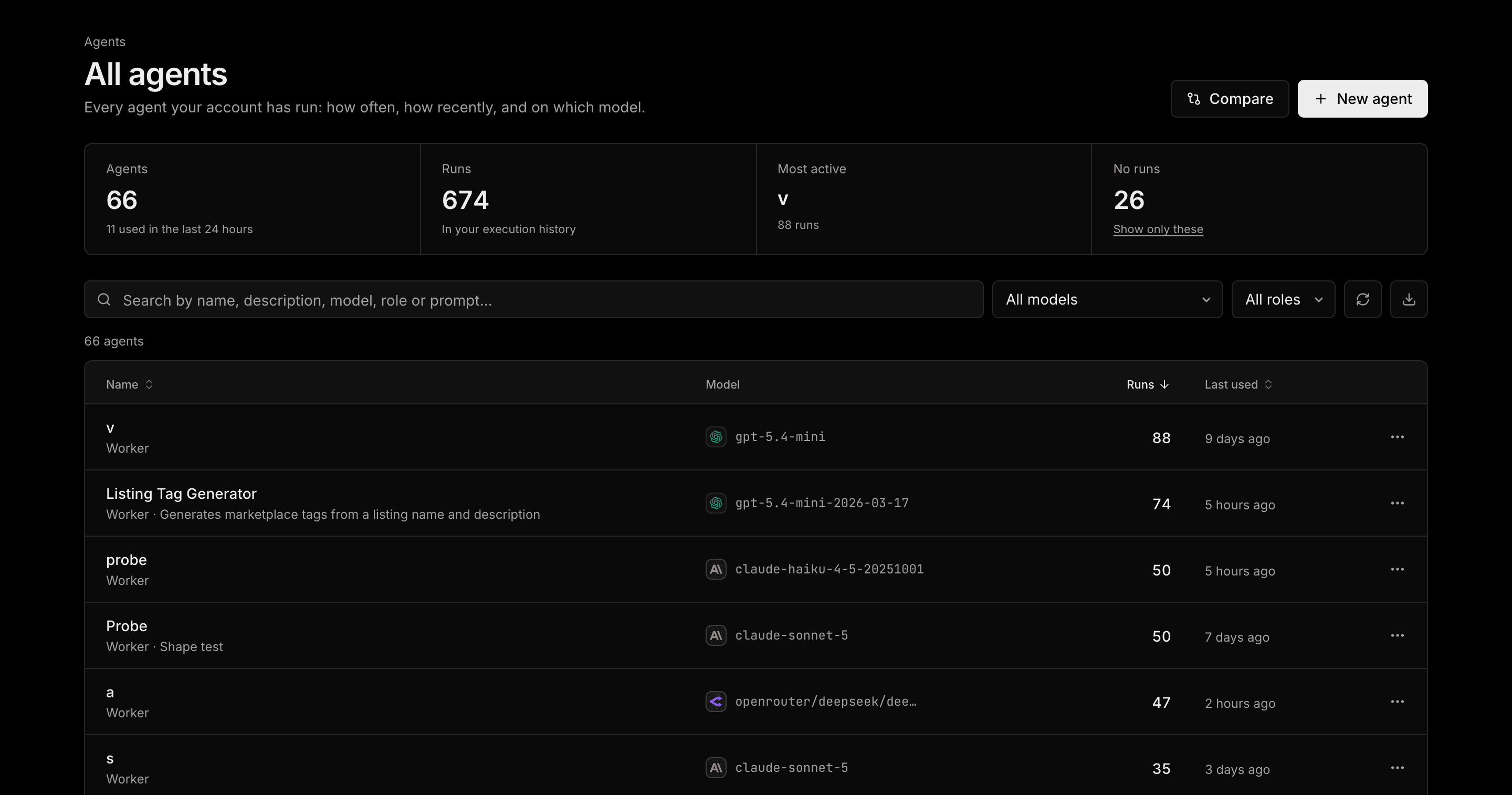
- Agents was rebuilt around what is going on. A Total runs column replaced Description, counting each agent's runs in your execution history. On top of it: a summary strip with your agent count, total runs, the most active agent and how many have never run, with a filter for those. The table is Name, Model, Runs and Last used, with the role and description as a line under each name. Name, Runs and Last used sort from their headers, most runs first by default. A row opens the agent's page. The four row icons, which did not work for these agents, became one menu: Open agent, Chat with this agent, and Copy configuration. Chat with this agent opens Chat with that agent on the roster, or adds it to a conversation already under way.
What This Window Adds Up To
Six new pages: Reasoning agents, Decision Models, Audit log, Billing history, Regions and the Black Friday deals page. Table views on Models and Swarm types, a redesigned Learn More, Apps and Agents, and three S2A features that make it usable for real projects: private repositories, custom domains and .env editing.
The larger change is less visible in a list. At the start of this window, paying for Swarms Cloud happened somewhere else. Now the whole account lives in the console. Every price you see is the price you are charged, each model at its own rate, and the exact charge appears before an upgrade. When a payment fails you are told, and when your balance runs low you are warned before a run fails rather than after. Every charge, top-up and key is on a timeline you can search and export.
The other thread continues from last time: making the console match the API. Examples now covers every endpoint and a test keeps it that way. Prices come from each model's own rate. Regions come from one list that the footer and the Regions page share. /agents.md is generated from the same catalog as Examples. Each one started as a copy that had drifted, or would have.
Links and Resources
Have questions or feedback? Join our Discord community or check out the documentation.