Single-model AI steps are everywhere in automation tools now. Summarise this email, classify that ticket, draft a reply. What they cannot do is the work that needs more than one pass: research a company and then write the brief, have three reviewers vote on a classification, or run five analyses in parallel and merge them.
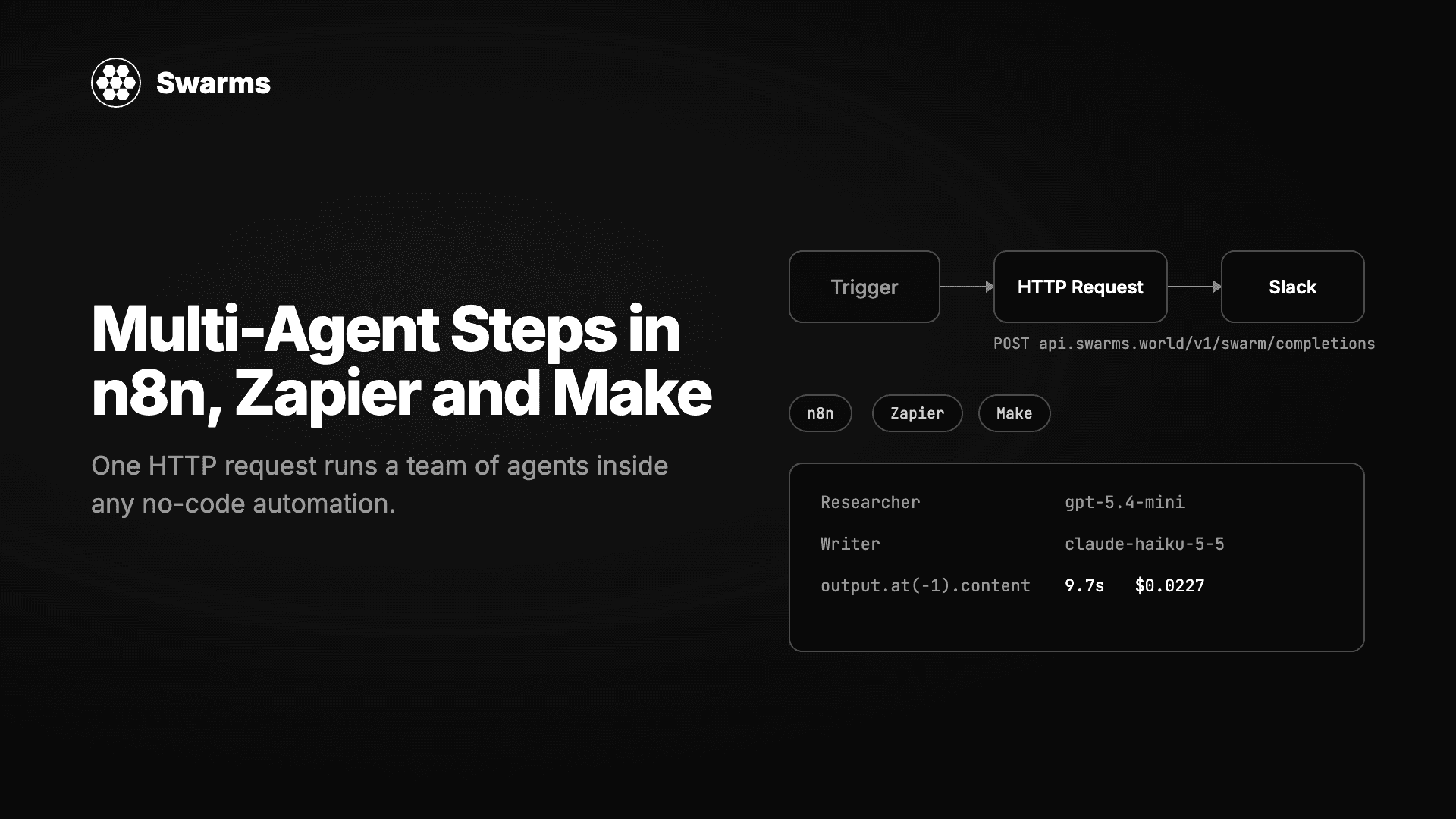
The Swarms API turns that multi-step work into one HTTP request. You describe the agents and how they should cooperate in a JSON body, send it to POST /v1/swarm/completions, and the response contains every agent's output plus an itemised cost. Every automation platform has an HTTP step, so every automation platform can run a swarm. This guide shows the exact setup in n8n, Zapier and Make, then gives three recipes you can paste in.
Everything below is a variation of this call. The agents run in order, each one receiving the previous agent's output.
curl -X POST https://api.swarms.world/v1/swarm/completions \
  -H "x-api-key: YOUR_SWARMS_API_KEY" \
  -H "Content-Type: application/json" \
  -d '{
    "name": "Lead Enrichment",
    "swarm_type": "SequentialWorkflow",
    "max_loops": 1,
    "task": "Research the company Vercel (vercel.com) for a B2B sales team selling observability tooling for serverless platforms. Write a five-bullet brief and end with a fit score from 1 to 10.",
    "agents": [
      {
        "agent_name": "Researcher",
        "system_prompt": "You are a sales researcher. List what the company does, its size, recent news and likely pain points as bullet points.",
        "model_name": "gpt-5.4-mini",
        "max_loops": 1
      },
      {
        "agent_name": "Writer",
        "system_prompt": "You are a sales enablement writer. Turn the research into five bullets a rep can read in 30 seconds, then a line: Fit score: N/10 with one sentence of reasoning.",
        "model_name": "claude-haiku-5-5",
        "max_loops": 1
      }
    ]
  }'
The response you will map fields from looks like this (content shortened):
{
  "job_id": "swarm-7a7d8598be78de5902af75c656e00ba2",
  "status": "success",
  "swarm_type": "SequentialWorkflow",
  "output": [
    { "role": "Researcher", "content": "- **What Vercel does:** ..." },
    { "role": "Writer", "content": "- **What they do:** ...\n\nFit score: 8/10. ..." }
  ],
  "number_of_agents": 2,
  "execution_time": 9.66,
  "usage": {
    "total_tokens": 2951,
    "total_cost": 0.022722
  }
}
Three fields matter for automations. output is a list with one entry per agent in order, so the finished work is the content of the last entry. usage.total_cost is what the run cost in dollars. job_id lets you find the run again in GET /v1/swarm/logs. The run above took 9.7 seconds and cost just over two cents.
Get your key at swarms.world. Billable endpoints need a purchased credit balance above $1.
n8n
n8n is the easiest of the three because its HTTP Request node can import a cURL command directly.
- Add an HTTP Request node. In its parameters, choose Import cURL, paste the command above and select Import. The method, URL, headers and JSON body are filled in.
- Move the key out of the header into a credential: set Authentication to Generic Credential Type, Generic Auth Type to Header Auth, and create a credential with name
x-api-key and your key as the value. Delete the hard-coded header.
- Under Options, set Timeout to 120000 (milliseconds). Three-agent swarms can take 20 to 30 seconds and the default is shorter.
- Replace the fixed task with data from the trigger. With Specify Body set to Using JSON, the body is an expression, so you can build it in JavaScript:
{{ JSON.stringify({
  name: 'Lead Enrichment',
  swarm_type: 'SequentialWorkflow',
  max_loops: 1,
  task: 'Research the company ' + $json.body.company + ' (' + $json.body.website + ') for a B2B sales team selling ' + $json.body.product + '. Write a five-bullet brief and end with a fit score from 1 to 10.',
  agents: [
    { agent_name: 'Researcher', system_prompt: 'You are a sales researcher. List what the company does, its size, recent news and likely pain points as bullet points.', model_name: 'gpt-5.4-mini', max_loops: 1 },
    { agent_name: 'Writer', system_prompt: 'You are a sales enablement writer. Turn the research into five bullets a rep can read in 30 seconds, then a line: Fit score: N/10 with one sentence of reasoning.', model_name: 'claude-haiku-5-5', max_loops: 1 }
  ]
}) }}
Building the body with JSON.stringify means a company name containing a quote or a newline cannot break the JSON, which is the most common failure when people paste expressions into a raw body.
- In the next node, read the result with
{{ $json.output.at(-1).content }} and the cost with {{ $json.usage.total_cost }}.
If you would rather import a whole workflow, paste this into a new n8n canvas. It exposes a webhook, runs the swarm and returns the brief and the cost to the caller. After importing, open the HTTP Request node and select your Header Auth credential.
{
  "name": "Swarms lead enrichment",
  "nodes": [
    {
      "parameters": { "httpMethod": "POST", "path": "lead", "responseMode": "responseNode", "options": {} },
      "name": "Webhook",
      "type": "n8n-nodes-base.webhook",
      "typeVersion": 2,
      "position": [0, 0]
    },
    {
      "parameters": {
        "method": "POST",
        "url": "https://api.swarms.world/v1/swarm/completions",
        "authentication": "genericCredentialType",
        "genericAuthType": "httpHeaderAuth",
        "sendBody": true,
        "specifyBody": "json",
        "jsonBody": "={{ JSON.stringify({\n  name: 'Lead Enrichment',\n  swarm_type: 'SequentialWorkflow',\n  max_loops: 1,\n  task: 'Research the company ' + $json.body.company + ' (' + $json.body.website + ') for a B2B sales team selling ' + $json.body.product + '. Write a five-bullet brief and end with a fit score from 1 to 10.',\n  agents: [\n    {\n      agent_name: 'Researcher',\n      system_prompt: 'You are a sales researcher. List what the company does, its size, recent news and likely pain points as bullet points.',\n      model_name: 'gpt-5.4-mini',\n      max_loops: 1\n    },\n    {\n      agent_name: 'Writer',\n      system_prompt: 'You are a sales enablement writer. Turn the research into five bullets a rep can read in 30 seconds, then a line: Fit score: N/10 with one sentence of reasoning.',\n      model_name: 'claude-haiku-5-5',\n      max_loops: 1\n    }\n  ]\n}) }}",
        "options": { "timeout": 120000 }
      },
      "name": "Swarms API",
      "type": "n8n-nodes-base.httpRequest",
      "typeVersion": 4.2,
      "position": [260, 0],
      "credentials": { "httpHeaderAuth": { "id": "REPLACE_WITH_CREDENTIAL_ID", "name": "Swarms API key" } }
    },
    {
      "parameters": {
        "respondWith": "json",
        "responseBody": "={{ { brief: $json.output.at(-1).content, cost_usd: $json.usage.total_cost, job_id: $json.job_id } }}",
        "options": {}
      },
      "name": "Respond",
      "type": "n8n-nodes-base.respondToWebhook",
      "typeVersion": 1.1,
      "position": [520, 0]
    }
  ],
  "connections": {
    "Webhook": { "main": [[{ "node": "Swarms API", "type": "main", "index": 0 }]] },
    "Swarms API": { "main": [[{ "node": "Respond", "type": "main", "index": 0 }]] }
  }
}
Test it with:
curl -X POST https://YOUR-N8N-HOST/webhook/lead \
  -H "Content-Type: application/json" \
  -d '{"company": "Vercel", "website": "vercel.com", "product": "observability tooling for serverless platforms"}'
Zapier
In Zapier, use the Webhooks by Zapier app and pick the Custom Request action. The simpler POST action builds its own payload and cannot express the nested agents array, so Custom Request is the right one.
- Method: POST
- URL:
https://api.swarms.world/v1/swarm/completions
- Data Pass-Through: No
- Data: the JSON body. Insert fields from the trigger where the task text goes, for example the Company and Website columns from a Google Sheets row.
- Unflatten: Yes
- Headers:
x-api-key with your key, and Content-Type with application/json
The Data field for the lead recipe, with Zapier fields shown in braces:
{
  "name": "Lead Enrichment",
  "swarm_type": "SequentialWorkflow",
  "max_loops": 1,
  "task": "Research the company {{Company}} ({{Website}}) for a B2B sales team selling our product. Write a five-bullet brief and end with a fit score from 1 to 10.",
  "agents": [
    {
      "agent_name": "Researcher",
      "system_prompt": "You are a sales researcher. List what the company does, its size, recent news and likely pain points as bullet points.",
      "model_name": "gpt-5.4-mini",
      "max_loops": 1
    },
    {
      "agent_name": "Writer",
      "system_prompt": "You are a sales enablement writer. Turn the research into five bullets a rep can read in 30 seconds, then a line: Fit score: N/10 with one sentence of reasoning.",
      "model_name": "claude-haiku-5-5",
      "max_loops": 1
    }
  ]
}
Zapier parses the JSON response and shows each entry of output in the field picker of the next step. Pick the last agent's content for the finished brief and usage.total_cost if you want to log spend in a sheet.
One constraint to design around: Webhooks by Zapier waits a limited time for a response, about 30 seconds. Keep Zapier swarms to two or three agents on fast models such as gpt-5.4-mini, claude-haiku-5-5 and gpt-4.1-mini, and set max_tokens on each agent so a long answer cannot push the run past the limit. Both recipes we measured for this guide finished in under ten seconds.
Make
In Make, add the HTTP app and the Make a request module.
- URL:
https://api.swarms.world/v1/swarm/completions
- Method: POST
- Headers: add
x-api-key with your key
- Body type: Raw
- Content type: JSON (application/json)
- Request content: the same JSON body as above, with mapped values from earlier modules inside the task string
- Parse response: Yes
With Parse response enabled, the output becomes a bundle you can map directly. The finished brief is {{last(2.output).content}} where 2 is the HTTP module's number, and the cost is {{2.usage.total_cost}}. Raise the module's timeout in its advanced settings before you add a third agent; the default is short.
If you map user-entered text into the task string, run it through Make's replace() function to strip double quotes, or build the body with the Create JSON module, so a stray quote cannot break the request.
Three recipes
Each recipe is a request body. Paste it into the HTTP step of any of the three tools and replace the task text with mapped fields.
1. Lead enrichment on new CRM rows
Trigger: a new row in a Google Sheet or a new HubSpot contact. Output: a five-bullet brief and a fit score written back to the row. This is the body used throughout the guide. The two-agent SequentialWorkflow on small models is a good default for anything that runs per record, because the cost stays around two cents and the run stays under ten seconds.
2. Support triage by majority vote
Trigger: a new ticket in Zendesk, Intercom or a shared inbox. Three agents on three different models classify the ticket independently, and the API returns the consensus. Using different providers makes the vote meaningful rather than three copies of the same opinion.
{
  "name": "Support Triage",
  "swarm_type": "MajorityVoting",
  "max_loops": 1,
  "task": "Classify this support ticket. Reply with exactly one line in the form CATEGORY|PRIORITY|SUMMARY where CATEGORY is one of billing, bug, feature_request, account, other; PRIORITY is one of P1, P2, P3; SUMMARY is under 15 words.\n\nTicket subject: Charged twice this month\nTicket body: I was billed on the 1st and again on the 3rd for the same plan. Please refund one of them.",
  "agents": [
    { "agent_name": "Triage A", "system_prompt": "You are a support triage specialist. Follow the output format exactly.", "model_name": "gpt-5.4-mini", "max_loops": 1 },
    { "agent_name": "Triage B", "system_prompt": "You are a support triage specialist. Follow the output format exactly.", "model_name": "claude-haiku-5-5", "max_loops": 1 },
    { "agent_name": "Triage C", "system_prompt": "You are a support triage specialist. Follow the output format exactly.", "model_name": "gpt-4.1-mini", "max_loops": 1 }
  ]
}
When we ran this, the three votes were billing|P1, billing|P2 and billing|P1, and the consensus agent returned the final line billing|P2|Customer charged twice for same plan this month, requests refund with its reasoning. The run took 4.6 seconds and cost $0.036. The consensus is the last entry in output, so the same mapping expression works. Split it on | in a Set or Formatter step to get the category, priority and summary as separate fields for routing.
3. Weekly report from several data sources
Trigger: a schedule, every Monday at 8am. Earlier steps pull last week's numbers from Stripe, your analytics tool and your support desk, and paste them into the task. Three analysts work in parallel on the same data with different briefs, and a ConcurrentWorkflow returns all three sections for a Slack message or email.
{
  "name": "Weekly Report",
  "swarm_type": "ConcurrentWorkflow",
  "max_loops": 1,
  "task": "Here is last week's data.\n\nRevenue: {{stripe_summary}}\nProduct usage: {{analytics_summary}}\nSupport: {{support_summary}}\n\nWrite your section of the Monday report in under 120 words with one headline number and one recommendation.",
  "agents": [
    { "agent_name": "Revenue", "system_prompt": "You are the finance lead. Cover revenue, churn and anything unusual in the payments data.", "model_name": "gpt-5.4-mini", "max_loops": 1, "max_tokens": 400 },
    { "agent_name": "Product", "system_prompt": "You are the product lead. Cover activation, retention and feature usage.", "model_name": "claude-haiku-5-5", "max_loops": 1, "max_tokens": 400 },
    { "agent_name": "Support", "system_prompt": "You are the support lead. Cover ticket volume, top issues and response times.", "model_name": "gpt-4.1-mini", "max_loops": 1, "max_tokens": 400 }
  ]
}
For a concurrent swarm, every entry in output is a finished section, so map all three into the message rather than only the last one. In n8n that is {{ $json.output.map(o => '*' + o.role + '*\n' + o.content).join('\n\n') }}, which produces a Slack-ready message with a bold heading per section.
What it costs and where the limits are
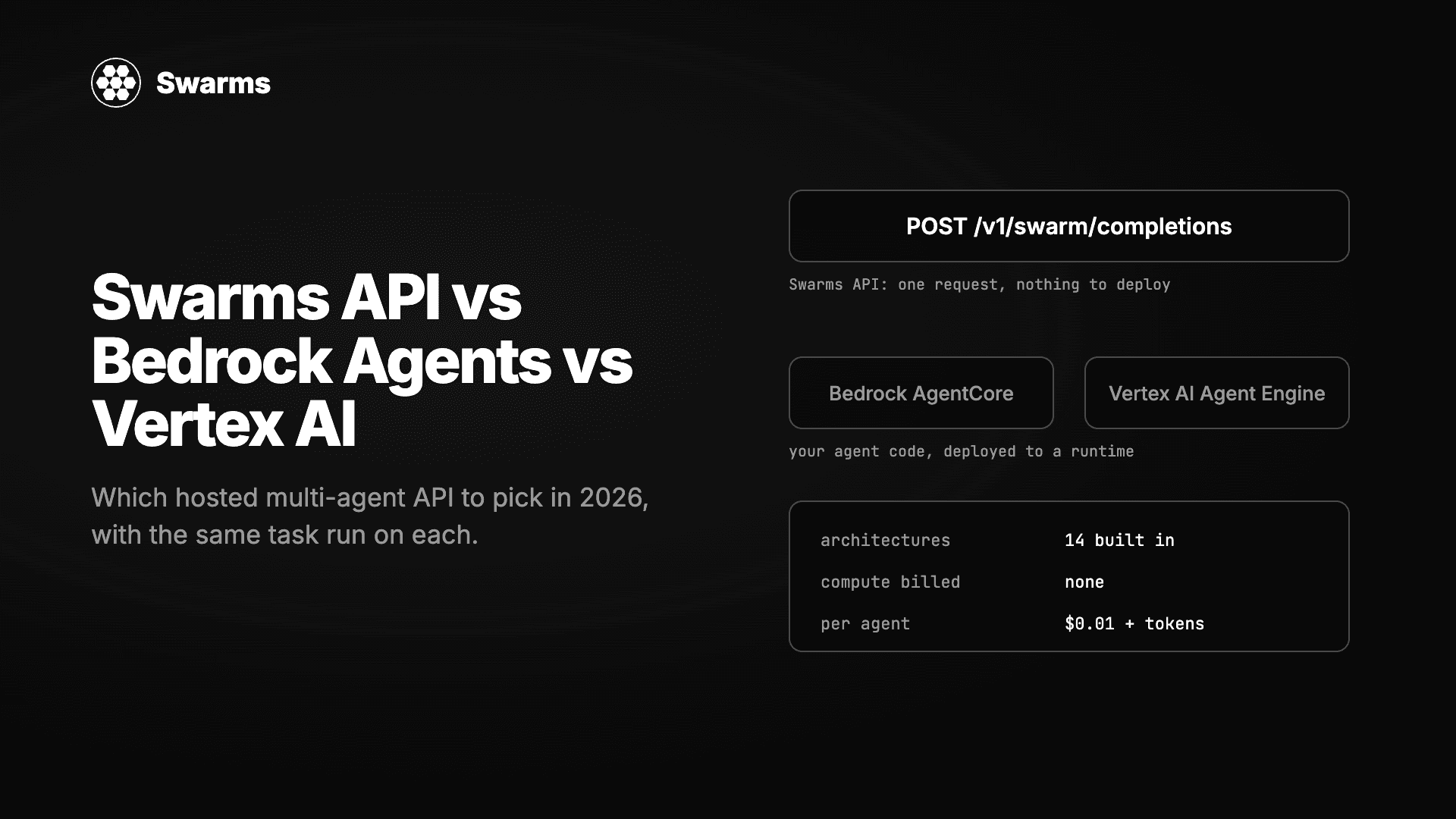
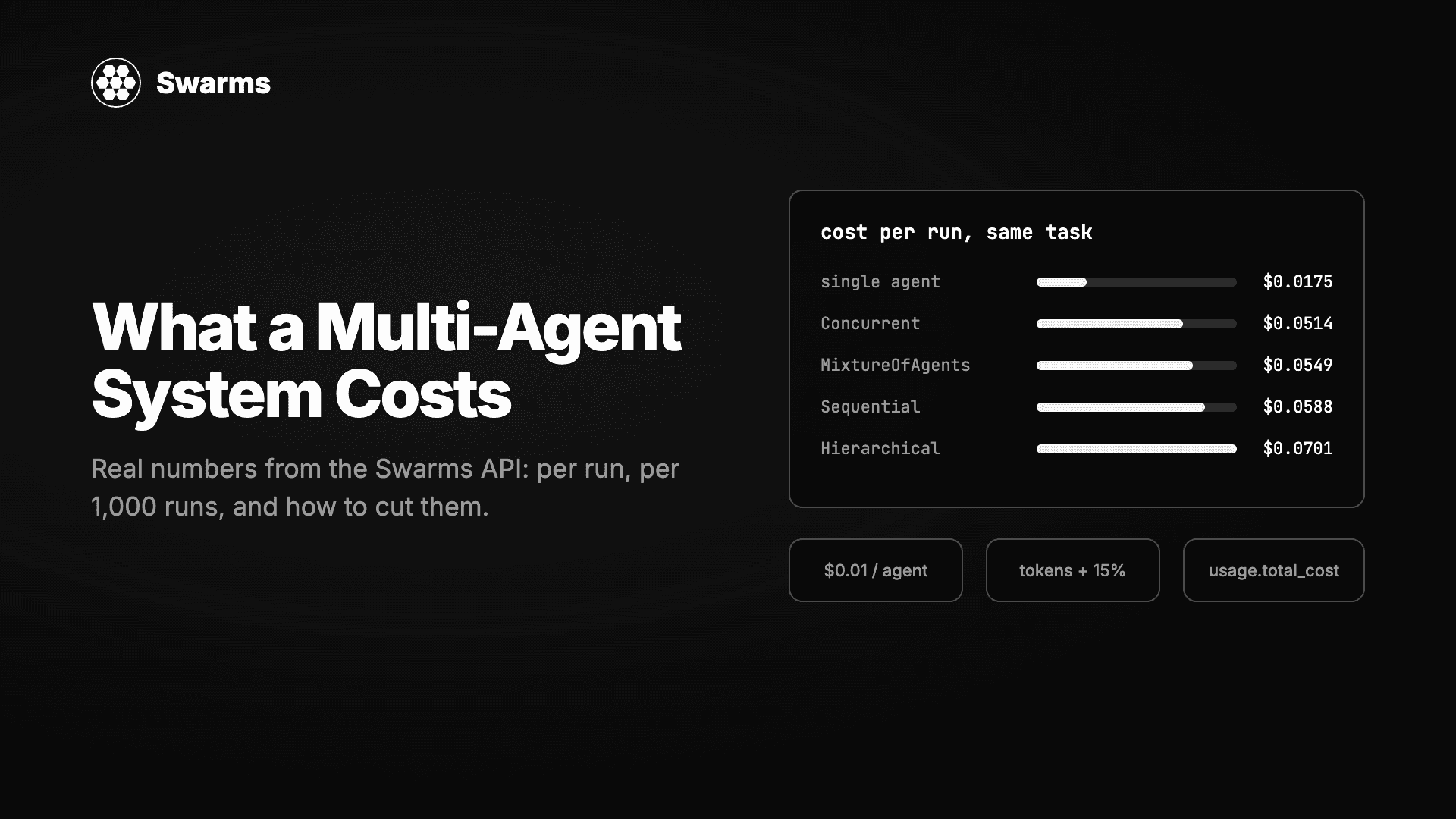
Every swarm request is billed as $0.01 per agent plus each model's token price with a 15% service fee, and the response tells you the exact figure in usage.total_cost. The two recipes we measured came to $0.023 for lead enrichment and $0.036 for triage. A free account can make 100 requests per minute and 1,200 per day, which is enough for most automations; paid tiers raise the limits and add a night-time discount of 50% on swarm token costs between 8pm and 6am Pacific.
Two errors you will see while setting up. A 402 means the account's purchased credit balance is at or below $1, so top up before testing. A 422 means the body is malformed, most often a swarm_type typo or an unescaped quote in a mapped field.
FAQ
Can I call the Swarms API from n8n without writing code?
Yes. The HTTP Request node's Import cURL option fills in the request from the command at the top of this guide, and the only expression you need is {{ $json.output.at(-1).content }} to read the result.
Which Zapier action should I use for the Swarms API?
Webhooks by Zapier with the Custom Request action. The plain POST action cannot send the nested agents array. Put x-api-key and Content-Type: application/json in the Headers section and the JSON body in Data.
How do I map the Swarms API response in Make?
Turn on Parse response in the HTTP module. The final agent's text is {{last(N.output).content}} and the cost is {{N.usage.total_cost}}, where N is the module number.
How long does a swarm take inside an automation?
Two small agents in sequence took 9.7 seconds in our test and a three-agent majority vote took 4.6 seconds. Three larger agents in sequence can take 20 to 30 seconds. Set the HTTP step's timeout to at least 120 seconds in n8n and Make, and keep Zapier swarms small because of its shorter wait.
No. The JSON body is identical in n8n, Zapier and Make. Only the way you insert trigger data into the task string differs: a JavaScript expression in n8n, field pills in Zapier, and mapped items in Make.
Get started
Get a key at swarms.world, paste the cURL command at the top into your automation tool's HTTP step, and run it once with a fixed task before mapping live data. The Swarms API documentation lists every field and all fourteen swarm architectures, and the industry pages show longer agent configurations for finance, healthcare, marketing and more that drop into the same HTTP step.