指南教程
如何用 Swarms API 在 n8n、Zapier 和 Make 中加入多智能体步骤
在任何无代码自动化工具中运行一支 AI 智能体团队。一个 HTTP Request 节点、一个 JSON 请求体,Swarms API 就会返回完成的工作。n8n、Zapier 和 Make 的逐步配置,外加三个可直接粘贴的配方:线索补全、工单分诊和每周报告。
Kye Gomez11 分钟阅读

在任何无代码自动化工具中运行一支 AI 智能体团队。一个 HTTP Request 节点、一个 JSON 请求体,Swarms API 就会返回完成的工作。n8n、Zapier 和 Make 的逐步配置,外加三个可直接粘贴的配方:线索补全、工单分诊和每周报告。
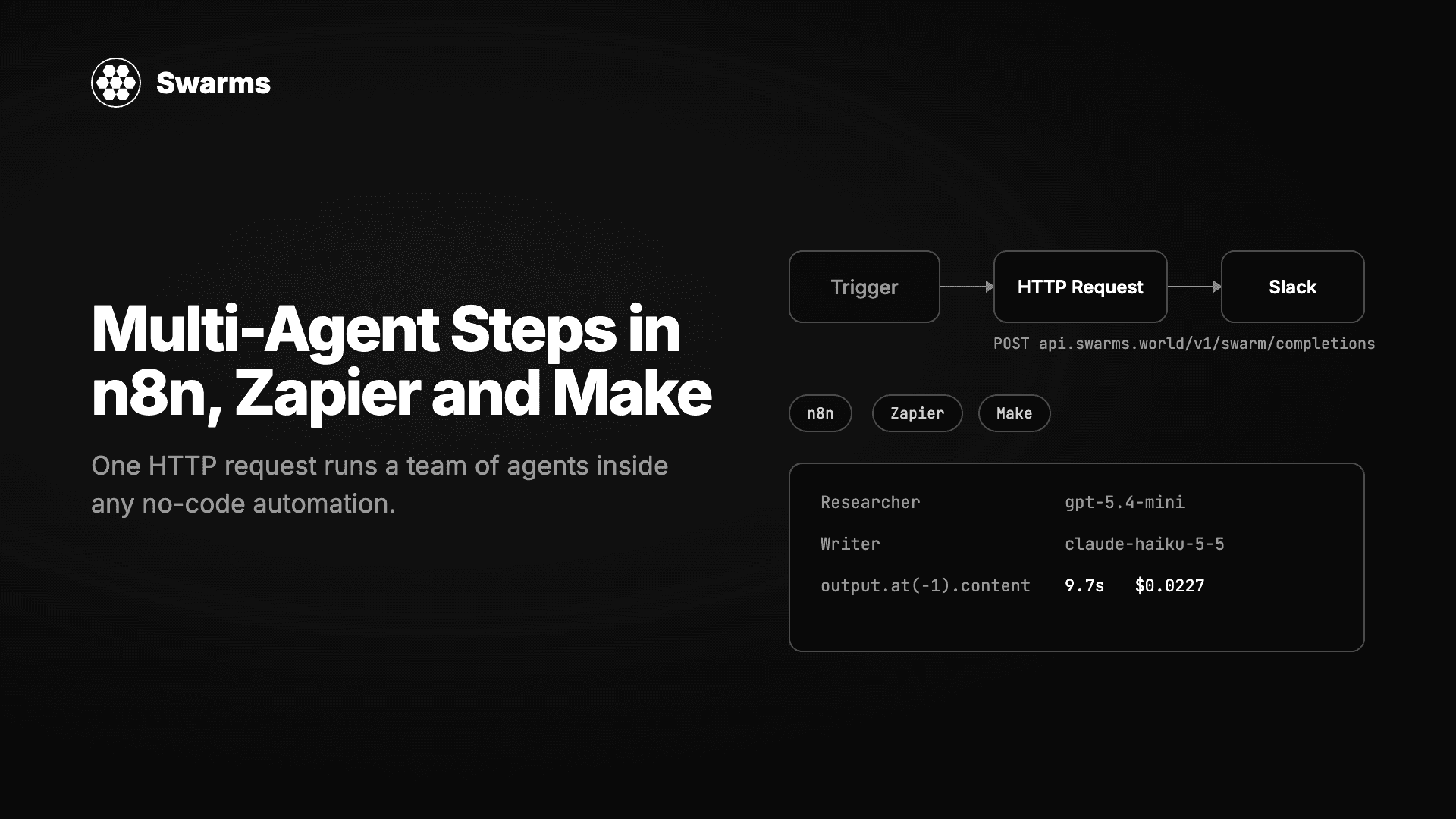
如今的自动化工具里到处都是单模型 AI 步骤。总结这封邮件、给那张工单分类、起草一条回复。它们做不到的是需要多轮处理的工作:先研究一家公司再写简报,让三个审核者对一个分类投票,或者并行运行五项分析再合并结果。
Swarms API 把这种多步骤工作变成一次 HTTP 请求。你在一个 JSON 请求体里描述智能体以及它们如何协作,发送到 POST /v1/swarm/completions,响应里就包含每个智能体的输出和逐项列出的费用。每个自动化平台都有 HTTP 步骤,所以每个自动化平台都能运行集群。本指南展示 n8n、Zapier 和 Make 的具体配置,然后给出三个可以直接粘贴的配方。
下面的一切都是这个调用的变体。智能体按顺序运行,每一个都接收前一个的输出。
curl -X POST https://api.swarms.world/v1/swarm/completions \
  -H "x-api-key: YOUR_SWARMS_API_KEY" \
  -H "Content-Type: application/json" \
  -d '{
    "name": "Lead Enrichment",
    "swarm_type": "SequentialWorkflow",
    "max_loops": 1,
    "task": "Research the company Vercel (vercel.com) for a B2B sales team selling observability tooling for serverless platforms. Write a five-bullet brief and end with a fit score from 1 to 10.",
    "agents": [
      {
        "agent_name": "Researcher",
        "system_prompt": "You are a sales researcher. List what the company does, its size, recent news and likely pain points as bullet points.",
        "model_name": "gpt-5.4-mini",
        "max_loops": 1
      },
      {
        "agent_name": "Writer",
        "system_prompt": "You are a sales enablement writer. Turn the research into five bullets a rep can read in 30 seconds, then a line: Fit score: N/10 with one sentence of reasoning.",
        "model_name": "claude-haiku-5-5",
        "max_loops": 1
      }
    ]
  }'
你需要从中映射字段的响应如下(内容已缩短):
{
  "job_id": "swarm-7a7d8598be78de5902af75c656e00ba2",
  "status": "success",
  "swarm_type": "SequentialWorkflow",
  "output": [
    { "role": "Researcher", "content": "- **What Vercel does:** ..." },
    { "role": "Writer", "content": "- **What they do:** ...\n\nFit score: 8/10. ..." }
  ],
  "number_of_agents": 2,
  "execution_time": 9.66,
  "usage": {
    "total_tokens": 2951,
    "total_cost": 0.022722
  }
}对自动化来说有三个字段重要。output 是一个列表,按顺序每个智能体一条,所以完成的工作就是最后一条的 content。usage.total_cost 是这次运行花费的美元数。job_id 让你能在 GET /v1/swarm/logs 中再次找到这次运行。上面这次运行耗时 9.7 秒,花费略高于两美分。
在 swarms.world 获取密钥。计费端点需要购买的积分余额高于 1 美元。
n8n 是三者中最容易的,因为它的 HTTP Request 节点可以直接导入 cURL 命令。
x-api-key、值为你的密钥的凭据。删除硬编码的请求头。{{ JSON.stringify({
name: 'Lead Enrichment',
swarm_type: 'SequentialWorkflow',
max_loops: 1,
task: 'Research the company ' + $json.body.company + ' (' + $json.body.website + ') for a B2B sales team selling ' + $json.body.product + '. Write a five-bullet brief and end with a fit score from 1 to 10.',
agents: [
{ agent_name: 'Researcher', system_prompt: 'You are a sales researcher. List what the company does, its size, recent news and likely pain points as bullet points.', model_name: 'gpt-5.4-mini', max_loops: 1 },
{ agent_name: 'Writer', system_prompt: 'You are a sales enablement writer. Turn the research into five bullets a rep can read in 30 seconds, then a line: Fit score: N/10 with one sentence of reasoning.', model_name: 'claude-haiku-5-5', max_loops: 1 }
]
}) }}用 JSON.stringify 构建请求体,意味着包含引号或换行的公司名不会破坏 JSON,而这正是人们把表达式粘贴进原始请求体时最常见的失败原因。
{{ $json.output.at(-1).content }} 读取结果,用 {{ $json.usage.total_cost }} 读取费用。如果你更想导入整个工作流,把下面的内容粘贴到一个新的 n8n 画布上。它暴露一个 webhook,运行集群,并把简报和费用返回给调用方。导入后,打开 HTTP Request 节点并选择你的 Header Auth 凭据。
{
  "name": "Swarms lead enrichment",
  "nodes": [
    {
      "parameters": { "httpMethod": "POST", "path": "lead", "responseMode": "responseNode", "options": {} },
      "name": "Webhook",
      "type": "n8n-nodes-base.webhook",
      "typeVersion": 2,
      "position": [0, 0]
    },
    {
      "parameters": {
        "method": "POST",
        "url": "https://api.swarms.world/v1/swarm/completions",
        "authentication": "genericCredentialType",
        "genericAuthType": "httpHeaderAuth",
        "sendBody": true,
        "specifyBody": "json",
        "jsonBody": "={{ JSON.stringify({\n  name: 'Lead Enrichment',\n  swarm_type: 'SequentialWorkflow',\n  max_loops: 1,\n  task: 'Research the company ' + $json.body.company + ' (' + $json.body.website + ') for a B2B sales team selling ' + $json.body.product + '. Write a five-bullet brief and end with a fit score from 1 to 10.',\n  agents: [\n    {\n      agent_name: 'Researcher',\n      system_prompt: 'You are a sales researcher. List what the company does, its size, recent news and likely pain points as bullet points.',\n      model_name: 'gpt-5.4-mini',\n      max_loops: 1\n    },\n    {\n      agent_name: 'Writer',\n      system_prompt: 'You are a sales enablement writer. Turn the research into five bullets a rep can read in 30 seconds, then a line: Fit score: N/10 with one sentence of reasoning.',\n      model_name: 'claude-haiku-5-5',\n      max_loops: 1\n    }\n  ]\n}) }}",
        "options": { "timeout": 120000 }
      },
      "name": "Swarms API",
      "type": "n8n-nodes-base.httpRequest",
      "typeVersion": 4.2,
      "position": [260, 0],
      "credentials": { "httpHeaderAuth": { "id": "REPLACE_WITH_CREDENTIAL_ID", "name": "Swarms API key" } }
    },
    {
      "parameters": {
        "respondWith": "json",
        "responseBody": "={{ { brief: $json.output.at(-1).content, cost_usd: $json.usage.total_cost, job_id: $json.job_id } }}",
        "options": {}
      },
      "name": "Respond",
      "type": "n8n-nodes-base.respondToWebhook",
      "typeVersion": 1.1,
      "position": [520, 0]
    }
  ],
  "connections": {
    "Webhook": { "main": [[{ "node": "Swarms API", "type": "main", "index": 0 }]] },
    "Swarms API": { "main": [[{ "node": "Respond", "type": "main", "index": 0 }]] }
  }
}
测试:
curl -X POST https://YOUR-N8N-HOST/webhook/lead \
  -H "Content-Type: application/json" \
-d '{"company": "Vercel", "website": "vercel.com", "product": "observability tooling for serverless platforms"}'在 Zapier 中,使用 Webhooks by Zapier 应用并选择 Custom Request 动作。更简单的 POST 动作会自己构建载荷,无法表达嵌套的 agents 数组,所以 Custom Request 才是正确的选择。
https://api.swarms.world/v1/swarm/completionsx-api-key 填你的密钥,Content-Type 填 application/json线索配方的 Data 字段如下,Zapier 字段用花括号表示:
{
  "name": "Lead Enrichment",
  "swarm_type": "SequentialWorkflow",
  "max_loops": 1,
  "task": "Research the company {{Company}} ({{Website}}) for a B2B sales team selling our product. Write a five-bullet brief and end with a fit score from 1 to 10.",
  "agents": [
    {
      "agent_name": "Researcher",
      "system_prompt": "You are a sales researcher. List what the company does, its size, recent news and likely pain points as bullet points.",
      "model_name": "gpt-5.4-mini",
      "max_loops": 1
    },
    {
      "agent_name": "Writer",
      "system_prompt": "You are a sales enablement writer. Turn the research into five bullets a rep can read in 30 seconds, then a line: Fit score: N/10 with one sentence of reasoning.",
      "model_name": "claude-haiku-5-5",
      "max_loops": 1
    }
  ]
}
Zapier 会解析 JSON 响应,并在下一步的字段选择器中显示 output 的每一条。选最后一个智能体的 content 作为完成的简报,如果想把花费记录到表格里,再选 usage.total_cost。
有一个限制需要在设计时考虑:Webhooks by Zapier 等待响应的时间有限,大约 30 秒。把 Zapier 中的集群控制在两到三个使用快速模型的智能体,例如 gpt-5.4-mini、claude-haiku-5-5 和 gpt-4.1-mini,并给每个智能体设置 max_tokens,这样过长的回答不会把运行推过时限。我们为本指南测量的两个配方都在十秒内完成。
在 Make 中,添加 HTTP 应用和 Make a request 模块。
https://api.swarms.world/v1/swarm/completionsx-api-key,值为你的密钥启用 Parse response 后,输出会变成可以直接映射的 bundle。完成的简报是 {{last(2.output).content}},其中 2 是 HTTP 模块的编号,费用是 {{2.usage.total_cost}}。在添加第三个智能体之前,先在模块的高级设置里调高超时时间;默认值很短。
如果你把用户输入的文本映射进任务字符串,请用 Make 的 replace() 函数去掉双引号,或者用 Create JSON 模块构建请求体,这样一个多余的引号不会破坏请求。
每个配方都是一个请求体。把它粘贴进三个工具中任意一个的 HTTP 步骤,并用映射字段替换任务文本。
触发器:Google Sheet 的新行或 HubSpot 的新联系人。输出:一份五条要点的简报和一个契合度评分,写回该行。这就是本指南通篇使用的请求体。使用小模型的双智能体 SequentialWorkflow 是任何按记录运行的任务的好默认选择,因为费用保持在两美分左右,运行时间保持在十秒以内。
触发器:Zendesk、Intercom 或共享收件箱中的新工单。三个使用不同模型的智能体独立分类工单,API 返回共识。使用不同的供应商让投票有实际意义,而不是同一个观点的三份副本。
{
  "name": "Support Triage",
  "swarm_type": "MajorityVoting",
  "max_loops": 1,
  "task": "Classify this support ticket. Reply with exactly one line in the form CATEGORY|PRIORITY|SUMMARY where CATEGORY is one of billing, bug, feature_request, account, other; PRIORITY is one of P1, P2, P3; SUMMARY is under 15 words.\n\nTicket subject: Charged twice this month\nTicket body: I was billed on the 1st and again on the 3rd for the same plan. Please refund one of them.",
  "agents": [
    { "agent_name": "Triage A", "system_prompt": "You are a support triage specialist. Follow the output format exactly.", "model_name": "gpt-5.4-mini", "max_loops": 1 },
    { "agent_name": "Triage B", "system_prompt": "You are a support triage specialist. Follow the output format exactly.", "model_name": "claude-haiku-5-5", "max_loops": 1 },
    { "agent_name": "Triage C", "system_prompt": "You are a support triage specialist. Follow the output format exactly.", "model_name": "gpt-4.1-mini", "max_loops": 1 }
  ]
}
我们运行这个配方时,三票分别是 billing|P1、billing|P2 和 billing|P1,共识智能体返回的最终一行是 billing|P2|Customer charged twice for same plan this month, requests refund,并附有理由。运行耗时 4.6 秒,花费 $0.036。共识是 output 的最后一条,所以同样的映射表达式照样可用。在 Set 或 Formatter 步骤中按 | 拆分,就能得到类别、优先级和摘要三个独立字段用于路由。
触发器:定时,每周一早上 8 点。前面的步骤从 Stripe、你的分析工具和客服系统拉取上周的数字,粘贴进任务。三个分析师带着不同的要求并行处理同一份数据,ConcurrentWorkflow 返回全部三个部分,用于 Slack 消息或邮件。
{
  "name": "Weekly Report",
  "swarm_type": "ConcurrentWorkflow",
  "max_loops": 1,
  "task": "Here is last week's data.\n\nRevenue: {{stripe_summary}}\nProduct usage: {{analytics_summary}}\nSupport: {{support_summary}}\n\nWrite your section of the Monday report in under 120 words with one headline number and one recommendation.",
  "agents": [
    { "agent_name": "Revenue", "system_prompt": "You are the finance lead. Cover revenue, churn and anything unusual in the payments data.", "model_name": "gpt-5.4-mini", "max_loops": 1, "max_tokens": 400 },
    { "agent_name": "Product", "system_prompt": "You are the product lead. Cover activation, retention and feature usage.", "model_name": "claude-haiku-5-5", "max_loops": 1, "max_tokens": 400 },
    { "agent_name": "Support", "system_prompt": "You are the support lead. Cover ticket volume, top issues and response times.", "model_name": "gpt-4.1-mini", "max_loops": 1, "max_tokens": 400 }
  ]
}对于并发集群,output 中的每一条都是一个完成的部分,所以要把三条都映射进消息,而不只是最后一条。在 n8n 中写法是 {{ $json.output.map(o => '*' + o.role + '*\n' + o.content).join('\n\n') }},它会生成一条每个部分带粗体标题的、可直接发到 Slack 的消息。
每次集群请求按每个智能体 $0.01 加每个模型的 token 价格及 15% 服务费计费,响应会在 usage.total_cost 中告诉你准确数字。我们测量的两个配方分别是线索补全 $0.023 和分诊 $0.036。免费账户每分钟可发 100 次请求、每天 1,200 次,对大多数自动化来说够用;付费层级会提高限制,并在太平洋时间晚 8 点到早 6 点之间对集群 token 费用提供 50% 的夜间折扣。
配置时你会遇到两种错误。402 表示账户购买的积分余额不足 1 美元,测试前请先充值。422 表示请求体格式错误,最常见的是 swarm_type 拼写错误,或者映射字段里有未转义的引号。
可以。HTTP Request 节点的 Import cURL 选项会根据本指南开头的命令填好请求,你唯一需要的表达式是读取结果的 {{ $json.output.at(-1).content }}。
Webhooks by Zapier 的 Custom Request 动作。普通的 POST 动作无法发送嵌套的 agents 数组。把 x-api-key 和 Content-Type: application/json 放进 Headers 部分,JSON 请求体放进 Data。
在 HTTP 模块中打开 Parse response。最后一个智能体的文本是 {{last(N.output).content}},费用是 {{N.usage.total_cost}},其中 N 是模块编号。
在我们的测试中,两个小智能体顺序运行用了 9.7 秒,三智能体多数投票用了 4.6 秒。三个更大的智能体顺序运行可能需要 20 到 30 秒。在 n8n 和 Make 中把 HTTP 步骤的超时设为至少 120 秒,而 Zapier 等待时间较短,所以集群要保持小型。
不需要。JSON 请求体在 n8n、Zapier 和 Make 中完全相同。不同的只是把触发器数据插入任务字符串的方式:n8n 用 JavaScript 表达式,Zapier 用字段标签,Make 用映射项。
在 swarms.world 获取密钥,把开头的 cURL 命令粘贴进你的自动化工具的 HTTP 步骤,先用固定任务运行一次,再映射实时数据。Swarms API 文档列出了每个字段和全部十四种集群架构,行业页面展示了金融、医疗、营销等领域更长的智能体配置,它们可以直接放进同一个 HTTP 步骤。
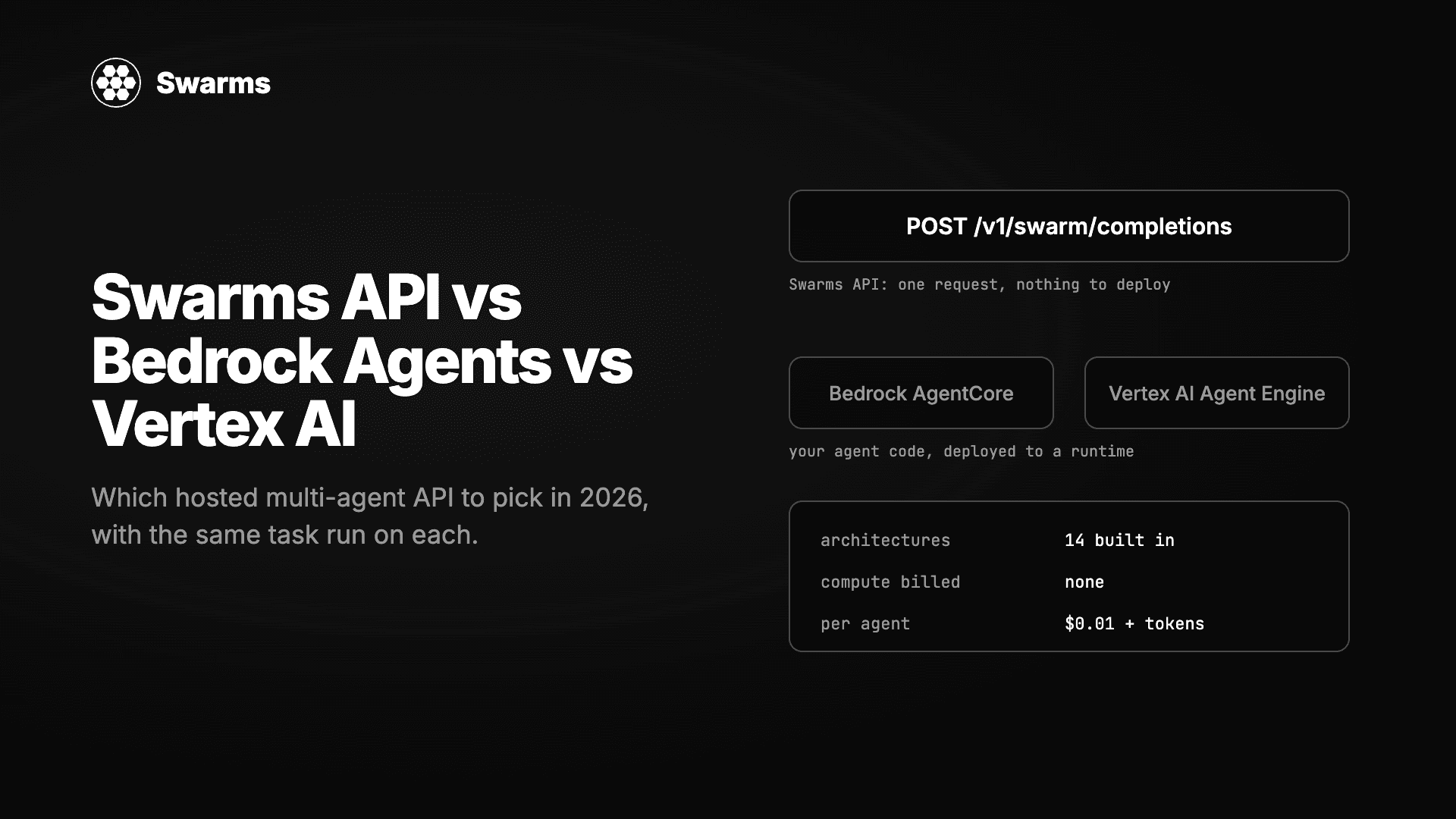
三种无需自建服务器即可运行多智能体系统的方式实测对比:Swarms API、Amazon Bedrock Agents 与 AgentCore、Google 的 Vertex AI Agent Builder 与 ADK。同一任务分别实现,逐项比较架构、模型选择、流式输出、批处理、定价以及拿到第一个结果所需的时间。
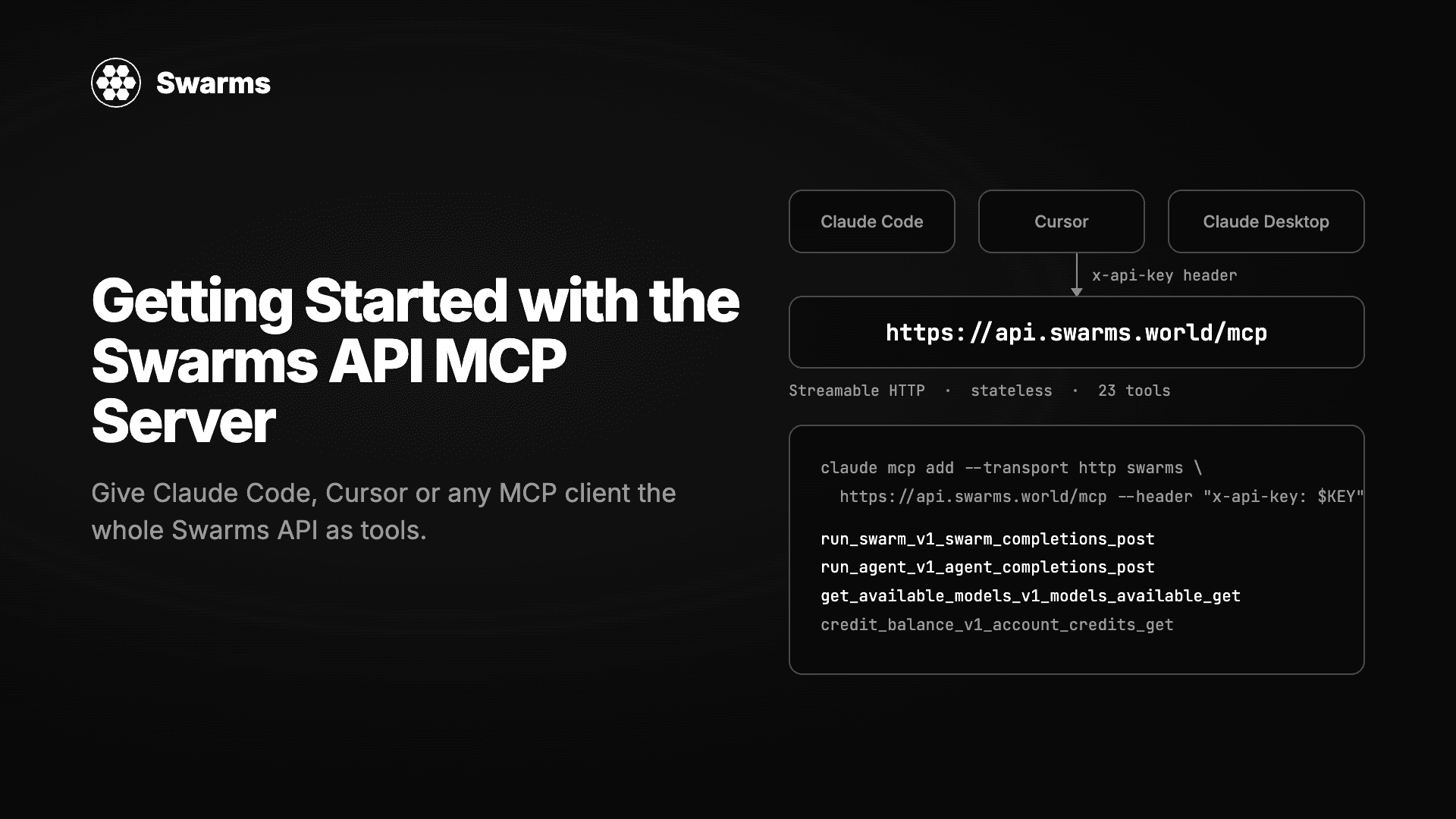
托管在 api.swarms.world/mcp 的 Swarms MCP 服务器完整教程。用两行配置连接 Claude Code、Claude Desktop、Cursor 或你自己的 Python 和 TypeScript 智能体,了解 23 个工具,从一句聊天提示运行你的第一个智能体和集群,读取结果和费用,并解决第一天会遇到的错误。
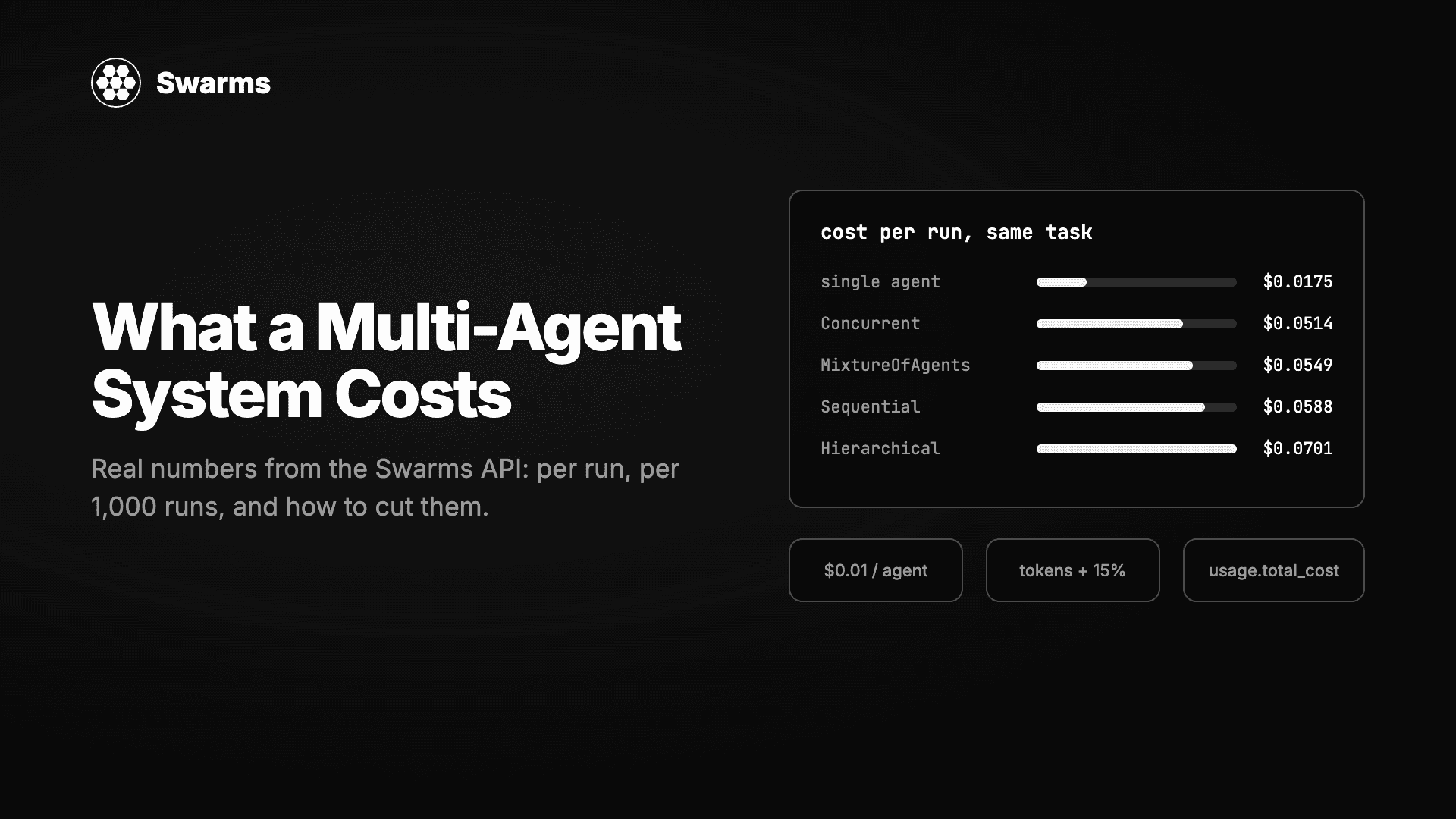
我们把同一个任务分别交给单个智能体和四种多智能体架构在 Swarms API 上运行,并从每个响应里读出账单。每次运行的费用、每 1,000 次运行的费用、钱花在哪里,以及降低费用的三个杠杆:模型搭配、max_loops 和夜间折扣。附基准测试脚本。