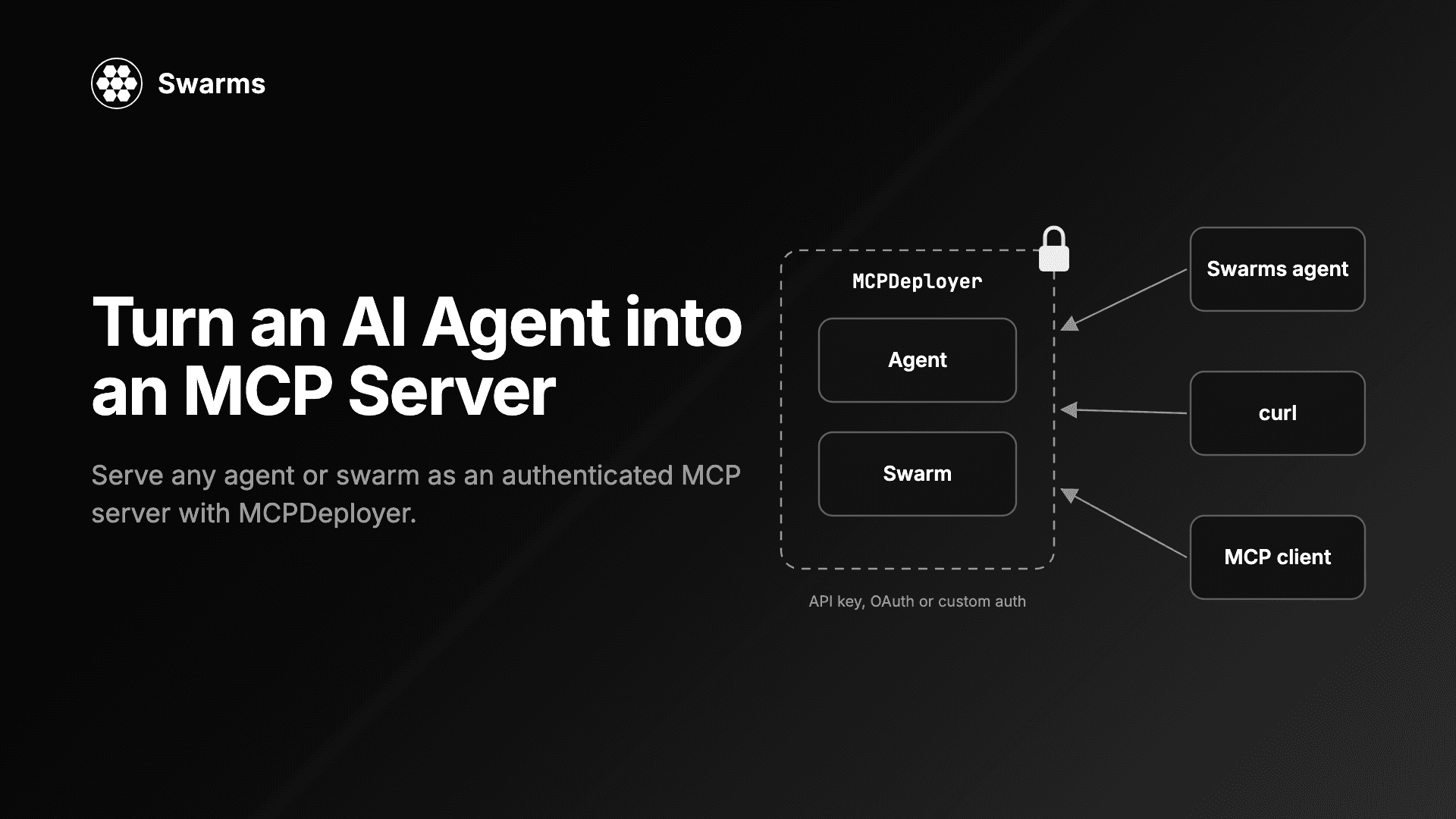
The Model Context Protocol (MCP) is how AI applications discover and call tools. Most agent frameworks can call MCP servers. Fewer make it easy to build an MCP server in Python out of an agent you already have. This guide shows how to turn an AI agent into an MCP server with MCPDeployer, which shipped in Swarms v16. You will serve one agent behind an API key, connect a second agent to it, serve a whole swarm and several tools from one server, and choose between the auth options. Every code block below was run against the Swarms 16 code before publishing.
Why turn an agent into a server at all? Because then any MCP client can use it, not only Swarms code. A research agent you tuned once becomes a tool that another agent, an IDE assistant or a script can call over HTTP, with credentials checked before the request reaches your model.
This post is about self-hosting from Python. If you would rather not run a server, Swarms runs hosted ones: the Swarms Cloud MCP server exposes agents and swarms as tools at one URL, the Swarms Marketplace MCP server gives agents search and publishing on the marketplace, and the MCP Portal is where community MCP servers are listed.
Install
pip install -U swarms
# or
uv pip install -U swarms
The examples use OpenAI's gpt-5.4-mini, so set an OpenAI key:
export OPENAI_API_KEY="sk-..."
You can put the same line in a .env file instead; Swarms loads it automatically. Then check the version:
python -c "import swarms; print(swarms.__version__)"
MCPDeployer needs Swarms 16 or later. It is built on the 2.x line of the mcp package; a fresh install resolves it (our test environment got mcp 2.3.0), but an older environment pinned to mcp 1.x needs pip install -U "mcp>=2".
What MCPDeployer does
MCPDeployer takes one target, a list of targets, or a dict of tool names to targets. A target is an Agent, anything with a run(task) method (SequentialWorkflow, SwarmRouter, TreeOfThoughts...), or a plain Python function that takes the task string. Each target becomes one MCP tool with a (task, img) input schema.
In front of the MCP endpoint sits an auth layer. Every HTTP request passes through it before it reaches the transport, and a request that fails gets a 401 with WWW-Authenticate: Bearer. The constructor refuses to build a server with no auth configured unless you opt out with allow_anonymous=True, so you cannot publish an open agent by accident.
Defaults, from the code: it binds to 127.0.0.1:8000, serves streamable HTTP at /mcp, and leaves /health open for load balancers.
Step 1: Serve one agent behind an API key
Create server.py:
from swarms import Agent, MCPDeployer

researcher = Agent(
    agent_name="Researcher",
    agent_description="Answers a research question in one short, factual paragraph.",
    system_prompt="You are a careful researcher. Answer in one short paragraph.",
    model_name="gpt-5.4-mini",
    max_loops=1,
    output_type="final",
    print_on=False,
)

deployer = MCPDeployer(
    researcher,
    api_keys=["sk-local-dev"],
    port=8000,
)

if __name__ == "__main__":
    deployer.run()
Run python server.py. run() blocks and prints a banner with the tool name, endpoint and auth mode. The tool is named researcher, a snake_case form of agent_name, and its description is the agent's agent_description, which is what a calling model reads when it decides whether to use the tool. output_type="final" makes the tool return only the answer; the Agent default returns the conversation.
From a second terminal, check the public health route and confirm that the MCP endpoint refuses a request without a key:
curl -s http://127.0.0.1:8000/health
curl -s -o /dev/null -w "%{http_code}\n" -X POST http://127.0.0.1:8000/mcp
What we got:
{"status":"ok","name":"researcher","tool":"researcher","tools":["researcher"],"transport":"streamable-http"}
401
Step 2: Connect a second agent with MCPConnection
With the server running, create client.py. The client is an ordinary Swarms agent whose mcp_url is an MCPConnection carrying the key:
from swarms import Agent, MCPConnection

client = Agent(
    agent_name="Client",
    system_prompt="Answer by calling the researcher tool, then repeat its answer.",
    model_name="gpt-5.4-mini",
    max_loops=1,
    output_type="final",
    print_on=False,
    mcp_url=MCPConnection(
        url="http://127.0.0.1:8000/mcp",
        api_key="sk-local-dev",
    ),
)

print(client.run("Who created the Model Context Protocol, and when?"))
The client fetches the tool list on startup, its model decides to call researcher, the server runs the research agent, and the result comes back as the tool response. Our run printed:
The Model Context Protocol (MCP) was created by Anthropic, and it was first announced/released in November 2024.
MCPConnection sends api_key as Authorization: Bearer <key> by default. MCPDeployer accepts the key either there or in the x-api-key header, so both of the clients' defaults work without extra configuration. Stop the server with Ctrl+C when you are done.
Step 3: Make every call start clean
This is the part to understand before anyone else uses your server. When the target is an Agent instance, that one instance serves every call, and an Agent keeps its conversation between runs. We tested this against the Step 1 server without output_type="final": we sent "Remember this codeword: PELICAN-42", then, as a separate call, "What codeword did I give you earlier?". The second call answered PELICAN-42, and the tool result contained the first call's text too. On a server with more than one user, one caller's input reaches another caller's answers.
There is also concurrency. MCPDeployer runs each tool call in a worker thread, so two clients calling the same tool at once run the same target object at the same time.
The fix is to serve a function that builds the agent per call. Building an Agent took about 70 ms in our test, small next to the model call. Create server_per_call.py:
from swarms import Agent, MCPDeployer


def research(task: str) -> str:
    """Answers a research question in one short, factual paragraph."""
    agent = Agent(
        agent_name="Researcher",
        system_prompt="You are a careful researcher. Answer in one short paragraph.",
        model_name="gpt-5.4-mini",
        max_loops=1,
        output_type="final",
        print_on=False,
    )
    return agent.run(task)


deployer = MCPDeployer(research, api_keys=["sk-local-dev"], port=8000)

if __name__ == "__main__":
    deployer.run()
The tool is now named research after the function, and its description is the first line of the docstring. The same two-call test returned OK, then NONE. Keep the shared Agent target for a single-user server where carry-over is what you want, such as a personal assistant that should remember the last request.
Step 4: Serve a swarm and several tools from one server
Pass a dict to serve several targets, each under the tool name you choose. Here one server exposes an agent, a two-agent SequentialWorkflow and a plain function. Create team_server.py:
from swarms import Agent, MCPDeployer, SequentialWorkflow

researcher = Agent(
    agent_name="Researcher",
    agent_description="Lists the five most important facts about a topic.",
    system_prompt="List the five most important facts about the topic. Be brief.",
    model_name="gpt-5.4-mini",
    max_loops=1,
    output_type="final",
    print_on=False,
)

writer = Agent(
    agent_name="Writer",
    system_prompt="Turn the facts you are given into one tight paragraph.",
    model_name="gpt-5.4-mini",
    max_loops=1,
    output_type="final",
    print_on=False,
)

briefing = SequentialWorkflow(
    name="Briefing-Pipeline",
    description="Researches a topic, then writes a one-paragraph briefing.",
    agents=[researcher, writer],
    max_loops=1,
    output_type="final",
)


def word_count(task: str) -> int:
    """Counts the words in a piece of text."""
    return len(task.split())


deployer = MCPDeployer(
    {
        "research": researcher,
        "write_briefing": briefing,
        "word_count": word_count,
    },
    name="Editorial-Team",
    api_keys=["sk-local-dev"],
    port=8000,
    timeout=300,
)

if __name__ == "__main__":
    deployer.run()
Descriptions come from each target: the agent's agent_description, the workflow's description, the function's docstring. name is the server name advertised to clients. add_tool(target, name=..., description=...) registers one more target before run(), and two targets with the same tool name raise at construction rather than at the first call. extra_tools=[...] exposes plain functions with their own signatures as tools, where a target always gets the (task, img) schema.
SequentialWorkflow resets its conversation at the start of each run, so its turns do not carry from one call to the next. The research entry is the shared Agent instance from Step 3's warning; on a multi-user server, serve the per-call function there instead.
To call the tools directly, without a model choosing them, use MCPManager, the class Swarms agents use internally to talk to MCP servers. Create team_client.py:
from swarms import MCPConnection, MCPManager

manager = MCPManager(
    mcp_url=MCPConnection(
        url="http://127.0.0.1:8000/mcp",
        api_key="sk-local-dev",
        tool_timeout=300,
    )
)

print(manager.list_tool_names())

result = manager.call_tool("word_count", {"task": "four words right here"})
print(result["result"])

result = manager.call_tool("write_briefing", {"task": "The James Webb Space Telescope"})
print(result["result"])
Our run printed ['research', 'write_briefing', 'word_count'], then 4, then a one-paragraph briefing on the telescope's mirror, infrared instruments, L2 orbit and 2021 launch.
Timeouts on both sides
timeout=300 on the server bounds one tool call. When a call runs past it, the client gets a tool error instead of a hung request. We checked this with a function that sleeps three seconds behind timeout=1: the client had is_error: True back after 1.04 seconds. Python cannot kill a thread, so the target keeps running in the background and its late result is discarded. A model call that never returns is one of the failure modes worth designing for, and this is the guard for it.
The client has its own limit. MCPConnection(tool_timeout=...) defaults to 120 seconds, so a two-agent pipeline behind a 300-second server timeout needs a matching client value, as in team_client.py.
MCP server authentication options
MCPDeployer checks credentials in a fixed order, and the first configured method decides. The others are not consulted.
auth: your own function, (credential, headers), sync or async. A truthy return admits the request, a dict is kept as the request's claims, and a falsy return or an exception refuses it.token_verifier: an object implementing the mcp package's TokenVerifier protocol. Expiry is enforced, and so is required_scopes.api_keys and api_key_env: static keys, compared in constant time. api_key_env names an environment variable holding comma-separated keys and is read at construction.allow_anonymous=True: no auth at all. Intended for local development and the stdio transport.
Because the order is strict, api_keys are ignored when auth is set. If you want an owner key alongside tenant rules, check both inside your auth function.
The credential your function receives comes from the x-api-key header (rename it with api_key_header, and a Bearer prefix is stripped), or from Authorization: Bearer as a fallback.
For production keys, read them from the environment instead of the source file: MCPDeployer(research, api_key_env="MCP_SERVER_KEYS") with MCP_SERVER_KEYS="key-a,key-b". If the variable is empty, the constructor raises No auth configured, so a missing secret fails at startup instead of serving an open endpoint.
A custom auth function
This server admits a request only when the key matches the tenant named in an x-tenant header. To keep the auth examples short, they serve a plain function; any agent or swarm works the same way. Create auth_custom.py:
import hmac

from swarms import MCPDeployer

TENANT_KEYS = {"acme": "acme-secret", "globex": "globex-secret"}


def echo(task: str) -> str:
    """Returns the task unchanged."""
    return task


def tenant_auth(credential, headers):
    """Admits a request whose key matches the tenant named in x-tenant."""
    expected = TENANT_KEYS.get(headers.get("x-tenant", ""))
    if not expected or not credential:
        return False
    if not hmac.compare_digest(credential, expected):
        return False
    return {"subject": headers["x-tenant"], "scopes": ["run"]}


deployer = MCPDeployer(echo, auth=tenant_auth, port=8000)

if __name__ == "__main__":
    deployer.run()
With x-tenant: acme, the key acme-secret got through and globex-secret got a 401. The function can be async, so it can look keys up in a database or call an internal auth service.
A token verifier with scopes
For OAuth-style bearer tokens, pass a token_verifier. Its verify_token returns an AccessToken or None. In production it would validate a JWT or call your identity provider's introspection endpoint; here a dict stands in. Create auth_token.py:
import time

from mcp.server.auth.provider import AccessToken

from swarms import MCPDeployer

ISSUED = {
    "tok-ops": AccessToken(
        token="tok-ops",
        client_id="ops-team",
        scopes=["agent:run"],
        expires_at=int(time.time()) + 3600,
    ),
    "tok-dashboard": AccessToken(
        token="tok-dashboard",
        client_id="dashboard",
        scopes=["agent:read"],
    ),
}


class StaticTokenVerifier:
    async def verify_token(self, token: str):
        return ISSUED.get(token)


def echo(task: str) -> str:
    """Returns the task unchanged."""
    return task


deployer = MCPDeployer(
    echo,
    token_verifier=StaticTokenVerifier(),
    required_scopes=["agent:run"],
    port=8000,
)

if __name__ == "__main__":
    deployer.run()
Authorization: Bearer tok-ops was admitted. tok-dashboard is a valid token without the agent:run scope, and it got a 401.
public_paths
public_paths lists the paths that skip auth, and it defaults to /health. Passing it replaces the default rather than adding to it: with public_paths=["/metrics"], our /health request got a 401. Include /health in the list if your load balancer probes it.
Calling it from an MCP client other than Swarms
The server speaks standard MCP over streamable HTTP, so a client only needs to send JSON-RPC and a header. With the Step 1 server running, curl can call the tool directly:
curl -s -X POST http://127.0.0.1:8000/mcp \
  -H "x-api-key: sk-local-dev" \
  -H "Content-Type: application/json" \
  -H "Accept: application/json, text/event-stream" \
  -d '{"jsonrpc":"2.0","id":1,"method":"tools/call","params":{"name":"researcher","arguments":{"task":"In one sentence: what is the Model Context Protocol?"}}}'
The reply arrives as one server-sent event:
event: message
data: {"jsonrpc":"2.0","id":1,"result":{"content":[{"text":"The Model Context Protocol (MCP) is an open standard for connecting AI models and applications to external tools, data sources, and services in a consistent way.","type":"text"}],"isError":false,"structuredContent":{"result":"The Model Context Protocol (MCP) is an open standard for connecting AI models and applications to external tools, data sources, and services in a consistent way."}}}
tools/list works the same way. The server runs stateless by default (stateless_http=True), so these single requests worked without an initialize handshake first, and the same setting lets you run several replicas behind a load balancer. Pass json_response=True for plain JSON replies instead of an event stream. Any MCP client that supports streamable HTTP and lets you set a request header can connect the same way.
Transports and deployment notes
transport="sse" serves the older SSE transport at /sse. Swarms clients pick SSE automatically for a URL ending in /sse, because MCPConnection.transport defaults to "auto" in v16.transport="stdio" is for desktop MCP hosts that launch the server as a subprocess. stdio carries no headers, so auth does not apply; pass allow_anonymous=True and treat the host as the boundary.host="0.0.0.0" makes the server reachable from other machines. MCPDeployer serves plain HTTP through uvicorn, so put TLS in front with a reverse proxy before keys cross a network.start() and stop(), or with MCPDeployer(...) as server:, run the server on a background thread, which is handy in tests.verbose=True logs every admitted call.
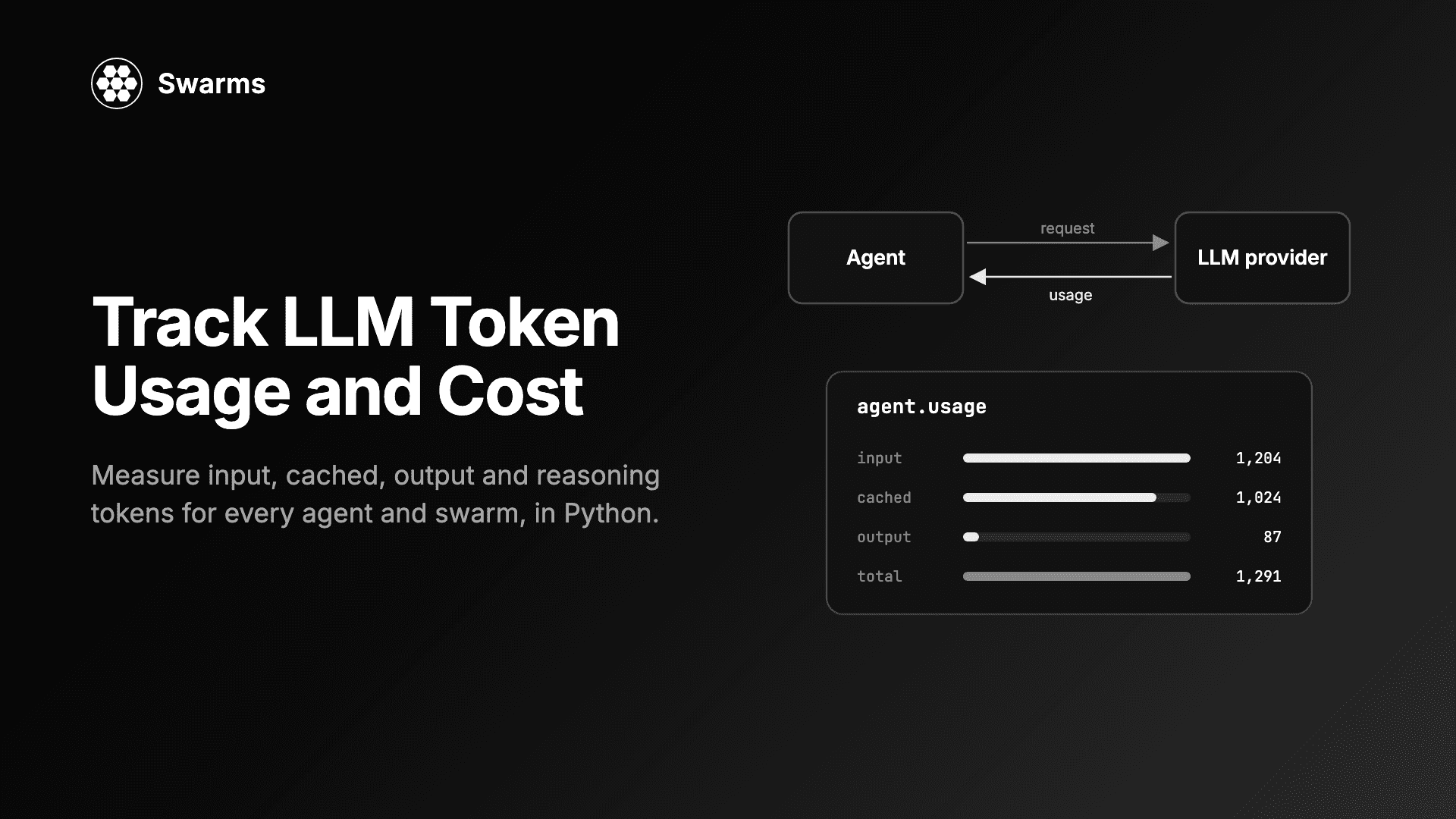
Each served call is still an ordinary Swarms run, so the agent records its token usage as usual. To put a number on what your server costs per call, see how to track LLM token usage and cost in Python.
FAQ
How do I turn an AI agent into an MCP server in Python?
Install Swarms 16 or later, build your Agent, and pass it to MCPDeployer with at least one auth option: MCPDeployer(agent, api_keys=["..."]).run(). The agent becomes an MCP tool at http://127.0.0.1:8000/mcp. For a server more than one user calls, serve a function that builds the agent per call, as in Step 3.
How do I add authentication to an MCP server?
With MCPDeployer, pass api_keys or api_key_env for static keys, auth for your own check, or token_verifier with required_scopes for OAuth-style tokens. Refused requests get a 401. A server with no auth configured refuses to start unless you set allow_anonymous=True.
Can I expose a whole multi-agent swarm as an MCP tool?
Yes. Any structure with a run(task) method is a valid target, including SequentialWorkflow, SwarmRouter, HierarchicalSwarm and TreeOfThoughts. Pass a dict to serve several under names you choose, and raise both the server timeout and the client tool_timeout for long pipelines.
Do I need Swarms to call a Swarms MCP server?
No. The server speaks standard MCP over streamable HTTP. Any client that can send JSON-RPC with an x-api-key or Authorization: Bearer header can list and call its tools, as the curl example shows.
Should I self-host with MCPDeployer or use the hosted Swarms MCP server?
Self-host when the agent, its prompts or its data need to stay on your infrastructure, or when you want your own auth rules. Use the hosted Swarms Cloud MCP server when you want agents and swarms as tools with no server to run.
The Swarms v16 release notes cover MCPDeployer and the timeout fix that made timeout= reliable, and the examples live in examples/mcp/mcp_deployer in the Swarms repository.