Many teams want to use Claude with the OpenAI SDK format so that one codebase can call Claude, GPT, Gemini and open models with the same request and response shapes. There are three ways to do it in Python: Anthropic's OpenAI SDK compatibility endpoint, the native Anthropic SDK, or a gateway that translates the OpenAI format into Claude's native Messages API. Each one makes a different trade-off, and the differences matter most for the features that make Claude cheaper and smarter in production: prompt caching, thinking, cached-token accounting, PDFs and structured output.
This guide walks through all three options, lists exactly what Anthropic's compatibility layer leaves out according to Anthropic's own documentation, and then shows working code for the third option with RouteHub, the open-source LLM gateway we built for Swarms. We checked each RouteHub example below against a local fake of the Messages API, so the request shapes described here are the ones RouteHub actually sends.
Why Use Claude with the OpenAI SDK Format?
The OpenAI chat format has become the common interface for LLM applications. Messages are a list of {"role", "content"} dictionaries, tools are JSON Schema function definitions, and responses come back as ChatCompletion objects with choices, message and usage. Agent frameworks, evaluation tools, logging pipelines and retry wrappers are often written against that shape.
Keeping Claude behind the same format pays off in a few concrete ways:
- One code path for every provider. A multi-agent system can route a planning step to Claude, a cheap classification step to a small open model and a fallback to another vendor by changing the model string.
- One response type to parse. Your code reads
response.choices[0].message.content and response.usage.prompt_tokens everywhere, instead of branching on provider.
- Simpler migrations. Moving a workload from one model to another becomes a configuration change that you can test side by side.
The catch is that Claude's native API has features that the OpenAI format has no field for, such as cache_control markers and signed thinking blocks. How you bridge the two formats decides whether those features survive.
Option 1: Anthropic's OpenAI SDK Compatibility Endpoint
Anthropic runs an OpenAI-compatible endpoint. You keep the official openai package and point it at Anthropic's base URL with a Claude API key:
import os

from openai import OpenAI

client = OpenAI(
    api_key=os.environ["ANTHROPIC_API_KEY"],
    base_url="https://api.anthropic.com/v1/",
)

response = client.chat.completions.create(
    model="claude-opus-5-5",
    messages=[{"role": "user", "content": "Who are you?"}],
)
print(response.choices[0].message.content)
This is the fastest way to try Claude in an existing OpenAI codebase, and it is the right choice for quick evaluations. Anthropic is direct about its intended scope. The OpenAI SDK compatibility page says the layer "is primarily intended to test and compare model capabilities, and is not considered a long-term or production-ready solution for most use cases."
What does Anthropic's OpenAI compatibility layer leave out?
According to that same page, as of October 2026:
- Prompt caching is not supported through the compatibility layer.
- Thinking output is not returned. You can turn thinking on through
extra_body, but "the OpenAI SDK doesn't return Claude's thinking."
- Cached-token usage is not reported.
usage.prompt_tokens_details and usage.completion_tokens_details are "Always empty."
reasoning_effort is ignored, so it cannot steer how much Claude thinks.response_format is ignored, and the strict flag on function definitions is ignored, so JSON output is not guaranteed to match your schema.- File content parts are ignored, which rules out sending PDFs in the OpenAI
file format. Audio input is ignored and stripped.
- System and developer messages are hoisted and concatenated into a single top-level system prompt, wherever they appear in the conversation.
- Several other fields, including
seed, logprobs, presence_penalty and frequency_penalty, are ignored. n must be exactly 1.
Most of these are silently ignored rather than raising errors, so a request can succeed while doing less than you asked. For an agent that resends a long system prompt and tool list on every step, losing prompt caching alone can change the cost of a workload substantially. Anthropic's prompt caching documentation prices cache reads at 0.1 times the base input token price, and 5-minute cache writes at 1.25 times.
Option 2: The Native Anthropic SDK
The native anthropic package gives you the full Claude API: prompt caching, thinking with signed blocks, citations, PDFs, the Files API, batches, structured outputs and every new feature on the day it ships. If your application only ever calls Claude, this is the best choice, and it is where Anthropic's compatibility page sends you for the full feature set.
The cost is a different shape. Requests take a separate system parameter and a required max_tokens. Responses are a list of typed content blocks (text, tool_use, thinking) instead of a single message string, and tool results go back as tool_result blocks inside a user turn. Code that also calls OpenAI-format providers needs two request builders, two response parsers and two sets of error handling. That duplication is what the third option removes.
Option 3: A Gateway That Translates to Claude's Native API
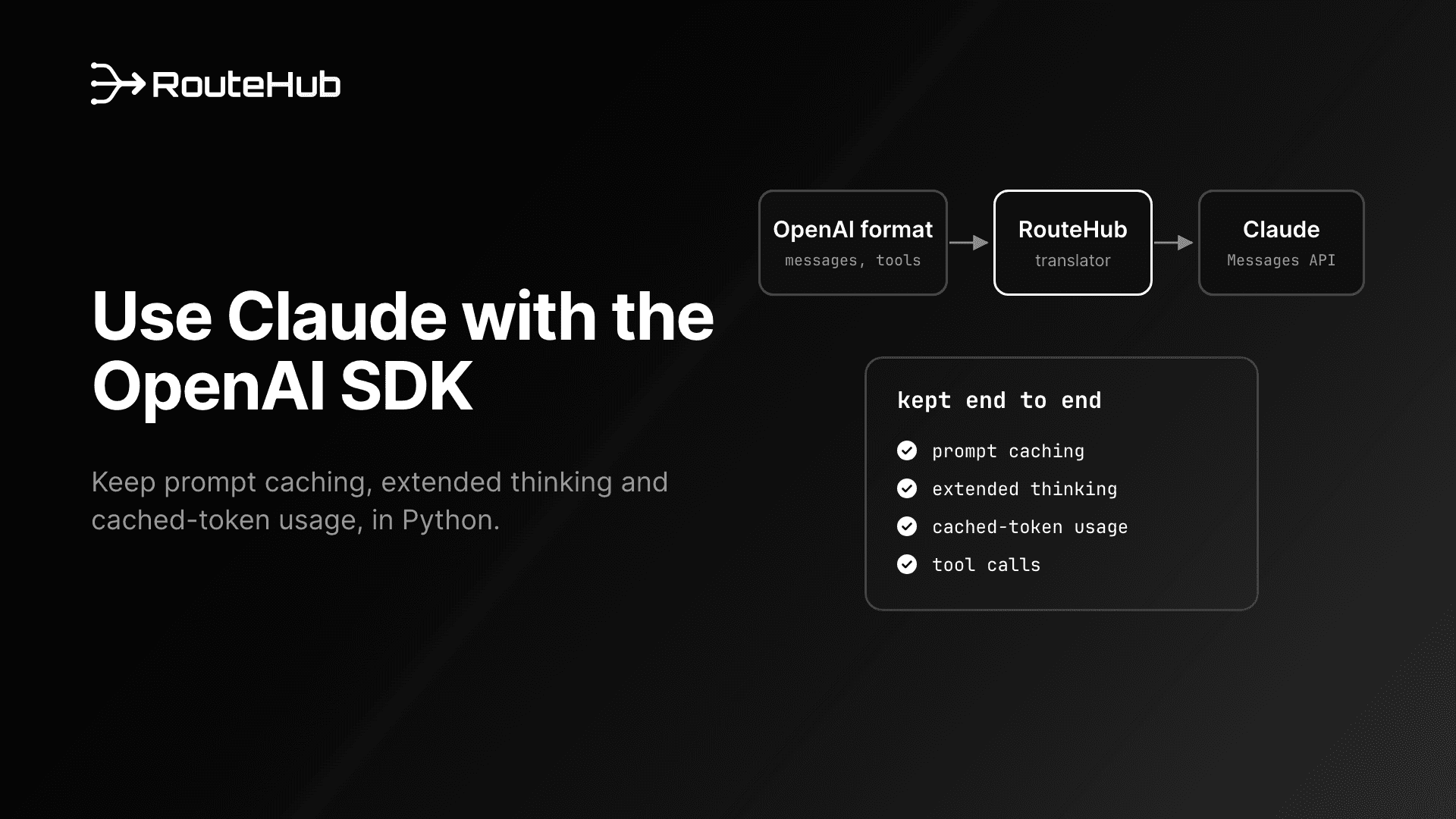
A gateway accepts the OpenAI chat format, translates each request into Claude's native Messages API, and translates the response back into an OpenAI ChatCompletion. Because it talks to the native endpoint, it can carry Claude-specific fields through the translation instead of dropping them.
RouteHub works this way. For every OpenAI-compatible provider it hands the request straight to the official OpenAI SDK. For Claude it uses its own adapter for the Messages API, which translates the request and the response (or event stream) in a single pass each way. The result is the OpenAI SDK's own ChatCompletion type, with Claude's extras attached where the OpenAI type has room for them:
cache_control markers on system prompts, messages and tools are sent to Anthropic unchanged.- Cache reads and writes appear in
usage.prompt_tokens_details.cached_tokens and usage.cache_creation_input_tokens.
- Thinking comes back as
message.reasoning_content (text) and message.thinking_blocks (the signed blocks).
reasoning_effort becomes Claude's thinking and effort settings.- OpenAI
file parts become Claude document blocks, so PDFs work.
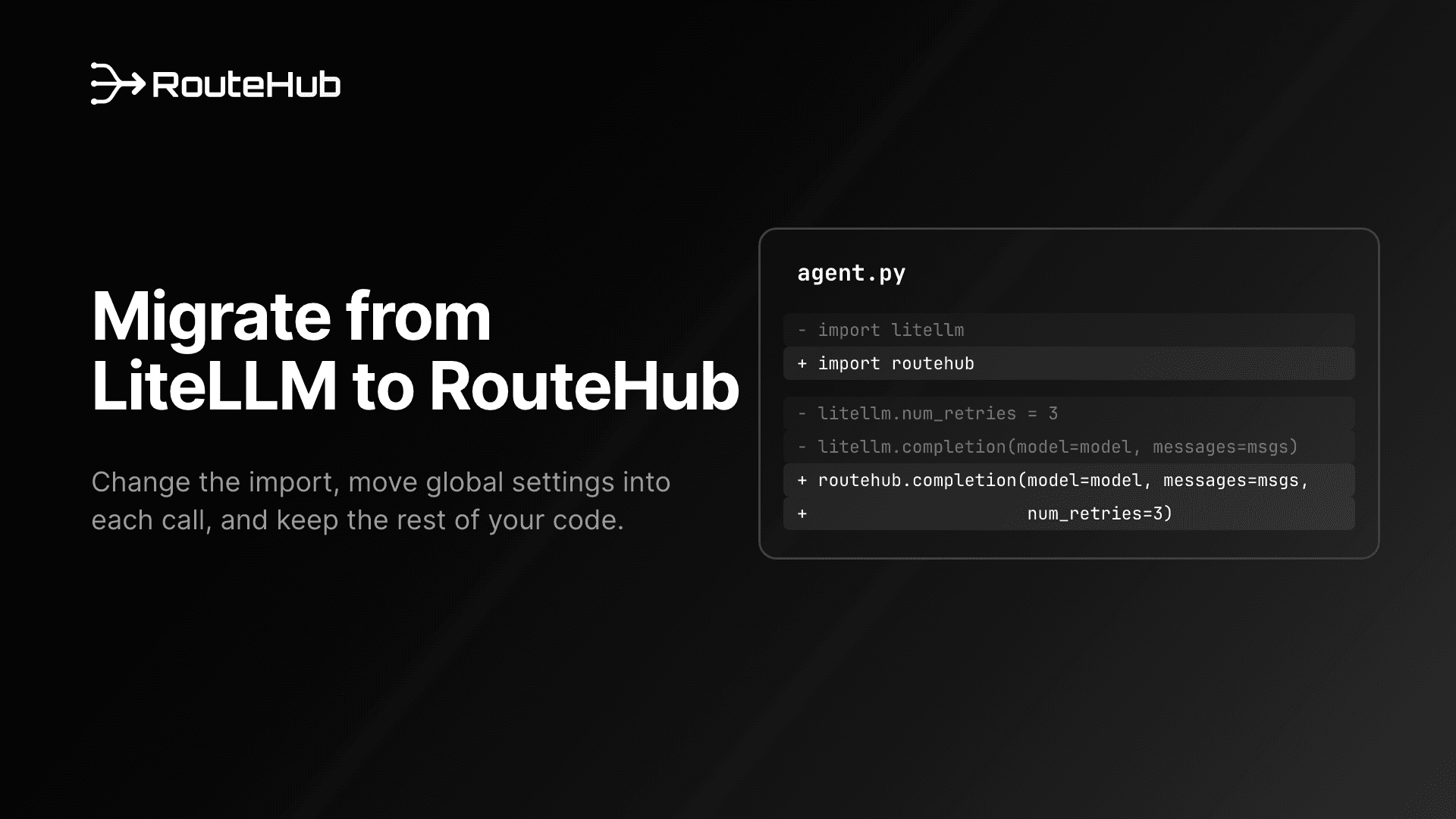
RouteHub keeps LiteLLM's function names, so if you are coming from LiteLLM the migration guide covers the switch, and our comparison of the best LLM gateways for Python puts it next to the alternatives.
How to Use Claude with the OpenAI SDK Format Through RouteHub
The rest of this guide is hands-on. Each example uses current Claude model IDs. RouteHub sends any bare model name that starts with claude- to Anthropic, and an anthropic/ prefix works too.
Install RouteHub and make a first call
pip install routehub
export ANTHROPIC_API_KEY="sk-ant-..."
import routehub

messages = [
    {"role": "system", "content": "Be brief."},
    {"role": "user", "content": "Summarize our Q3 risks in three bullets."},
]

response = routehub.completion(model="claude-sonnet-5-5", messages=messages, max_tokens=2048)
print(response.choices[0].message.content)
print(response.usage.total_tokens)
The response is an openai.types.chat.ChatCompletion. On the wire, RouteHub moved the system message into Claude's top-level system field and turned the user message into a text block. Anthropic requires max_tokens on every request. RouteHub sends 4,096 when you leave it out, and because thinking tokens count toward max_tokens on Claude, it is worth setting a higher value explicitly for hard tasks.
Stream responses
stream = routehub.completion(
    model="claude-sonnet-5-5",
    messages=messages,
    stream=True,
    stream_options={"include_usage": True},
)
for chunk in stream:
    if chunk.usage:
        print("\nusage:", chunk.usage.prompt_tokens, chunk.usage.completion_tokens)
    elif chunk.choices and chunk.choices[0].delta.content:
        print(chunk.choices[0].delta.content, end="", flush=True)
RouteHub parses Anthropic's server-sent events and emits one ChatCompletionChunk per text, thinking or tool-argument delta. With include_usage, the last chunk carries usage and no choices, the same as OpenAI's streams. acompletion takes the same arguments for async code.
Call tools, including parallel calls
Define tools in the OpenAI format. RouteHub converts each one to Claude's name, description and input_schema shape, and converts Claude's tool_use blocks back into OpenAI tool_calls.
import json

weather = {
    "type": "function",
    "function": {
        "name": "get_weather",
        "description": "Get the weather for a city.",
        "parameters": {
            "type": "object",
            "properties": {"city": {"type": "string"}},
            "required": ["city"],
        },
    },
}

conversation = [{"role": "user", "content": "What's the weather in Paris and Tokyo?"}]
response = routehub.completion(model="claude-opus-5-5", messages=conversation, tools=[weather])
message = response.choices[0].message

conversation.append(message.model_dump(exclude_none=True))
for call in message.tool_calls or []:
    city = json.loads(call.function.arguments)["city"]
    conversation.append({"role": "tool", "tool_call_id": call.id, "content": f"{city}: sunny"})

final = routehub.completion(model="claude-opus-5-5", messages=conversation, tools=[weather])
print(final.choices[0].message.content)
When Claude asks for both cities in one turn, finish_reason is "tool_calls" and message.tool_calls holds two calls. Claude's API carries tool results inside a user turn, so RouteHub groups consecutive tool messages into one user turn with two tool_result blocks. Appending message.model_dump(exclude_none=True) to the conversation also carries the assistant's thinking_blocks forward, which the next section explains. tool_choice accepts "auto", "none", "required" and a named function, and parallel_tool_calls=False becomes Claude's disable_parallel_tool_use.
One model-specific rule applies. Anthropic's error documentation says Claude Opus 5.5, Claude Sonnet 5.5, Claude Fable 5.1 and Claude Mythos 5.1 don't support forced tool use and return a 400 error for it. RouteHub checks this before sending: tool_choice="required" or a named function on those models raises UnsupportedParamsError, and with drop_params=True RouteHub sends "auto" instead.
Keep prompt caching with the OpenAI format
Mark the part of the prompt you want cached with Anthropic's cache_control key inside an OpenAI content part:
messages = [
    {
        "role": "system",
        "content": [
            {"type": "text", "text": policy_handbook, "cache_control": {"type": "ephemeral"}}
        ],
    },
    {"role": "user", "content": "Which policies cover vendor onboarding?"},
]

response = routehub.completion(model="claude-sonnet-5-5", messages=messages)
print(response.usage.prompt_tokens_details.cached_tokens)  # tokens read from the cache
print(response.usage.cache_creation_input_tokens)          # tokens written to the cache
The marker reaches Anthropic exactly as written, on the system block. Markers on user messages, assistant messages and tool definitions are kept too. Anthropic's top-level automatic caching field also passes through: routehub.completion(..., cache_control={"type": "ephemeral"}) sends cache_control at the top of the request body.
On the response side, prompt_tokens includes cache reads and writes, so a request that read 3,000 tokens from the cache and sent 20 new ones reports prompt_tokens=3020 and cached_tokens=3000. That keeps cost calculations correct for code that only knows OpenAI's usage fields. Per Anthropic's docs, the cache lasts 5 minutes by default (a 1-hour TTL is available), you can set up to 4 breakpoints, and a prompt must reach a minimum length before it is cached: 512 tokens on Claude Opus 5.5 and Sonnet 5.5, and 1,024 on Sonnet 4.6. Shorter prompts are processed without caching and without an error.
Use thinking and reasoning_effort
reasoning_effort is the OpenAI parameter for reasoning depth. RouteHub maps it to whatever the Claude model accepts:
- Claude Opus 4.7 and later, and every Claude 5 model: Anthropic's docs say these models no longer accept a fixed thinking budget. RouteHub sends adaptive thinking,
thinking={"type": "adaptive"}, and puts the level in output_config.effort ("minimal" maps to "low").
- Earlier thinking models such as Claude Sonnet 4.6: RouteHub sends a fixed budget: 1,024 tokens for
minimal and low, 2,048 for medium, 4,096 for high, 8,192 for xhigh and 16,000 for max. If max_tokens is not above the budget, RouteHub raises it to the budget plus 1,024.
There is one detail worth knowing on Claude 5. Anthropic's thinking documentation says thinking is already on for these models, and the display setting defaults to "omitted", which returns thinking blocks with an empty text field. To see the reasoning summary, pass Claude's thinking setting directly. RouteHub sends it as given and still applies your reasoning_effort:
response = routehub.completion(
    model="claude-opus-5-5",
    messages=messages,
    reasoning_effort="low",
    thinking={"type": "adaptive", "display": "summarized"},
    max_tokens=16000,
)
print(response.choices[0].message.reasoning_content)  # summarized thinking
print(response.choices[0].message.content)            # the answer
That request goes out with thinking={"type": "adaptive", "display": "summarized"} and output_config={"effort": "low"}. Anthropic also documents that Claude 4.7 and later models reject most sampling settings. RouteHub raises UnsupportedParamsError if you pass temperature, top_p or top_k to those models, or drops them with drop_params=True.
Send thinking blocks back during tool use
Anthropic requires that when you return tool results, "you must pass the thinking blocks from the assistant message back to the API, complete and unmodified." Each block carries a signature, an encrypted copy of the reasoning, and that requirement holds even when display is "omitted" and the text is empty.
RouteHub returns those blocks on message.thinking_blocks, and when an assistant message in your history has thinking_blocks, RouteHub puts them back at the start of that assistant turn. In the tool example above, the assistant turn sent back to Claude contained the signed thinking block followed by both tool_use blocks, with nothing edited. Two practical rules follow:
- Append the assistant message with
message.model_dump(exclude_none=True), or copy thinking_blocks yourself if you build messages by hand.
- Keep the history append-only. Anthropic's docs say that on Claude Fable 5.1, Opus 5.5, Sonnet 5.5 and Haiku 5.5, a replayed thinking block is accepted only while the system prompt, tools and earlier messages are unchanged.
When streaming, thinking text arrives as reasoning_content deltas and the signature arrives in a thinking_blocks delta at the end of the block, so collect both if you plan to continue the conversation.
Send images and PDFs
content = [
    {"type": "text", "text": "Compare the chart with the report."},
    {"type": "image_url", "image_url": {"url": "https://example.com/chart.png"}},
    {"type": "file", "file": {"filename": "q3.pdf", "file_data": f"data:application/pdf;base64,{pdf_b64}"}},
]
response = routehub.completion(model="claude-sonnet-5-5", messages=[{"role": "user", "content": content}])
An image_url becomes a Claude image block with a URL source, or a base64 source when you pass a data URI. A file part with base64 data becomes a document block, and a file part with a file_id becomes a document that references a file you uploaded through Anthropic's Files API.
Get structured output
from pydantic import BaseModel

class RiskReport(BaseModel):
    title: str
    severity: int

response = routehub.completion(
    model="claude-sonnet-5-5",
    messages=[{"role": "user", "content": "Assess the main risk of a single-region deployment."}],
    response_format=RiskReport,
)
report = RiskReport.model_validate_json(response.choices[0].message.content)
A pydantic class becomes a strict json_schema response format. On Claude Fable 5.1, Sonnet 5.5, Opus 5.5 and later, RouteHub sends the schema as Anthropic's native structured output (output_config.format). On earlier models, it adds a tool named json_tool_call with your schema, forces Claude to call it, and returns the tool's input as the message content with finish_reason="stop". When you turn thinking on, it uses tool_choice="auto" for that tool instead, because Anthropic rejects forced tool use together with manual extended thinking. Either way, your code reads JSON from message.content.
Handle errors with typed exceptions
try:
    routehub.completion(model="claude-sonnet-5-5", messages=messages, num_retries=3)
except routehub.ContextWindowExceededError:
    ...  # trim the conversation and retry
except routehub.ServiceUnavailableError as error:
    print(error.status_code, error.llm_provider, error.model)  # 529, anthropic, claude-sonnet-5-5
except routehub.RateLimitError:
    ...
Anthropic returns HTTP 529 with overloaded_error when the API is temporarily overloaded. RouteHub raises ServiceUnavailableError for it, and for an overloaded_error event that arrives in the middle of a stream. Before raising, it retries 429, 529 and other transient statuses with exponential backoff that honors retry-after (2 retries unless you set num_retries). Each exception subclasses the matching OpenAI SDK exception, so existing except openai.APIStatusError handlers still catch it. A Claude refusal is not an error: it comes back with finish_reason="content_filter".
Does the Translation Layer Slow Claude Down?
Translating every request and response sounds like extra work, but RouteHub's Anthropic path measured faster than the official Anthropic SDK in our technical report, RouteHub: A Low-Overhead, SDK-Native LLM Gateway for Agentic Workloads. These are client-side costs, measured against a local mock server that answers instantly, on an Apple M3 Pro with Python 3.12 and Anthropic SDK 1.11.0:
| Measurement (from the paper) | Anthropic SDK | RouteHub |
|---|
| Warm call, 1 message | 0.42 ms | 0.26 ms |
| Warm call, 22-message agent request with 4 tools | 0.45 ms | 0.29 ms |
| Time per streamed chunk | 10 µs | 5 µs |
| Full 200-chunk stream | 2.4 ms | 1.2 ms |
| Async requests per second, 1 in flight | 1,711 | 2,435 |
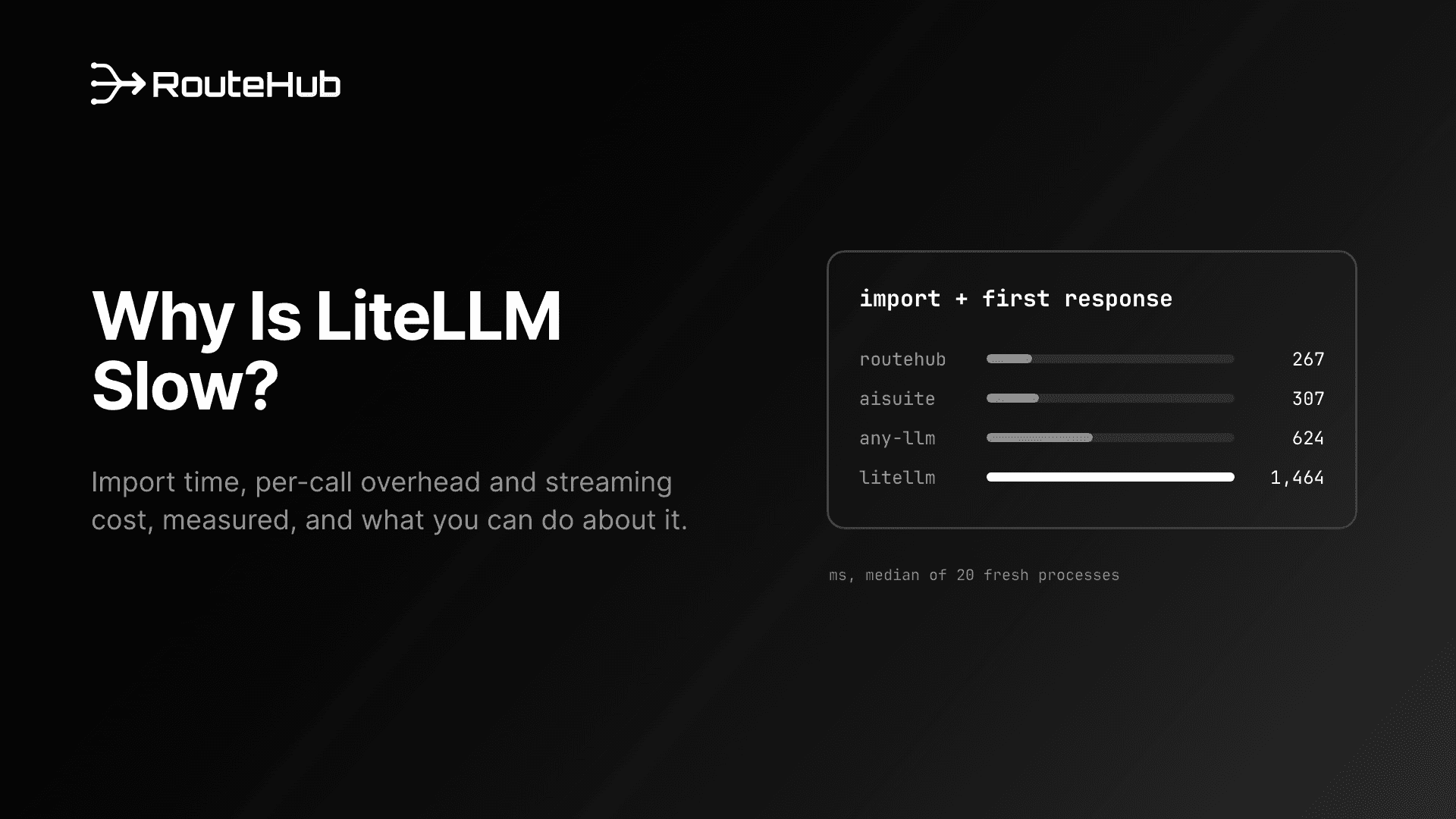
The Anthropic SDK baseline sends a hand-written native request, so it does no translation at all. RouteHub still comes out ahead because its adapter encodes the request body once, sends it on a pooled connection and validates the reply straight into a ChatCompletion, while the SDK builds typed request and response models of its own. Keep the scale in mind: these are fractions of a millisecond, and a real Claude call spends seconds generating tokens. The savings matter when they are multiplied across many agent steps, streams or concurrent requests. The RouteHub announcement covers the full benchmark, including where RouteHub is not ahead yet.
Which Option Should You Choose?
| Compatibility endpoint | Native Anthropic SDK | RouteHub |
|---|
| Request and response format | OpenAI | Anthropic | OpenAI |
| Other providers in the same code | Yes | No | Yes |
| Prompt caching | Not supported | Yes | Yes |
| Thinking text and signed blocks returned | No | Yes | Yes |
| Cached-token usage | Always empty | Yes | Yes |
reasoning_effort | Ignored | Use output_config.effort | Mapped to thinking and effort |
response_format | Ignored | Structured outputs | Structured outputs or a forced tool call |
PDFs as file parts | Ignored | Yes | Yes |
| New Claude API features | Limited | Available first | Top-level fields pass through, others need RouteHub support |
Choose the compatibility endpoint for a quick test of Claude inside an existing OpenAI codebase. Choose the native Anthropic SDK when your application only calls Claude, or when you need features the OpenAI format has no place for. Choose RouteHub when you want one OpenAI-format code path across Claude and other providers without giving up caching, thinking or PDFs.
RouteHub has limits worth knowing before you commit. Citations, and the result blocks of Anthropic's server tools such as web search, have no OpenAI field, so RouteHub returns the text without that metadata. It does not yet forward the OpenAI strict flag on function definitions to Anthropic's strict tool use. Like the compatibility endpoint, it moves every system message into the top-level system prompt. New top-level request fields such as container, mcp_servers, context_management and service_tier pass through as keyword arguments, but new response features need translation support before they appear on the ChatCompletion. If your application depends on those, use the native SDK for that part.
Frequently Asked Questions
Can I use Claude with the OpenAI SDK?
Yes. Anthropic's compatibility endpoint at https://api.anthropic.com/v1/ accepts requests from the official openai package with a Claude API key. Anthropic describes it as a way to test and compare models, and it ignores prompt caching, thinking output, reasoning_effort, response_format and file parts. For production use with the OpenAI format, a gateway such as RouteHub calls Claude's native API instead.
Does Claude prompt caching work with the OpenAI format?
Not through Anthropic's compatibility endpoint, which does not support prompt caching. Through RouteHub it does: add "cache_control": {"type": "ephemeral"} to a content part or tool definition, and read the results from usage.prompt_tokens_details.cached_tokens and usage.cache_creation_input_tokens.
How do I get Claude's thinking in the OpenAI format?
With RouteHub, set reasoning_effort, or pass Claude's thinking setting directly. Thinking text appears on message.reasoning_content and the signed blocks on message.thinking_blocks. On Claude 5 models, pass thinking={"type": "adaptive", "display": "summarized"} to get the summary text, since the default display is "omitted".
Does reasoning_effort work with Claude?
The compatibility endpoint ignores it. RouteHub maps it to adaptive thinking with output_config.effort on Claude Opus 4.7 and later and on Claude 5 models, and to a fixed thinking budget on earlier thinking models.
Is RouteHub slower than calling the Anthropic SDK directly?
In the benchmarks in our technical report it was faster on the client side: 0.26 ms against 0.42 ms per warm call, and 5 µs against 10 µs per streamed chunk. Both numbers are small next to model latency, so the main reason to choose RouteHub is the shared OpenAI format across providers.
Which Claude models does RouteHub support?
Any model name that starts with claude- goes to Anthropic's Messages API, including claude-opus-5-5, claude-sonnet-5-5 and claude-sonnet-4-6. RouteHub applies the model-specific rules for thinking, sampling parameters, forced tool use and structured output described above.
Get Started
Install RouteHub from PyPI with pip install routehub, star the project on GitHub, and read the technical report for the design and benchmarks. If you are evaluating gateways more broadly, see our guide to the best LiteLLM alternative and our look at why LiteLLM is slow.