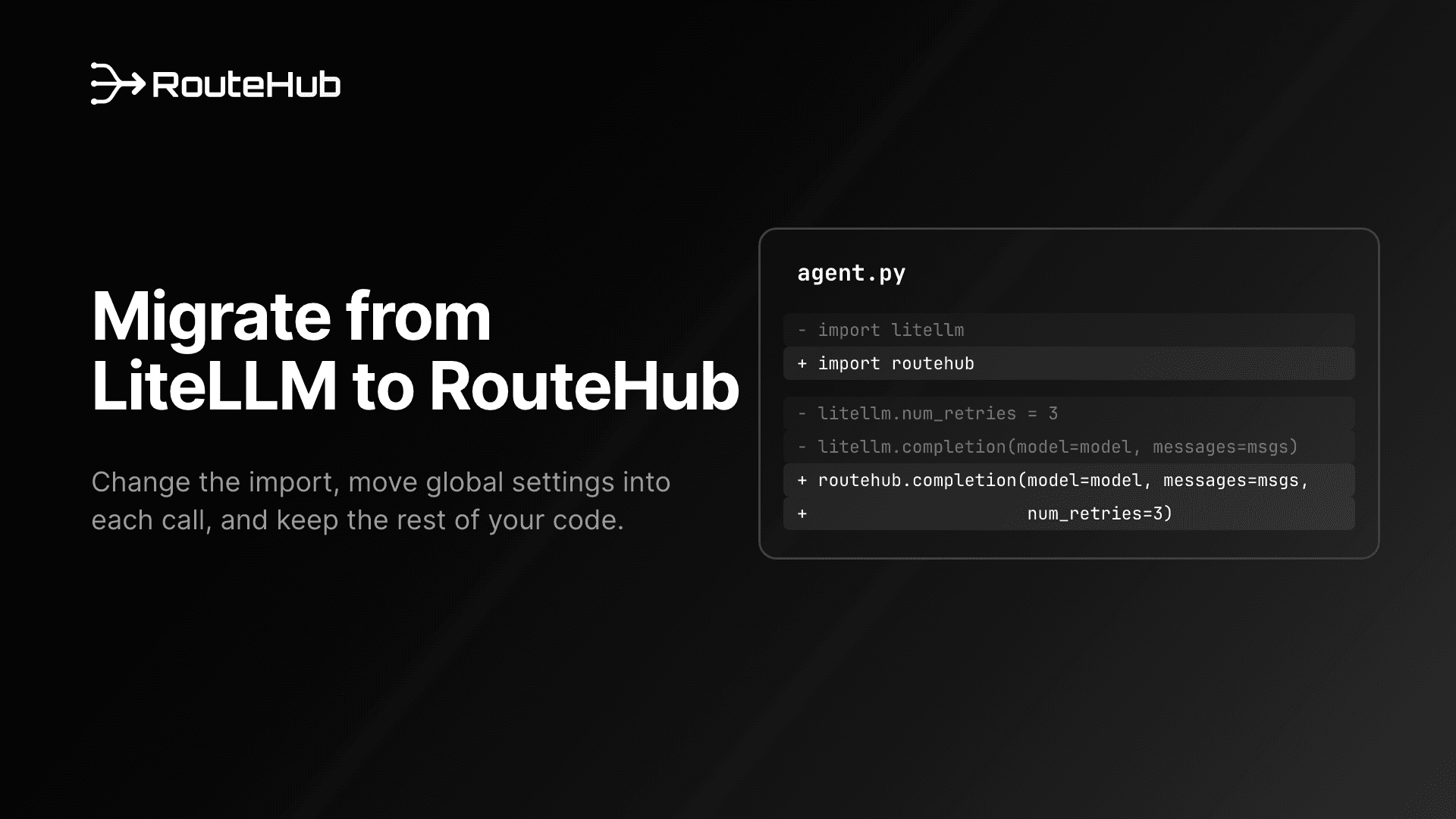
If you want to migrate from LiteLLM to a lighter gateway, RouteHub is built for exactly that move. It keeps LiteLLM's function names and module paths (completion, acompletion, embedding, routehub.utils, routehub.exceptions), so most of the work is changing imports. A few things do behave differently, and this guide walks through each one with code you can copy: settings, response objects, streaming, tool calling, structured output, Claude features, embeddings, model metadata, exceptions, tests, and the LiteLLM features RouteHub leaves out on purpose.
Every RouteHub snippet below was run against RouteHub 0.2.0 before publishing, using mock_response or a local mock server, so no API keys were needed.
Why Migrate from LiteLLM to RouteHub?
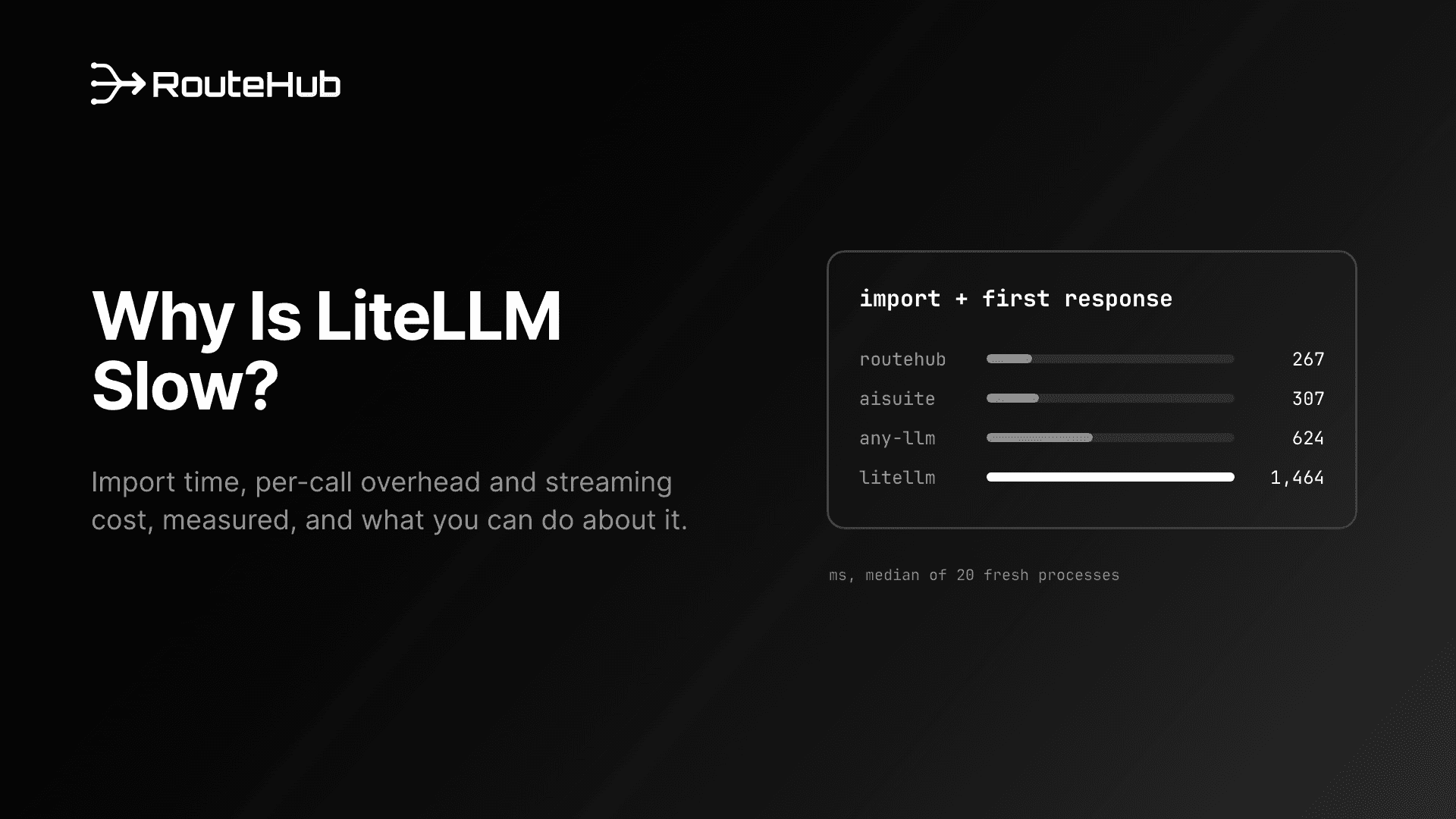
The main reason is cost per process and per call. In the benchmark from our technical report, measured against LiteLLM 1.104.0 on one machine:
| LiteLLM 1.104.0 | RouteHub |
|---|
import time | 1,235 ms | 3.2 ms |
| Import plus first response, fresh process | 1,464 ms | 267 ms |
| Peak memory after the first request | 211 MiB | 54 MiB |
| Time added to a bare OpenAI SDK call | 647 µs | 9 µs |
| Installed packages | 58 | 21 |
That is 383x faster imports, a first response 5.5x sooner and 3.9x less memory. RouteHub also calls Claude's native Messages API and returns the official OpenAI SDK's own ChatCompletion objects. The launch post explains how it gets there, and Why Is LiteLLM Slow? looks at where LiteLLM's import and per-call time goes.
The reason to stay is features. LiteLLM is a much bigger project: a proxy server, a Router with load balancing, callbacks for logging and observability tools, budgets, a caching layer, and more than 100 providers. If your application depends on those, read Step 10 below, on LiteLLM-only features, before you start. For a broader comparison of the options, see The Best LiteLLM Alternative.
Is RouteHub a Drop-In Replacement for LiteLLM?
For the core calls, mostly yes. The same function names exist, they take the same OpenAI-format arguments, provider prefixes are the same (anthropic/, gemini/, groq/, openrouter/, azure/, ollama/, hosted_vllm/ and so on), and common provider environment variables such as OPENAI_API_KEY, ANTHROPIC_API_KEY, GEMINI_API_KEY, GROQ_API_KEY and AZURE_API_KEY are read under the same names.
It is not a drop-in replacement in four areas, and each one gets a step below:
- Settings are per call. RouteHub has no module-level settings such as
litellm.drop_params.
- Responses are OpenAI SDK objects. You read them with attributes, not dictionary keys.
- Exceptions come from
routehub. Most LiteLLM exception names exist, but a few LiteLLM-specific ones do not.
- Some LiteLLM features are absent. The proxy,
Router, fallbacks, callbacks, budgets, caching, completion_cost and stream_chunk_builder.
What Changes When You Migrate from LiteLLM?
| LiteLLM | RouteHub |
|---|
pip install litellm | pip install routehub |
from litellm import completion, acompletion, embedding | from routehub import completion, acompletion, embedding |
from litellm.utils import get_model_info, supports_vision | from routehub.utils import get_model_info, supports_vision |
from litellm.exceptions import AuthenticationError | from routehub.exceptions import AuthenticationError |
from litellm import model_list, encode, token_counter | from routehub import model_list, encode, token_counter |
litellm.drop_params = True | completion(..., drop_params=True) |
litellm.num_retries = 3 | completion(..., num_retries=3) |
litellm.ssl_verify = False | completion(..., ssl_verify=False) |
litellm.set_verbose = True | completion(..., set_verbose=True) |
litellm.api_key = "..." | completion(..., api_key="...") or the provider's environment variable |
response["choices"][0]["message"]["content"] | response.choices[0].message.content |
ModelResponse | openai.types.chat.ChatCompletion |
Step 1: Install RouteHub
pip install routehub

# Or with uv
uv add routehub

# Optional: orjson for faster JSON handling
pip install "routehub[fast]"
RouteHub needs Python 3.10 or later. Its direct dependencies are openai, pydantic and tiktoken. You can keep LiteLLM installed while you migrate and remove it once nothing imports it.
Step 2: Replace the LiteLLM Imports
Change every import from litellm to routehub. The module layout is the same:
from routehub import completion, acompletion, embedding, aembedding
from routehub import model_list, encode, token_counter
from routehub.utils import get_model_info, get_max_tokens, supports_vision
from routehub.exceptions import (
    AuthenticationError,
    ContextWindowExceededError,
    RateLimitError,
)
Search your codebase for both forms, import litellm and from litellm, so you catch module-style calls like litellm.completion(...) as well.
One shortcut to avoid: import routehub as litellm. Calls would work, but any line like litellm.drop_params = True would then set an attribute that RouteHub never reads, and you would get no error telling you the setting was lost. Rename explicitly so every global setting shows up for Step 3.
Step 3: Move litellm.drop_params and Other Globals to Per-Call Arguments
LiteLLM reads many settings from module globals: litellm.drop_params, litellm.num_retries, litellm.ssl_verify, litellm.set_verbose, litellm.api_key and litellm.api_base among them. RouteHub takes every setting as an argument to the call. In a process shared by many agents or tenants, one component's TLS or retry choice then cannot change another's.
| Argument | Default | What it does in RouteHub |
|---|
drop_params | False | Drops parameters a model rejects: sampling parameters on OpenAI reasoning models, reasoning_effort on models without reasoning, thinking on older Claude models, and unknown keyword arguments. |
num_retries | None (2 retries) | Retries rate limits, 5xx errors and connection failures with exponential backoff that honours retry-after. |
ssl_verify | True | TLS verification, or a path to a CA bundle. |
set_verbose | False | Prints the provider, model, parameter names and timing to stderr. API keys and message content are never printed. |
request_timeout / timeout | 600.0 | Request timeout in seconds. timeout wins when both are set. |
api_key, api_base (or base_url) | from the environment | Credentials and endpoint for this call. |
If you set globals once at startup, keep that single place by binding your defaults with functools.partial:
from functools import partial

import routehub

complete = partial(
    routehub.completion,
    drop_params=True,
    num_retries=3,
    ssl_verify="/etc/ssl/corp-ca.pem",
)
acomplete = partial(routehub.acompletion, drop_params=True, num_retries=3)

response = complete(model="gpt-5.4-mini", messages=messages)
Then replace litellm.completion calls with complete. Any argument you pass at the call site still overrides the bound default.
Two details on drop_params. LiteLLM's additional_drop_params is accepted and ignored, so if you used it to strip a specific field, remove that field from the request yourself. And RouteHub does not read LiteLLM's SSL_VERIFY environment variable, so pass ssl_verify explicitly.
Step 4: Update How You Read Responses
LiteLLM returns its own ModelResponse, which supports both attribute and dictionary access. RouteHub returns the OpenAI SDK's ChatCompletion, a pydantic model, so dictionary access raises TypeError: 'ChatCompletion' object is not subscriptable.
# Attribute access works in both libraries
text = response.choices[0].message.content
tokens = response.usage.total_tokens

# Where you need a dict, convert once
data = response.model_dump()
text = data["choices"][0]["message"]["content"]
payload = response.model_dump_json()
Search for ["choices"], ["usage"] and .get("choices" to find the places that need a change. Type hints that named ModelResponse become openai.types.chat.ChatCompletion, and type checkers now see the real OpenAI schema.
Usage is reported in one shape for every provider: prompt_tokens, completion_tokens, total_tokens, prompt_tokens_details.cached_tokens and, where the provider reports them, reasoning tokens.
Step 5: Check Streaming and Async Code
Streaming code usually needs no change. RouteHub yields OpenAI ChatCompletionChunk objects, and with include_usage the final chunk carries usage and no choices, as OpenAI does:
stream = routehub.completion(
    model="claude-sonnet-4-6",
    messages=messages,
    stream=True,
    stream_options={"include_usage": True},
)
for chunk in stream:
    if chunk.usage:
        print("\nusage:", chunk.usage)
    elif chunk.choices and chunk.choices[0].delta.content:
        print(chunk.choices[0].delta.content, end="", flush=True)
Streams can also be used in a with block, which closes the connection if you stop reading early. Async code keeps the same shape:
import asyncio

async def main():
    response = await routehub.acompletion(model="gpt-5.4-mini", messages=messages)
    stream = await routehub.acompletion(model="gpt-5.4-mini", messages=messages, stream=True)
    async for chunk in stream:
        if chunk.choices and chunk.choices[0].delta.content:
            print(chunk.choices[0].delta.content, end="")

asyncio.run(main())
If you used LiteLLM's stream_chunk_builder to rebuild a full response from chunks, RouteHub does not have it. Collect the delta.content strings (and delta.tool_calls if you stream tools) as you go, or make a non-streaming call when you need the complete object.
Step 6: Update Tool Calling Loops
Tool definitions and tool result messages use the OpenAI format, as they did with LiteLLM. The one change is how you append the assistant's message to the history. With LiteLLM, appending response.choices[0].message directly is common because LiteLLM's message object behaves like a dict. With RouteHub, convert it with model_dump(exclude_none=True). In our tests, appending the raw object worked on the OpenAI route but failed on the Anthropic route with AttributeError, so make the conversion everywhere:
import json

weather = {
    "type": "function",
    "function": {
        "name": "get_weather",
        "description": "Get the weather for a city.",
        "parameters": {
            "type": "object",
            "properties": {"city": {"type": "string"}},
            "required": ["city"],
        },
    },
}

messages = [{"role": "user", "content": "What's the weather in Paris?"}]
response = routehub.completion(model="claude-sonnet-4-6", messages=messages, tools=[weather])
message = response.choices[0].message

messages.append(message.model_dump(exclude_none=True))
for call in message.tool_calls or []:
    args = json.loads(call.function.arguments)
    messages.append({"role": "tool", "tool_call_id": call.id, "content": get_weather(**args)})

final = routehub.completion(model="claude-sonnet-4-6", messages=messages, tools=[weather])
print(final.choices[0].message.content)
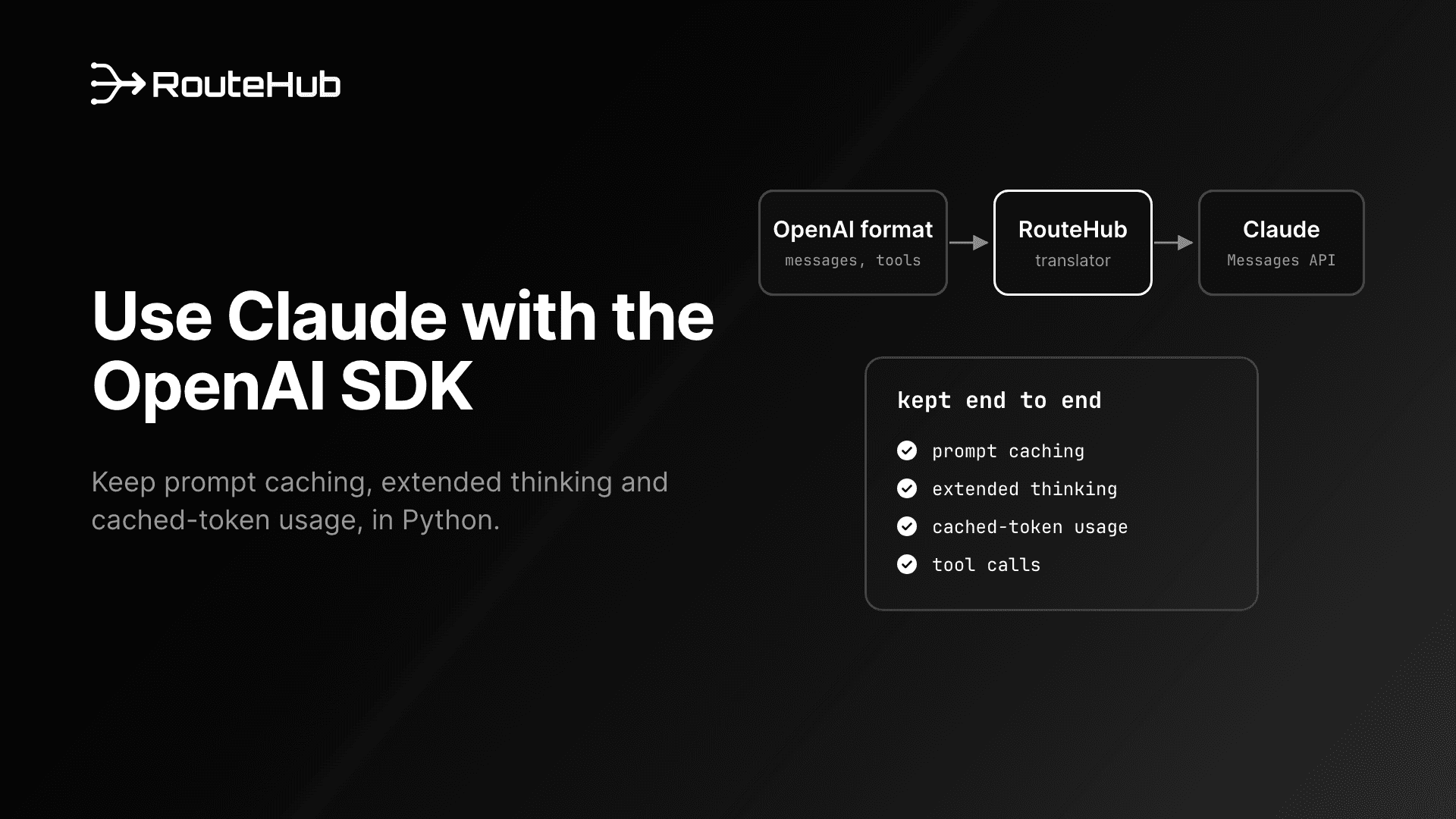
For Claude, RouteHub translates tool definitions, calls and results to Anthropic's format and back, including parallel tool calls.
Step 7: Structured Output
Pass a pydantic model as response_format. RouteHub turns it into a strict json_schema format. For Claude, the schema is enforced through a forced tool call and the JSON comes back as the message content:
from pydantic import BaseModel

class RiskReport(BaseModel):
    title: str
    severity: int

response = routehub.completion(
    model="gpt-5.4-mini",
    messages=[{"role": "user", "content": "Assess the main risk of a single-region deployment."}],
    response_format=RiskReport,
)
report = RiskReport.model_validate_json(response.choices[0].message.content)
Step 8: Claude Prompt Caching and Thinking
RouteHub calls Anthropic's native Messages API, so Claude features that the OpenAI-compatible endpoint drops keep working. cache_control markers go to Anthropic unchanged, and cache usage comes back on the response:
messages = [
    {
        "role": "system",
        "content": [
            {"type": "text", "text": policy_handbook, "cache_control": {"type": "ephemeral"}}
        ],
    },
    {"role": "user", "content": "Which policies cover vendor onboarding?"},
]
response = routehub.completion(model="claude-sonnet-4-6", messages=messages)
print(response.usage.prompt_tokens_details.cached_tokens)  # tokens read from cache
print(response.usage.cache_creation_input_tokens)          # tokens written to cache
prompt_tokens includes cache reads and writes. Claude's thinking appears on the message as reasoning_content (the text) and thinking_blocks (the signed blocks). Anthropic requires the thinking blocks to be sent back on the assistant message during multi-turn tool use, and model_dump(exclude_none=True) from Step 6 keeps them, so the tool loop above already handles it. If the same history later goes to a non-Claude model, RouteHub removes those response-only fields before sending. More on Claude through an OpenAI-style API is in How to Call Claude with the OpenAI Format in Python.
Step 9: Embeddings, Token Counting and Model Info
Embeddings work the same way and return the SDK's CreateEmbeddingResponse:
response = routehub.embedding(model="text-embedding-3-small", input=["first text", "second text"])
vectors = [item.embedding for item in response.data]
Token counting uses tiktoken with the model's encoding, or o200k_base for models tiktoken does not know, so counts for non-OpenAI models are estimates:
routehub.encode(model="gpt-5.4-mini", text="hello world")
routehub.token_counter(model="gpt-5.4-mini", messages=messages)
Model metadata is where RouteHub differs most from LiteLLM. LiteLLM ships a price map and, by default, downloads an updated copy from GitHub at import. RouteHub reads OpenRouter's live model list on the first lookup and caches it for five minutes:
info = routehub.get_model_info("claude-sonnet-4-6")
info["max_input_tokens"]
info["input_cost_per_token"]

routehub.get_max_tokens("gpt-5.4-mini")
routehub.supports_vision("gpt-5.4-mini")
"claude-sonnet-4-6" in routehub.model_list
get_model_info raises ModelNotMappedError for unknown models, and the supports_* functions return False. Private, fine-tuned or self-hosted models go in with register_model, in LiteLLM's model-info shape. Registered entries take priority and never expire:
routehub.register_model({
    "acme-support-ft": {
        "max_input_tokens": 32768,
        "max_output_tokens": 4096,
        "supports_function_calling": True,
        "input_cost_per_token": 0.000002,
        "output_cost_per_token": 0.000008,
    }
})
Step 10: Replace the LiteLLM-Only Features You Use
These LiteLLM features have no RouteHub equivalent. Some LiteLLM arguments for them are accepted and ignored, so search for them explicitly rather than waiting for an error.
Exceptions. RouteHub provides BadRequestError, ContextWindowExceededError, ContentPolicyViolationError, UnsupportedParamsError, AuthenticationError, PermissionDeniedError, NotFoundError, UnprocessableEntityError, RateLimitError, InternalServerError, ServiceUnavailableError, Timeout, APIConnectionError, APIError and ModelNotMappedError. Each subclasses the matching OpenAI SDK exception and carries status_code, llm_provider and model, with the original error chained as __cause__. LiteLLM 1.104.0 has others, such as BudgetExceededError, BadGatewayError and APIResponseValidationError. A 502 from a provider becomes InternalServerError in RouteHub.
try:
    routehub.completion(model="gpt-5.4-mini", messages=messages, num_retries=3)
except routehub.ContextWindowExceededError:
    ...  # trim the conversation and retry
except routehub.RateLimitError as error:
    print(error.status_code, error.llm_provider, error.model)
Fallbacks. LiteLLM's completion(..., fallbacks=[...]) and context_window_fallback_dict are accepted and ignored by RouteHub, as are retry_policy and num_retries_per_request. A short loop does the same job and makes the rule visible:
def complete_with_fallbacks(models, **kwargs):
    last_error = None
    for model in models:
        try:
            return routehub.completion(model=model, **kwargs)
        except (
            routehub.RateLimitError,
            routehub.ServiceUnavailableError,
            routehub.InternalServerError,
            routehub.Timeout,
            routehub.APIConnectionError,
        ) as error:
            last_error = error
    raise last_error

response = complete_with_fallbacks(["gpt-5.4-mini", "claude-sonnet-4-6"], messages=messages)
Cost tracking. RouteHub has no completion_cost. Prices come from get_model_info, so a basic version is a few lines. This one prices cached input at the full input rate, so it overstates the cost of cached prompts:
def call_cost(model, response):
    info = routehub.get_model_info(model)
    usage = response.usage
    return (
        usage.prompt_tokens * (info["input_cost_per_token"] or 0)
        + usage.completion_tokens * (info["output_cost_per_token"] or 0)
    )
Callbacks, budgets and caching. litellm.success_callback, litellm.failure_callback, litellm.max_budget and litellm.cache have no RouteHub counterpart, and the metadata and caching arguments are accepted and ignored. Put logging and spend tracking in a wrapper like complete from Step 3, where you can read response.usage and time each call. If you passed metadata to OpenAI for stored completions, send it through extra_body={"metadata": {...}, "store": True}, which RouteHub always forwards.
Router and proxy. RouteHub has no Router and no proxy server. If you run the LiteLLM proxy for keys, budgets and logging across teams, you can keep it and point RouteHub at it like any OpenAI-compatible server:
routehub.completion(
    model="openai/my-model-alias",
    messages=messages,
    api_base="http://0.0.0.0:4000",
    api_key="sk-your-proxy-key",
)
This is the honest trade-off: LiteLLM does more, and part of its per-call cost pays for that machinery. RouteHub's position is that those features belong outside the per-request path, in your application or a separate service.
How Do You Test the Migration?
Start with the tests you already have. mock_response works as it does in LiteLLM: it returns a real ChatCompletion, or a stream when stream=True, without a network call or an API key. Pass an exception instead to rehearse failure handling:
response = routehub.completion(model="gpt-5.4-mini", messages=messages, mock_response="Approved.")

routehub.completion(model="gpt-5.4-mini", messages=messages, mock_response=TimeoutError("simulated outage"))

routehub.completion(
    model="gpt-5.4-mini",
    messages=messages,
    mock_response=routehub.RateLimitError("slow down", llm_provider="openai", model="gpt-5.4-mini"),
)
Then check four things against real providers, one model per provider you use:
- Plain completions give similar answers and the usage numbers you expect.
- Streams produce the same text as the non-streaming call, with usage on the last chunk if you ask for it.
- Tool loops finish, including on Claude with thinking enabled.
- Error paths raise the exception classes your handlers catch. A call with a deliberately invalid key should raise
AuthenticationError, and an empty key raises it before any request is sent.
Run with set_verbose=True for a first pass. It prints the provider, base URL and parameter names for each request, which quickly shows a parameter that is going somewhere you did not expect.
Using RouteHub Through Swarms
If you use RouteHub through the Swarms agent framework, you do not need any of the steps above. swarms[fast] installs RouteHub, and Swarms then makes every model call through it instead of LiteLLM, with no change to your agent code. The Swarms README reports a new process getting an agent's first answer in about 0.6 seconds instead of 1.2. The fast extra is on the Swarms main branch and will be included in the next release on PyPI. Until then:
pip install "swarms[fast] @ git+https://github.com/kyegomez/swarms.git"
Migrate from LiteLLM: The Checklist
If you are still choosing a gateway, The Best LLM Gateway for Python compares RouteHub with LiteLLM, any-llm, aisuite and the bare SDKs.
Frequently Asked Questions
How long does it take to migrate from LiteLLM to RouteHub?
For code that uses completion, acompletion and embedding with attribute access, the change is mostly imports and can be done in one pass. The time goes into the four areas in this guide: global settings, dictionary access on responses, exception names and LiteLLM-only features. A search for litellm., ["choices"], fallbacks= and metadata= shows how much of each you have.
Does RouteHub support the same providers as LiteLLM?
RouteHub covers more than 20 providers, including OpenAI, Anthropic, Gemini, Azure OpenAI, Groq, xAI, DeepSeek, OpenRouter, Together, Mistral, Fireworks, Ollama, vLLM and any OpenAI-compatible server. LiteLLM covers more than 100. Check the provider table in the README for the ones you use. Any provider with an OpenAI-compatible endpoint works through api_base.
Can I keep the LiteLLM proxy and use RouteHub as the client?
Yes. The LiteLLM proxy speaks the OpenAI API, so call it with an openai/ model prefix, api_base set to the proxy's URL and your proxy key as api_key. You keep the proxy's budgets and logging and drop the LiteLLM import from your application processes.
Why does my code fail with "'ChatCompletion' object is not subscriptable"?
RouteHub returns OpenAI SDK objects, which do not support dictionary access. Replace response["choices"][0]["message"]["content"] with response.choices[0].message.content, or call response.model_dump() once and keep the dictionary code.
What happens to litellm.drop_params?
Pass drop_params=True on each call, or bind it once with functools.partial. Setting routehub.drop_params = True does nothing, because RouteHub reads no module-level settings.
Is RouteHub production ready?
RouteHub is at version 0.2.0, and the Swarms framework's new fast extra is built on it. It ships with an offline test suite, typed exceptions and retries with backoff. It is younger and smaller than LiteLLM, so check that the providers and features you need are covered, and open an issue for anything missing.
RouteHub is open source under Apache 2.0. Install it from PyPI, and star or contribute on GitHub.